AI PowerPoint Generator: Create Professional Slides in Seconds
Starting a presentation from a blank PowerPoint file can feel inefficient, especially when the meeting is close and the message is still rough. Founders need pitch decks, sales teams need client-ready narratives, consultants need structured reports, executives need updates, and students need clear slides without spending hours on formatting.
An AI PowerPoint generator helps solve the blank-page problem. Instead of building every slide manually, users can turn a topic, prompt, document, or set of notes into a structured first draft. The best tools do more than create slides quickly. They help organize thinking, shape the story, and make the final presentation easier to edit for a real audience.
What is an AI PowerPoint generator?
An AI PowerPoint generator is a tool that uses AI to create presentation outlines, slide copy, layouts, and visual direction from user input. Depending on the product, it may generate a deck from a prompt, turn a document into slides, summarize notes, or help refine an existing presentation.
The category includes several types of tools. Some work like simple presentation generators: enter a topic and receive a slide deck. Others act more like an AI PPT maker, helping users improve structure, reorganize sections, and polish the visual flow. Some tools export to PowerPoint formats, while others focus on web-based editing or collaboration.
Microsoft’s guide to creating presentations with Copilot in PowerPoint shows how AI can help draft slides from prompts or source material. Google also explains how Gemini can generate presentations in Google Slides, which reflects the same broader trend: AI is becoming part of the presentation workflow.
Why AI PowerPoint generators are becoming popular
AI presentation tools are becoming popular because presentation work is not only design work. It is also thinking work. Before a deck looks polished, someone has to decide what the audience needs to understand, what order the ideas should follow, which evidence matters, and what action the deck should support.
For many users, the hardest part is not choosing a color palette. It is getting from scattered ideas to a usable structure. An AI PowerPoint presentation can provide momentum by creating an outline, drafting slide copy, and suggesting a logical sequence.
This is useful across many workflows:
- A founder can turn a business idea into an investor pitch outline.
- A marketer can convert campaign notes into a launch deck.
- A consultant can transform research findings into an executive summary.
- A sales team can create a first draft for a client meeting.
- A student can organize a topic into clear sections.
The first version may not be final, but it gives the user something structured to refine.
How an AI PPT maker usually works
Most AI PPT makers start with user input. That input may be a topic, prompt, document, webpage, research notes, meeting transcript, or existing deck. The tool then creates a draft structure and turns that structure into slides.
A typical workflow looks like this:
- Enter a prompt, topic, or source material.
- Review the suggested outline or slide plan.
- Generate the first version of the deck.
- Edit the message, examples, data, and structure.
- Adjust visuals, branding, and export settings.
Good prompting still matters. OpenAI’s guide to using AI models effectively recommends being specific about the desired context, format, style, and outcome. The same principle applies when using an AI presentation generator: the clearer the input, the better the draft.
The difference between a fast deck and a professional deck
Generating a deck quickly is useful, but speed alone does not make a presentation ready for investors, executives, clients, or internal decision-makers. A fast deck may contain a reasonable outline and attractive pages, yet still fail to communicate the real argument.
A professional deck needs message hierarchy. The audience should know what matters first, what supports it, and what decision or action follows. It also needs narrative flow, so the slides build toward a clear point rather than feeling like a collection of related pages.
Visual consistency also matters. Professional slides do not need to be overdesigned, but they should feel deliberate. Typography, spacing, chart treatment, image style, and color use all contribute to whether a deck feels credible. NN/g’s explanation of visual hierarchy is useful here because strong slides depend on guiding attention, not simply placing content on a page.
A presentation can be generated quickly and still need thoughtful refinement before it is ready for a serious meeting.
What to look for in an AI PowerPoint generator
When evaluating an AI PowerPoint generator, the right question is not only “How fast can it generate slides?” The better question is “Can it help me create a deck that is clear, editable, and credible for my use case?”
Look for practical capabilities such as:
- Clear structure: the deck should have a logical flow, not just a set of slides.
- Editable output: users should be able to revise copy, order, visuals, and formatting.
- Professional design: the result should feel polished, not generic.
- Brand flexibility: teams may need custom colors, tone, visuals, and layouts.
- File compatibility: the workflow should support PowerPoint, PDF, or collaboration needs.
- Accessibility awareness: slides should be readable and usable for different audiences.
- Business relevance: the tool should fit pitch decks, sales decks, reports, and executive updates.
Microsoft’s guide to PowerPoint file formats is useful when export format matters. For teams that work across platforms, Google’s guide to creating and importing presentations in Google Slides can also help with collaboration and file movement.
Where basic AI slide generators can fall short
Basic AI slide generators can be helpful for quick drafts, brainstorming, and low-stakes presentations. They reduce friction and help users avoid starting from nothing. However, the limitations often appear when the presentation needs to influence a decision.
Common issues include:
- Generic outlines that feel like blog posts rather than presentations
- Repetitive slide layouts
- Weak business logic between sections
- Overly broad claims with limited evidence
- Visual polish that does not match the meeting context
- Heavy rewriting after the draft is generated
Another challenge is review quality. AI-generated content can sound confident even when data, framing, or assumptions need checking. NIST’s AI Risk Management Framework is a useful reminder that AI outputs should be managed with attention to trustworthiness, reliability, and risk. For presentations, that means human review still matters.
AI PowerPoint generator comparison
| Presentation need | Basic AI slide generator | Pi |
|---|---|---|
| First draft speed | Creates slides quickly from a prompt | Creates a fast draft with deeper workflow support |
| Business narrative | Often produces a broad outline | Supports clearer argument and slide logic |
| Visual quality | Can look clean but generic | Focuses on premium business-grade aesthetics |
| Professional use cases | Useful for simple summaries | Built for pitch decks, sales decks, reports, and executive decks |
| Final editing effort | May require heavy rewriting | Designed to reduce restructuring and polish work |
This comparison does not mean every user needs the same tool. A simple presentation generator may be enough for a quick classroom summary or internal brainstorm. A business-critical deck usually needs stronger structure, editability, and visual judgment.
How Pi helps create business-ready presentations
Pi is an AI presentation maker and AI PPT generator focused on professional business presentations. It is built for users who need more than a quick first draft.
Pi is especially relevant when the deck has a real business purpose: raising investment, selling a solution, explaining strategy, summarizing research, launching a product, or aligning leadership. In these situations, the presentation needs to do more than look organized. It needs to make the argument understandable and persuasive.
1. Business logic comes before slide styling
Before a deck becomes visual, the structure needs to make sense. What is the core message? What does the audience already know? What evidence should appear early? Where does the recommendation belong?
This matters for pitch decks, consulting reports, sales decks, and executive presentations because each format has different expectations. A pitch deck must build confidence in the opportunity and team. A consulting-style report must move from diagnosis to insight to recommendation. A sales deck must connect customer pain to business value.
2. Multi-Agent AI supports a deeper workflow
Pi uses Multi-Agent AI to support multiple parts of the presentation workflow. IBM’s overview of multi-agent systems explains how multiple AI agents can work together on complex tasks. In a presentation context, this kind of workflow can support structure, content, design direction, and refinement rather than producing a one-layer text-to-slide draft.
Professional presentations require different kinds of judgment. The narrative has to be logical. The wording has to be concise. The slide sequence has to feel intentional. The visual direction has to match the business context.
3. Premium visual quality supports credibility
For business presentations, visual quality is not decoration. It affects credibility. A polished deck signals that the team has prepared carefully and understands the importance of the meeting.
The goal is not to make every slide visually dramatic. The goal is to make the message easier to understand and the presenter more credible. Clear hierarchy, balanced layouts, disciplined spacing, and premium visual treatment can help a deck feel ready for investors, clients, executives, and cross-functional teams.
Microsoft’s guide to making PowerPoint presentations accessible is also worth considering because professional slides should be readable, structured, and usable for different audiences.
When should you use an AI PowerPoint generator?
An AI PowerPoint generator is useful whenever the cost of starting from scratch is too high. It can help when you have raw notes but no structure, a clear topic but no slide flow, or a deadline that makes manual drafting impractical.
Good use cases include:
- Pitch decks
- Sales presentations
- Market research summaries
- Product launch decks
- Executive updates
- Brand proposals
- Consulting-style reports
- Training and classroom presentations
In each case, AI can accelerate the early stages: organizing ideas, drafting content, and creating a visual foundation.
Human review is still important. Users should check data accuracy, strategic framing, audience relevance, tone, and brand details. AI can create a strong foundation, but the best final decks combine automation with human judgment.
The practical verdict
The right AI PowerPoint generator should help you move faster without sacrificing logic, clarity, or professionalism. A quick deck is useful, but a business-ready deck needs structure, message hierarchy, visual consistency, and room for editing.
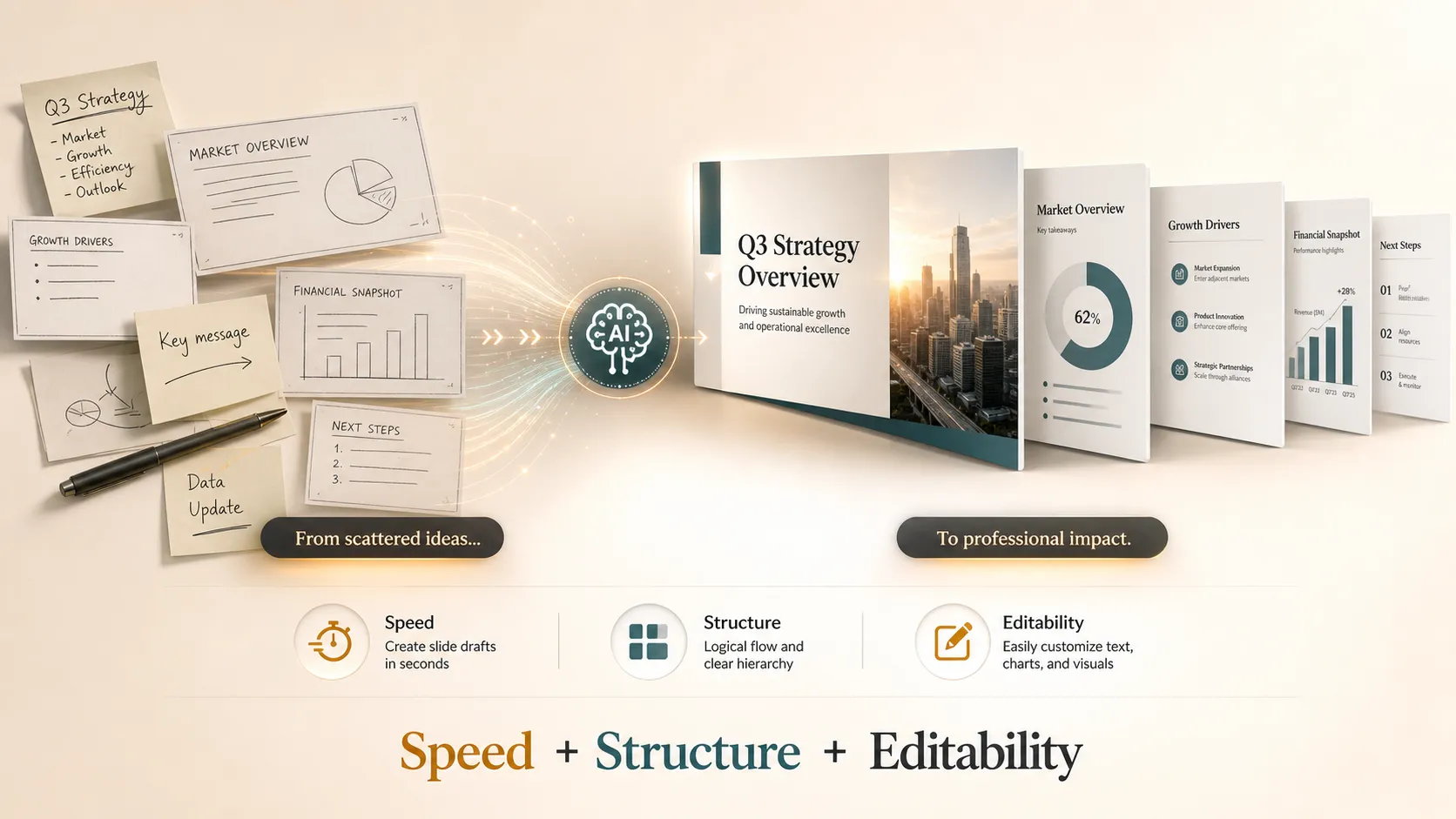
If you only need a simple first draft, many presentation generator tools can help. If you need a professional AI PowerPoint presentation for a pitch, client meeting, executive review, or strategic report, the standard should be higher. Pi is designed for that deeper workflow, combining Multi-Agent AI, business-ready structure, and premium visual quality so teams can create more credible presentations with less manual friction.
Frequently Asked Questions (FAQ)
What is an AI PowerPoint generator?
An AI PowerPoint generator is a tool that uses AI to create presentation outlines, slide copy, layouts, and visual direction from prompts, notes, or documents. The best tools create editable decks that users can refine for real meetings.
Can AI create a professional PowerPoint presentation?
Yes, AI can help create a professional PowerPoint presentation, especially as a structured first draft. However, users should still review the message, data, audience fit, and brand details before presenting.
Is an AI-generated PPT editable?
In most professional workflows, editability is essential. A strong AI PPT maker should allow users to revise slide order, copy, visuals, formatting, and brand elements so the final deck fits the specific meeting.
What makes Pi different from basic AI PPT makers?
Pi focuses on business-ready presentation creation rather than simple text-to-slide generation. It uses Multi-Agent AI, professional structure, business logic, and premium visual quality to support pitch decks, sales decks, consulting reports, executive presentations, and other high-stakes workflows.