AI PPT Maker for Teams: From Raw Ideas to Finished Decks
Team presentations rarely begin with a clean brief. More often, they start with scattered meeting notes, research documents, old slides, Slack comments, spreadsheet screenshots, executive feedback, and a deadline that is closer than anyone would like. The team does not need a generic AI output. It needs a clear, editable, business-ready deck that can survive review from managers, clients, investors, or cross-functional stakeholders.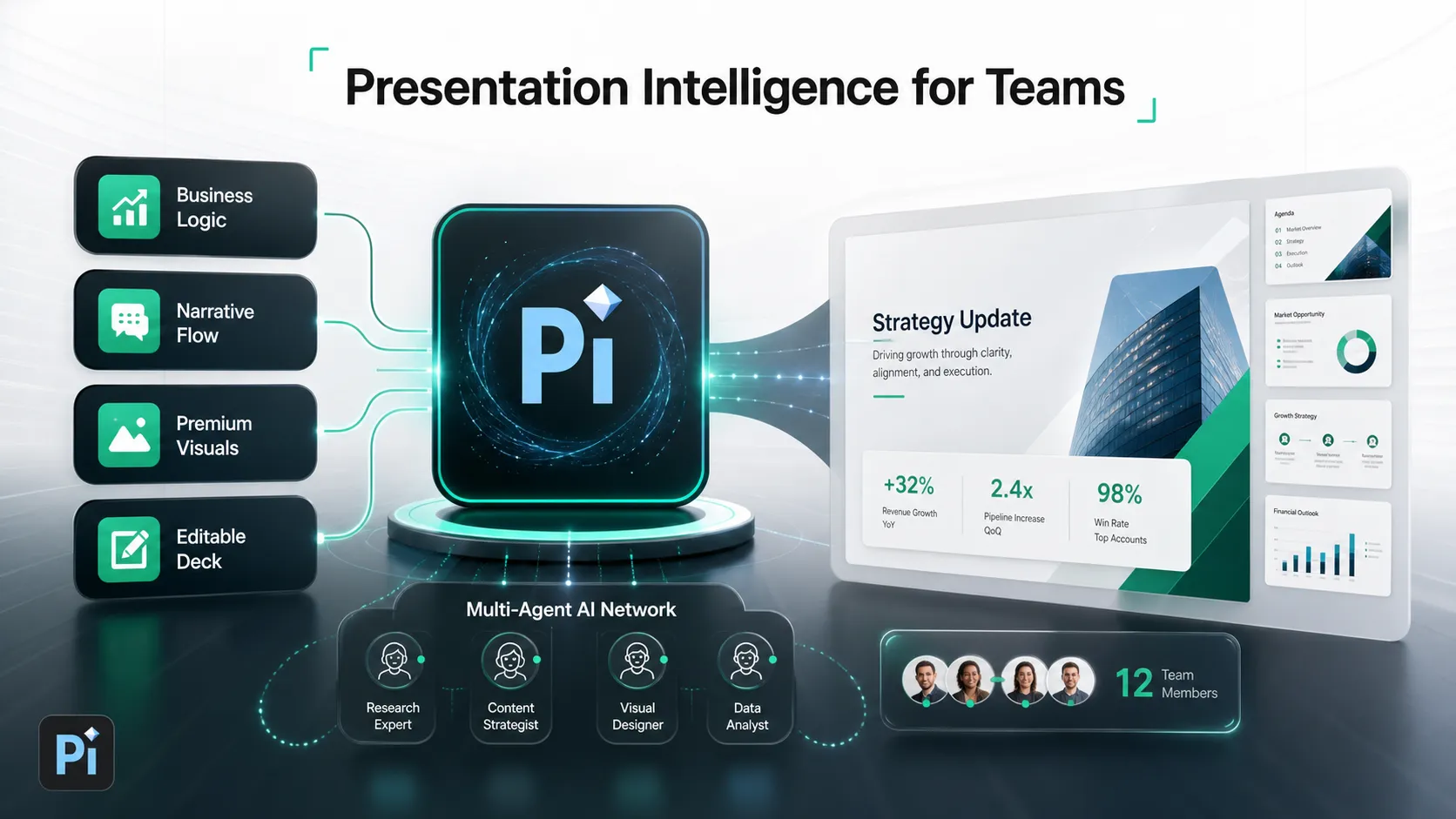
That is where an AI PPT maker can be useful, but only if it supports the full workflow. For teams, the value is not simply generating slides quickly. The real value is turning raw material into a structured narrative, shaping the story around the audience, improving visual hierarchy, and producing a deck that can still be refined by humans.
Pi, short for Presentation Intelligence, is built for this more professional layer of presentation work: moving from messy inputs to finished business presentations with stronger logic, premium visual quality, and editable output.
Why Team Presentations Are Harder Than Solo Slide Creation
Solo slide creation is usually about expressing one person’s thinking. Team presentation creation is about aligning multiple perspectives. A sales lead may care about client pain points, a product manager may want technical depth, finance may need numbers to be accurate, and leadership may want a sharper recommendation. The deck has to bring these inputs together without becoming bloated or inconsistent.
This is why team decks often take longer than expected. The hardest work is not drawing boxes or choosing icons. It is deciding what the presentation should say, what sequence will make the argument persuasive, and what details should stay in the appendix.
A professional team presentation usually has to manage several pressures at once:
- Multiple contributors with different writing styles and priorities
- Mixed source materials, from research notes to existing PPT files
- A specific audience with limited time and high expectations
- A need for business logic, not just attractive slide layouts
- Final editing requirements before the deck is shared externally
Basic AI slide generation can help create a first draft, but teams often need more than a first draft. They need a workflow that supports thinking, structuring, designing, and refining.
What Teams Should Expect from an AI PPT Maker
A useful AI PPT maker for teams should do more than convert a prompt into a set of slides. It should help the team move from fragmented information to a presentation that has a purpose, a clear storyline, and a professional finish.
For business use, the tool should support structure first. The AI presentation maker should understand that a sales deck, consulting report, executive update, client proposal, market research deck, and pitch deck each require different logic. A sales proposal may need to frame the client’s problem before introducing the solution. An executive presentation may need a concise recommendation, supporting evidence, and clear next steps. A consulting report may need issue trees, analysis, implications, and action priorities.
Design quality also matters. Business PPT AI should not produce slides that look assembled from generic templates. In high-stakes meetings, visual quality affects credibility. Clean spacing, consistent hierarchy, https://www.nngroup.com/articles/visual-hierarchy-ux-definition/ premium typography, and appropriate visual emphasis all help the audience process the message faster.
Finally, teams need editable output. AI should accelerate the process, not lock the team into a rigid result. Stakeholders still need to validate facts, adjust wording, add proprietary data, and tailor the final narrative.
The Workflow: From Raw Ideas to a Finished Business Deck
A stronger team workflow begins before slide generation. The first step is to gather the available inputs: notes, research findings, previous decks, customer context, product details, competitive points, and any known stakeholder requirements. These inputs do not need to be perfect, but they need to be available enough for the AI PPT maker to identify themes and priorities.
The next step is defining the audience and goal. A deck for a CFO is different from a deck for a brand director. A board update is different from a product launch deck. The same material may need a different opening, level of detail, and final recommendation depending on who will read it.
Once the goal is clear, the team can build the storyline. This is the point where AI can help organize ideas into sections, identify missing logic, and suggest a flow that supports the business objective. Instead of jumping directly into slides, the team can first align on the argument.
Only then should the workflow move into slide generation. The AI presentation maker can create draft pages, suggest slide titles, organize supporting points, and apply a visual system. After that, the team refines visual hierarchy, checks accuracy, removes unnecessary detail, and prepares the final editable deck for delivery.
Where Pi Fits in the Team Presentation Workflow
Pi is designed for teams that need more than simple text-to-slide generation. As Presentation Intelligence, Pi focuses on the professional presentation workflow: business logic, structured narrative, Multi-Agent AI https://www.ibm.com/think/topics/multiagent-system , and premium visual quality. It helps teams move from scattered ideas to a polished, editable deck while keeping human judgment in the loop.
1. Turning Messy Inputs into Business Structure
Most team inputs are not presentation-ready. They may include repeated points, unclear priorities, incomplete findings, or too much background information. Pi helps organize this material into a more coherent business structure, making it easier for the team to review what the deck is trying to say.
This matters because stakeholders can respond more effectively to a clear structure than to a pile of slides. When the logic is visible, teams can debate the recommendation, refine the evidence, and remove distractions before the final deck is polished.
2. Building Slides Around the Audience and Objective
A strong business deck is not just a summary of information. It is a communication tool designed for a specific audience and decision context. Pi helps teams shape slides around the goal of the presentation, whether that goal is winning a client, updating executives, explaining market findings, or aligning a product launch plan.
This audience-first approach helps prevent a common team problem: adding every detail because every contributor wants their point included. Pi supports a more disciplined presentation flow, where each slide has a role in advancing the argument.
3. Creating Premium Visual Quality Without Manual Slide Polishing
Design polish often becomes the final bottleneck in team presentation work. Even when the content is strong, inconsistent spacing, weak hierarchy, crowded layouts, or generic visuals can make the deck feel unfinished.
Pi helps create business-grade aesthetics from the start. Its premium visual quality supports the kind of professional output teams need for sales decks, consulting reports, executive presentations, brand proposals, market research decks, and pitch decks. The goal is not decoration. It is clarity, confidence, and a better reading experience for busy audiences.
AI PPT Maker Workflow Comparison
| Team Presentation Need | Basic AI Slide Generation | Pi |
|---|---|---|
| Organizing messy inputs | Creates slides from a prompt | Structures ideas into business logic |
| Defining the storyline | Often summarizes information | Builds a clearer narrative flow |
| Supporting business use cases | Works for simple drafts | Supports sales, consulting, executive, and client decks |
| Visual quality | May rely on generic layouts | Produces premium business-grade aesthetics |
| Team refinement | Requires heavy manual cleanup | Keeps the deck editable for review and iteration |
When an AI PPT Maker Is Most Useful for Teams
An AI PPT maker is most useful when the team already has information but needs help turning it into a clear, persuasive deck. This is common in sales proposals, where the team needs to combine customer context, solution details, proof points, and pricing logic into a coherent story.
It is also valuable for executive updates. Leadership audiences usually want clarity, not volume. AI can help compress scattered updates into a sharper structure with clear implications and next steps.
Consulting reports and market research decks are another strong fit. These presentations often involve large amounts of material, and the challenge is turning analysis into a narrative that a client or executive audience can act on. A business PPT AI workflow can help identify the right section flow, simplify complex points, and present findings more clearly.
Teams can also use AI presentation makers for pitch decks, brand proposals, and product launch decks. In each case, the AI should not replace strategic judgment or research validation. Instead, it should reduce manual production work and give the team a stronger draft to refine.
A Better Way to Build Team Presentations
Teams should evaluate an AI presentation maker by how well it supports the full professional workflow, not only by how quickly it generates slides. Speed is useful, but speed alone does not solve the harder problems of structure, audience fit, visual hierarchy, and stakeholder review.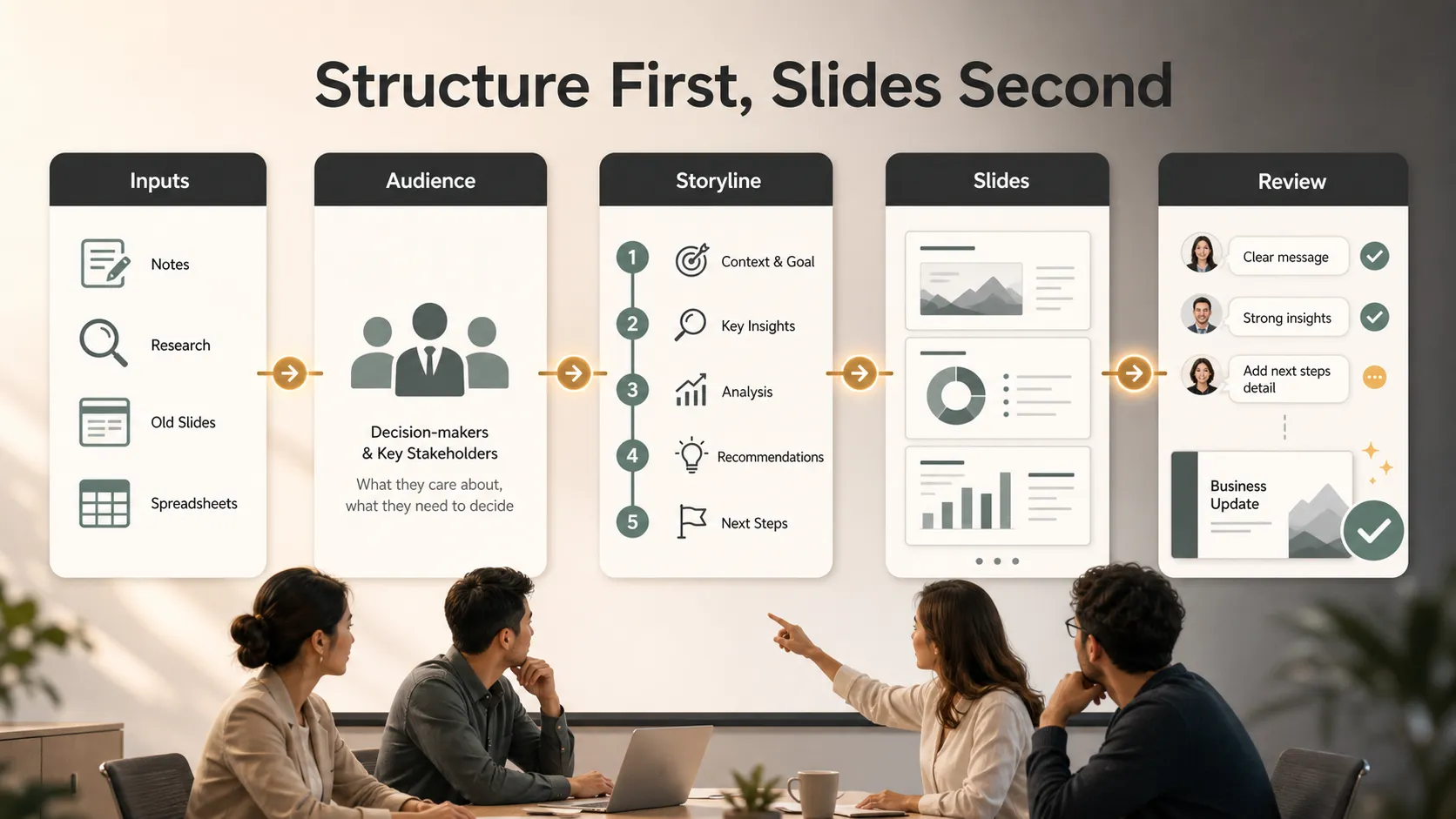
The best workflow starts with messy material and ends with a clear, editable, client-ready or executive-ready deck. Pi is built for that path. With Multi-Agent AI, business logic, professional structure, and premium visual quality, Pi helps teams move beyond generic slide generation and toward presentations that are easier to align on, easier to refine, and stronger in high-stakes business settings.
For teams that frequently build sales decks, consulting reports, executive presentations, pitch decks, market research decks, brand proposals, or product launch decks, Pi offers a more practical way to turn raw ideas into finished presentations.
Frequently Asked Questions (FAQ)
Q: What is an AI PPT maker for teams? A: An AI PPT maker for teams helps multiple contributors turn notes, documents, research, and ideas into a structured presentation. For professional use, it should support narrative logic, design quality, and editable output, not just fast slide generation.
Q: Can business PPT AI create client-ready presentations? A: Business PPT AI can create a strong draft and reduce manual production work, but teams should still review facts, adjust strategy, and tailor the message. The best results come when AI supports human judgment rather than replacing it.
Q: How is Pi different from a basic AI presentation maker? A: Pi focuses on Presentation Intelligence for professional workflows. It uses Multi-Agent AI, business logic, professional structure, and premium visual quality to help teams create decks for serious business use cases.
Q: When should a team use Pi? A: Teams should consider Pi when they need to create polished, editable presentations from scattered inputs, especially for sales proposals, consulting reports, executive updates, pitch decks, market research decks, brand proposals, and product launch decks.