AI Prompts for Academic Lectures and Class Presentations
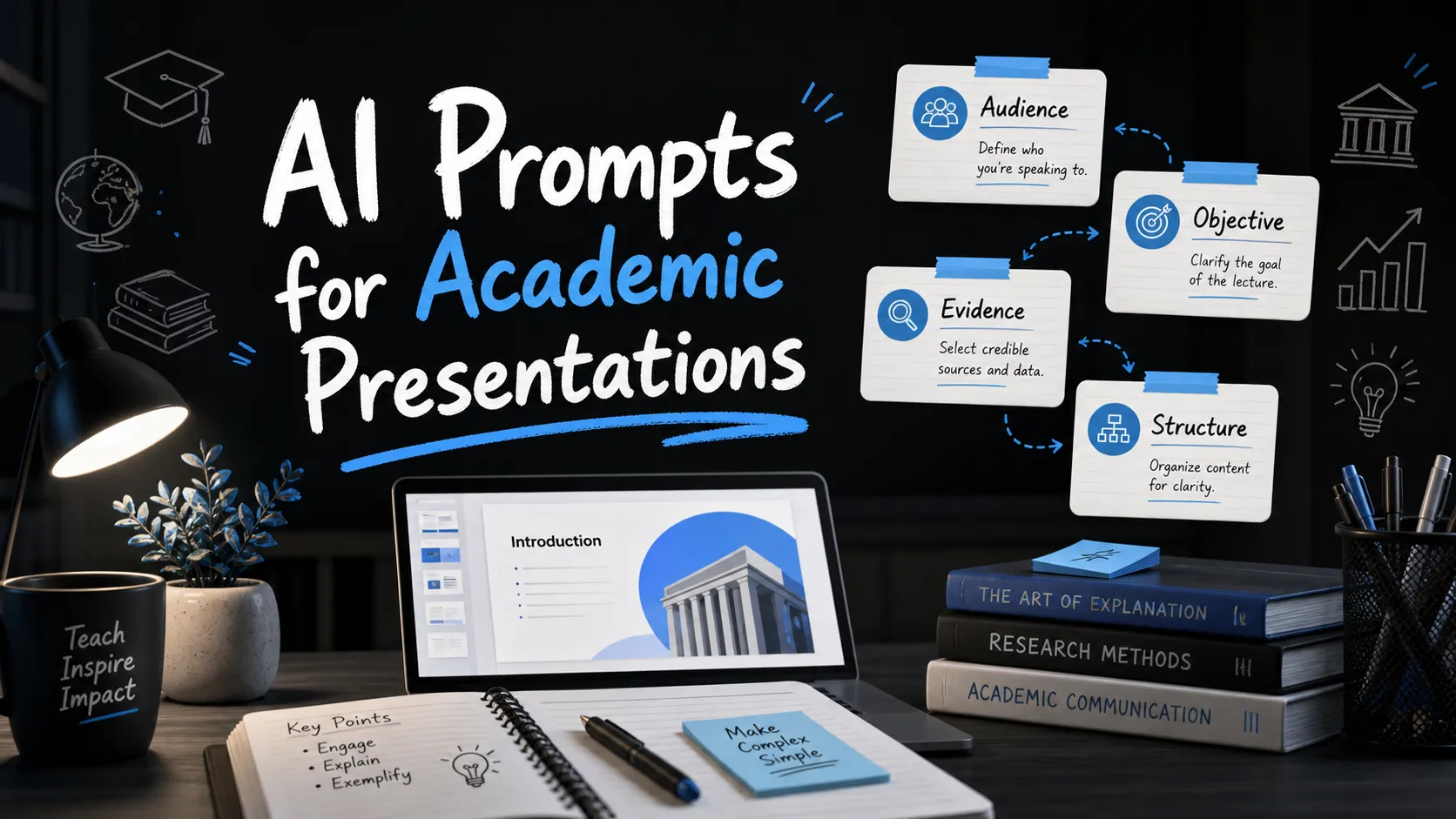
AI can create slide drafts quickly, but academic presentations are only as strong as the prompt behind them. A vague request like “make a presentation about climate change” may produce slides, but it rarely produces the right level of depth, sequence, evidence, or classroom clarity.
Academic slides need to teach, explain, compare, question, and guide attention. Whether you are preparing lecture slides, a student report, a seminar discussion, or a research summary, the best AI prompts define the learning context before asking for the deck. This guide gives you copy-ready AI prompts for academic presentations, plus a practical framework for adapting them responsibly.
Why Academic Presentation Prompts Need More Than a Topic
In academic settings, a presentation is not just a visual summary. It has to support understanding. That means your prompt should tell the AI who the audience is, what they should learn, how complex the material should be, and what kind of evidence or examples are appropriate.
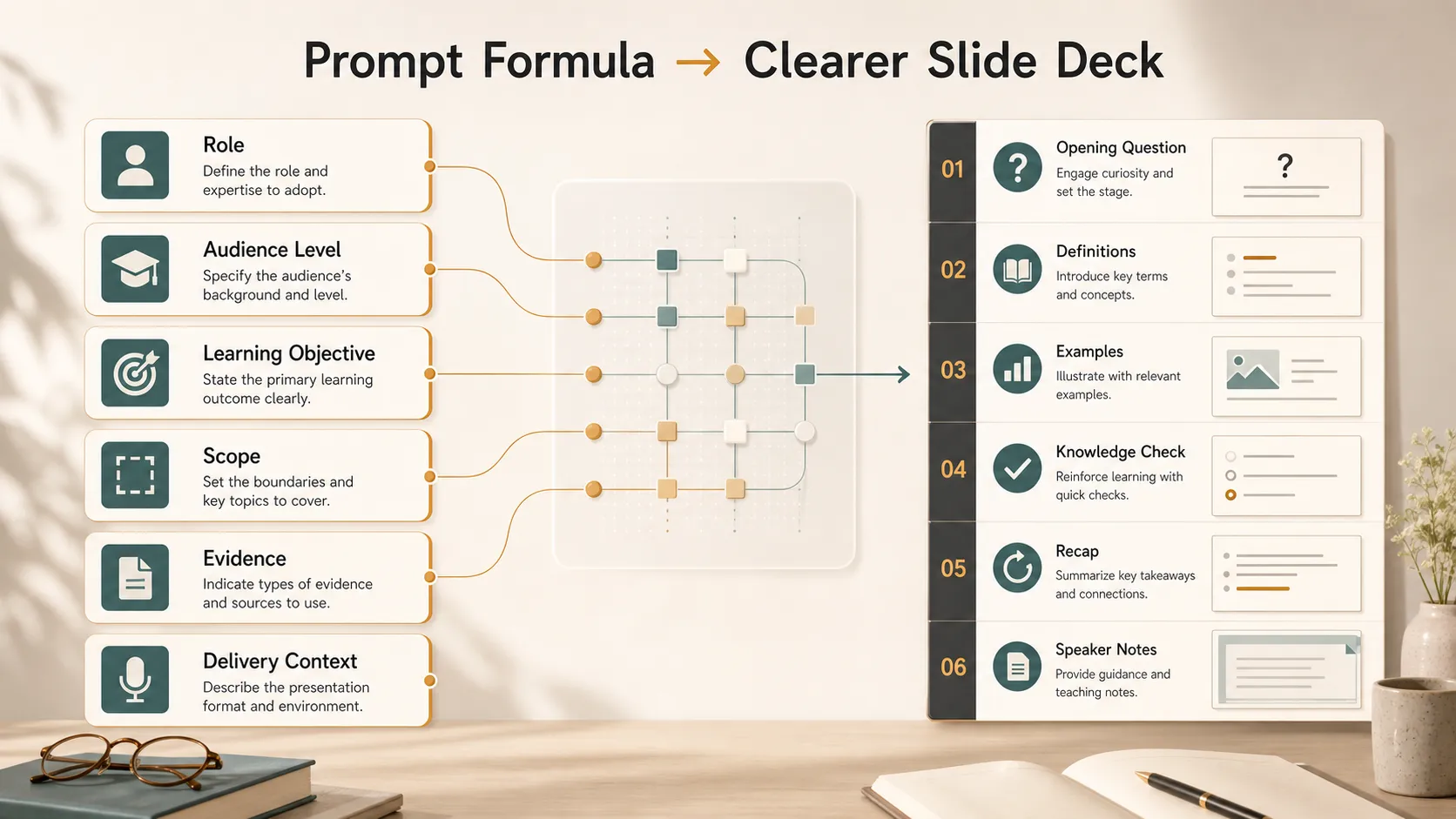
A strong academic presentation prompt usually includes:
- Audience level: high school, undergraduate, graduate, professional, or mixed
- Learning objective: what the audience should understand or be able to explain
- Scope: what to include, simplify, compare, or exclude
- Structure: lecture, seminar, student report, research deck, or classroom activity
- Evidence expectations: concepts, examples, data, citations to verify, or source placeholders
- Delivery context: class length, presentation time, slide count, and speaker notes
AI can help organize and draft, but it should not replace academic judgment. Facts, citations, interpretations, and disciplinary standards still need human review.
The Basic Formula for a Strong Academic Presentation Prompt
Use this formula whenever you create an academic presentation prompt:
“Act as a [role]. Create a [slide count] slide presentation on [topic] for [audience level]. The goal is to help the audience [learning objective]. Use a [tone] tone and structure the deck as [preferred structure]. Include [examples, definitions, comparisons, diagrams, discussion questions, or speaker notes]. Avoid [unwanted content]. Mark any claims that require citation or verification.”
This formula works because it gives the AI instructional context, not just a subject. It also helps prevent slides from becoming too broad, too advanced, or too shallow.
Here is a quick comparison of weak and strong prompt design:
| Presentation Need | Weak Prompt | Strong Academic Prompt |
| Lecture slides | “Make slides on photosynthesis.” | Defines audience, sequence, key concepts, examples, and recap. |
| Student report | “Create a presentation on Hamlet.” | Specifies thesis, class level, evidence, and discussion angle. |
| Research deck | “Summarize my study.” | Separates background, method, findings, limitations, and implications. |
| Classroom activity | “Add quiz questions.” | Aligns questions with learning objectives and difficulty level. |
Copy-Ready AI Prompts for Academic Lectures
For a full lecture, use this prompt when you need a complete teaching sequence:
“Act as an experienced university lecturer. Create a 12-slide lecture deck on [topic] for [audience level]. The learning objective is for students to understand [objective]. Structure the deck with an opening question, key definitions, concept progression, examples, one visual explanation, a short knowledge check, and a final recap. Keep slide text concise and include speaker notes with teaching cues. Flag any factual claims that should be verified.”
For a mini lecture, use this when time is limited:
“Create a 6-slide mini lecture on [topic] for [audience]. The presentation should take no more than [time limit] minutes. Focus on the three most important ideas students must remember. Include one simple analogy, one example, and one recap slide. Use clear academic language without unnecessary jargon.”
For a difficult concept explanation, try:
“Explain [concept] through a short academic slide deck for [audience level]. Start with the common misconception, then provide the correct definition, a step-by-step explanation, one example, one non-example, and a summary. Make the slides visually simple and include speaker notes that help the instructor explain the concept clearly.”
For lecture recap slides, use:
“Create a 5-slide recap deck for a lecture on [topic]. Summarize the main ideas, connect them to the course theme, include three review questions, and end with a slide that previews the next lecture. Keep the tone concise, accurate, and student-friendly.”
AI Prompts for Student Class Presentations
Student presentations need structure and confidence. The goal is not to let AI do the assignment, but to help students organize their argument, clarify their message, and prepare a stronger delivery.
For a student report, use:
“Act as an academic presentation coach. Help me create an 8-slide class presentation on [topic] for a [course name] class. My main argument is [thesis]. Structure the deck with an introduction, background, three supporting points, evidence examples, a counterpoint or limitation, and a closing takeaway. Include brief speaker notes and suggest where I should add citations from my assigned readings.”
For a group presentation, use:
“Create a 10-slide group presentation outline on [topic] for [audience level]. Divide the content into four speaker sections with smooth transitions. Each section should have a clear purpose, one key message, and suggested speaking time. Include a final discussion question for the class.”
For a seminar discussion, use:
“Design a seminar presentation on [reading, theory, or topic]. The goal is to start discussion, not simply summarize. Create slides that introduce the central issue, define key terms, present two interpretations, pose discussion questions, and connect the topic to broader course themes.”
For a persuasive academic talk, use:
“Create a persuasive academic presentation arguing that [claim]. Use a balanced tone and include background, evidence, reasoning, possible objections, and a final implication. Avoid exaggeration. Mark any claim that needs citation or stronger support.”
AI Prompts for Research and Conference-Style Academic Decks
Research presentations need logical order and careful claims. AI can help structure the deck, but researchers should verify accuracy, citations, data labels, and disciplinary expectations.
For a research summary, use:
“Create a 10-slide academic research presentation based on this study summary: [paste summary]. Structure the deck with research question, background, gap, method, key findings, interpretation, limitations, implications, and closing takeaway. Keep the language precise and avoid overstating results.”
For a literature review, use:
“Create a literature review presentation on [topic]. Organize the deck by major themes rather than listing papers one by one. Include the research context, key debates, areas of agreement, unresolved questions, and possible future research directions. Add placeholders where specific citations should be inserted.”
For methodology slides, use:
“Create a clear methodology section for a research presentation on [study topic]. Explain the research design, sample or data source, procedure, variables or categories, analysis method, and limitations. Make the language accessible to an academic audience outside the exact specialty.”
For findings and discussion, use:
“Turn these findings into presentation slides: [paste findings]. Create slides that separate results from interpretation. For each major finding, include the evidence, what it suggests, and what it does not prove. End with limitations and future research questions.”
AI Prompts for Teaching Activities and Classroom Engagement
Academic presentations are often more effective when they invite participation. Instead of asking AI only for content slides, ask it to create moments where students think, respond, and apply ideas.
For discussion questions, use:
“Generate five discussion questions for a class presentation on [topic]. Arrange them from basic comprehension to higher-level analysis. For each question, explain what kind of student response it is designed to encourage.”
For quiz slides, use:
“Create three quiz slides for a lesson on [topic]. Include one recall question, one application question, and one misconception-check question. Provide the correct answer and a brief explanation for the instructor.”
For a case study activity, use:
“Create a classroom case study activity on [topic] for [audience level]. Include a short scenario, guiding questions, group task instructions, and a debrief slide connecting the activity to the learning objective.”
For reflection prompts, use:
“Create a final reflection slide for a class session on [topic]. Include three prompts that ask students to identify what they learned, what remains unclear, and how the concept connects to a real-world or disciplinary context.”
How Pi Helps Turn Academic Prompts Into Polished Slides
Pi, short for Presentation Intelligence, is an AI presentation maker designed for professional, structured, presentation-ready decks. While Pi is built primarily for business presentations, the same strengths can support academic users who need clear logic, polished visuals, and organized slide flow for lectures, research summaries, or conference-style class presentations.
1. Structure Comes Before Slide Styling
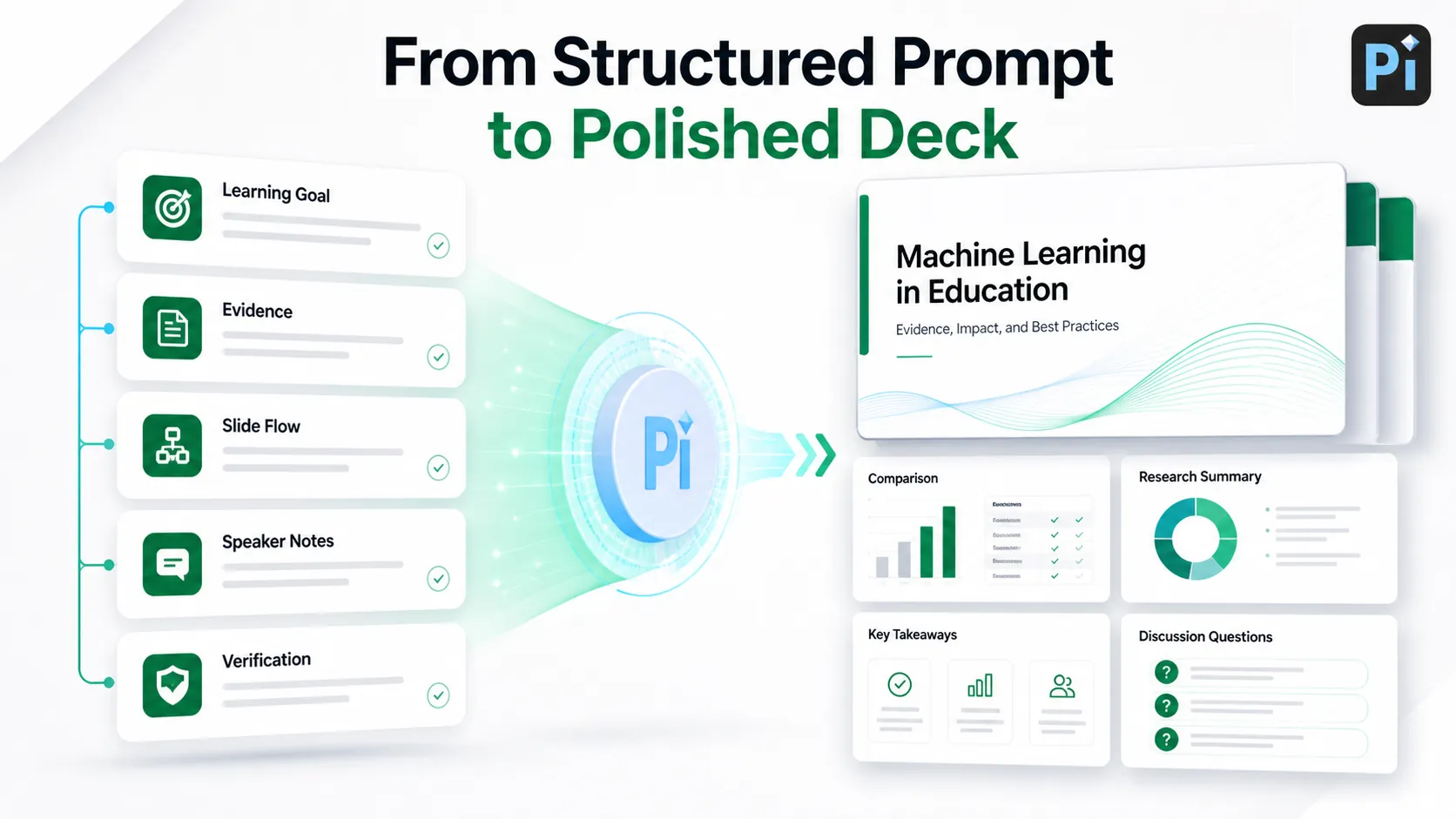
Academic decks often fail when slides look polished but the logic is weak. Pi helps turn a structured prompt into a deck with a clearer beginning, middle, and end. That is useful for lecture sequences, research presentations, and student talks where the audience needs to follow an argument or learning path.
2. Complex Ideas Become Easier to Present
Many academic topics include definitions, frameworks, comparisons, evidence, and limitations. Pi can help arrange those elements into slides that are easier to scan and present. Instead of overwhelming one slide with too much text, a stronger workflow separates key ideas into digestible sections.
3. Visual Quality Supports Credibility
In academic communication, design should not distract from the content. Pi’s premium visual quality can help academic decks feel more polished while maintaining clarity. This is especially useful for research briefings, professional academic communication, conference-style talks, and graduate-level presentations.
Prompt Customization Checklist
Before generating slides, review your prompt against the actual assignment, course, or teaching goal. Make sure it names the audience level, required terminology, time limit, slide count, and expected depth. Add any required examples, readings, theories, assessment criteria, or formatting rules.
Also decide how the AI should handle evidence. If citations are required, ask for citation placeholders rather than invented sources. If the presentation is based on assigned readings, paste your notes or approved source material into the prompt and ask the AI to organize, not fabricate.
Common Mistakes to Avoid When Using AI for Academic Presentations
The most common mistake is asking for a deck from only a topic. That usually produces broad slides with generic statements. Add the learning objective, audience level, and expected structure every time.
Another mistake is accepting AI-generated facts without checking them. Academic presentations require accuracy. Verify dates, definitions, quotations, data, and claims before presenting.
Avoid overloaded slides as well. If the AI creates paragraphs on every slide, ask it to rewrite with one main idea per slide, shorter text, and speaker notes for detail. Finally, do not use AI to bypass academic integrity rules. Use it as a planning, drafting, and design assistant, while keeping your own analysis, sources, and responsibility at the center.
Frequently Asked Questions (FAQ)
Q: What are the best AI prompts for academic presentations? A: The best AI prompts define the topic, audience level, learning objective, slide count, structure, tone, and evidence expectations. A strong academic presentation prompt should guide how the material is taught or argued, not just ask for slides on a topic.
Q: Can AI create lecture slides for teachers or professors? A: AI can help draft lecture slides, outlines, recap slides, quiz questions, and classroom activities. However, instructors should review all content for accuracy, source quality, course alignment, and appropriate depth before using it in class.
Q: How can students use AI prompts without violating academic integrity? A: Students should use AI to organize ideas, improve clarity, outline slides, and practice delivery. They should not use it to fabricate research, invent citations, or replace required original analysis. Always follow course and institution rules.
Q: How does Pi help with academic slide decks? A: Pi helps turn structured prompts into polished, logical presentation decks. It is especially useful when academic users need clear organization, professional visual quality, and presentation-ready slides for lectures, research summaries, or formal class presentations.


