Best AI Image Generator in 2026: Compare Top Tools
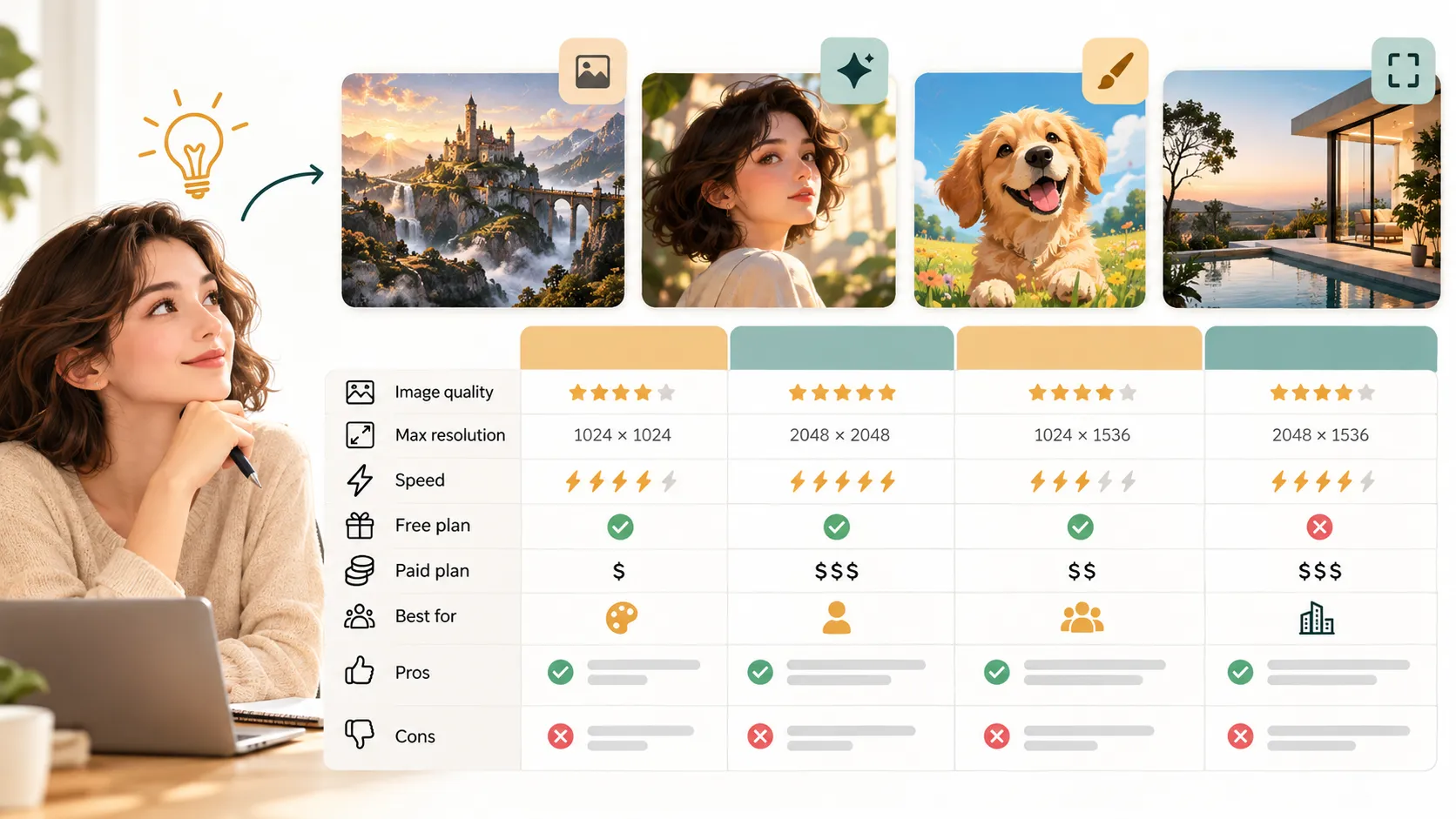
The best AI image generator in 2026 depends less on one universal winner and more on what you need to create. A marketer building ad concepts may need fast brand-safe visuals. A designer may care about editing control and high-resolution exports. A creator may want a flexible AI art generator with distinctive style. A founder may need images that support pitch decks, sales decks, and landing pages rather than standalone artwork.
The market has matured quickly. Today’s leading text to image AI tools can generate realistic photography, concept art, product mockups, social graphics, illustrations, and visual references from a written prompt. Many also include image editing, upscaling, background replacement, style references, and commercial-use options.
Still, results vary. Some tools are better at realism. Others are better at typography, creative style, speed, or workflow integration. This guide compares top AI image generators in 2026, explains free and paid plan differences, reviews common pros and cons, and gives practical prompt tips so you can choose the right tool for your work.
What Makes the Best AI Image Generator in 2026?
A strong AI image generator should do more than produce a visually impressive image once. It should create usable, repeatable results for your actual workflow. For creators, that may mean style variety and artistic control. For marketers, it may mean campaign-ready visuals, consistent branding, and commercial usage clarity. For designers, it may mean editing precision, resolution, and compatibility with design tools.
The most important evaluation criteria are practical:
- Image quality: realism, detail, lighting, composition, and visual polish.
- Prompt accuracy: how closely the output follows your written request.
- Style range: ability to create photography, illustration, 3D, editorial, product, and artistic styles.
- Editing controls: inpainting, outpainting, background changes, image references, and remixing.
- Resolution: export size, upscaling quality, and suitability for web or print.
- Pricing: free credits, subscription tiers, usage limits, and team plans.
- Commercial usage: whether the plan supports business use and what restrictions may apply.
- Ease of use: interface clarity, speed, prompt guidance, and workflow fit.
No tool scores perfectly across every category. The right choice depends on whether your priority is experimentation, professional production, art direction, brand consistency, or business communication.
Quick Comparison Table of Top AI Image Generators
| AI Image Generator | Best Use Case | Free Plan Availability | Output Strengths | Main Limitations | Ideal User |
|---|---|---|---|---|---|
| Midjourney | Artistic and cinematic visuals | Limited or variable | Highly stylized, detailed, dramatic images | Less traditional UI control than some design tools | Artists, creators, visual directors |
| DALL·E in ChatGPT | General text-to-image creation | Often available through selected plans | Strong prompt understanding and conversational revisions | May require iteration for exact composition | Marketers, writers, general creators |
| Adobe Firefly | Brand-conscious creative workflows | Often includes limited free credits | Commercial design use, Adobe ecosystem fit | Best value inside Adobe workflows | Designers, creative teams |
| Stable Diffusion | Custom models and advanced control | Many free or open-source options | Flexibility, model choice, local control | Setup can be technical | Technical creators, AI power users |
| Leonardo AI | Game, concept, and asset creation | Usually offers free credits | Style presets, creative assets, iteration tools | Credit limits and settings can require learning | Game artists, concept creators |
| Canva AI Image Generator | Social and design-ready content | Included in selected free or paid access | Easy use inside layouts and templates | Less advanced fine control | Social teams, small businesses |
| Ideogram | Text-heavy graphics and posters | Often provides free generation limits | Better text rendering than many tools | Style range may not fit every use case | Poster, logo concept, and social creators |
| Freepik AI Image Generator | Stock-style visuals and marketing assets | Often offers free limited access | Practical marketing visuals and stock-like outputs | Premium assets may require paid access | Bloggers, marketers, content teams |
Plan details, free credits, commercial terms, and resolution limits can change often. Always check the current plan page and usage terms before relying on any tool for commercial work.
Best AI Image Generators for Different Use Cases
For creators who want expressive, cinematic, or surreal visuals, Midjourney remains one of the strongest choices. It is especially useful when the goal is mood, atmosphere, concept art, or highly polished artistic imagery. It may not always be the simplest choice for precise layout control, but it is powerful when visual style matters most.
For marketers and content teams, DALL·E through ChatGPT is appealing because prompt writing and revision can happen conversationally. You can describe a campaign idea, ask for changes, refine a scene, and test variations quickly. It works well for blog images, ad concepts, presentation visuals, and social post ideas where speed and prompt interpretation matter.
For professional designers, Adobe Firefly is a natural fit because it connects well with creative production workflows. Its strength is not only image generation but also how AI visuals can move into design, editing, and brand asset work. Teams already using Adobe tools may find it easier to manage creative revisions in one ecosystem.
For advanced users, Stable Diffusion offers deep flexibility. Users can choose models, fine-tune outputs, run workflows locally, and control generation in ways that many browser-based tools do not allow. The tradeoff is complexity. It is excellent for technical creators, but beginners may prefer a simpler free AI image generator before learning model settings and advanced controls.
For social content and small business design, Canva’s AI image features are useful because generated images can be placed directly into templates, posts, flyers, and presentations. It is not always the most advanced tool for fine detail, but it is convenient when speed and layout matter.
For posters, typography-led graphics, and visual concepts that include words, Ideogram is worth considering. Text rendering has historically been a weak point for many image models, and tools focused on better text handling can be useful for thumbnails, event posters, merchandise concepts, and social graphics.

Pros and Cons of Each AI Image Generator
Midjourney’s biggest advantage is visual quality. It often produces images with strong lighting, texture, composition, and artistic atmosphere. It is particularly good for creators who want a distinctive look without manually adjusting every detail. The downside is that precise business layouts, exact brand guidelines, and predictable revisions may take extra work.
DALL·E in ChatGPT is strong for users who want to explain an idea in plain English and refine it through conversation. Its prompt interpretation is approachable, making it useful for non-designers and business teams. However, it may still struggle with exact positioning, detailed text inside images, or strict visual consistency across many outputs.
Adobe Firefly works well for professional creative teams that care about commercial design workflows and integration with editing tools. Its strengths include practical creative control and compatibility with broader design production. Its limitation is that the full value is most obvious when you already use Adobe products or need design-focused editing.
Stable Diffusion is highly flexible and can be customized for specific styles, characters, workflows, and production needs. It offers strong control for users willing to learn. The downside is that setup, model selection, hardware requirements, and workflow configuration can be demanding for beginners.
Leonardo AI is useful for concept art, game assets, creative exploration, and style-driven image generation. It offers many presets and production-oriented features. The limitation is that its credit system and creative settings can take time to understand, especially for users who only need occasional images.
Canva’s AI image generator is convenient because it lives inside a familiar design environment. You can generate an image and immediately use it in a social post, presentation, or marketing graphic. The tradeoff is that advanced image-generation control may be more limited than specialized tools.
Ideogram’s strength is text-aware image creation and poster-style output. It can be helpful when words are part of the visual concept. Its limitation is that not every use case needs text inside the image, and some users may prefer broader artistic range.
Freepik’s AI image tools are practical for content teams that need stock-style visuals, blog graphics, and marketing assets. The downside is that premium access, licensing conditions, and asset limits should be reviewed carefully before using outputs in commercial campaigns.
Free vs Paid AI Image Generators: What Changes?
A free AI image generator is a good starting point if you want to test prompts, compare styles, or create casual visuals. Free plans usually include limited credits, slower generation, lower resolution, watermarks in some cases, or fewer editing tools. They are useful for learning what an AI model can do before committing to a paid workflow.
Paid plans typically become important when image generation is part of regular work. Marketers, designers, agencies, and founders often need more generations, faster processing, larger exports, better editing, private projects, commercial-use options, and team collaboration. Paid access may also unlock advanced model versions or higher-quality upscaling.
The biggest practical difference is reliability. If you need one image for a personal mood board, a free plan may be enough. If you need weekly campaign visuals, product mockup variations, or professional presentation graphics, paid tools can save time and reduce friction. However, paid does not automatically mean perfect. You still need strong prompts, quality review, and a clear understanding of usage rights.
For commercial work, avoid assuming that every generated image can be used anywhere without restriction. Review the tool’s current licensing terms, plan conditions, and brand requirements before using AI-generated visuals in ads, packaging, client deliverables, or investor materials.
How to Write Better Text-to-Image AI Prompts
Better prompts lead to better outputs. A good text to image AI prompt gives the model enough direction without becoming confusing. Instead of writing only “a futuristic office,” describe the subject, setting, mood, lighting, composition, and intended use.
A weak prompt might be: “Create a marketing image for a product.”
A stronger prompt would be: “A clean studio photograph of a premium reusable water bottle on a matte stone surface, soft natural window light, minimal background, modern wellness brand aesthetic, space on the left for headline text, 16:9 aspect ratio.”
Start with the subject. Tell the model what the image should show. Then add context, such as location, time period, audience, or industry. Next, specify the visual style: editorial photography, watercolor illustration, 3D render, flat vector, cinematic concept art, luxury product photography, or minimalist SaaS design.
Composition matters. If you need room for copy, say so. If the object should be centered, close-up, wide-angle, isolated, or shown from above, include that. Lighting also changes the result: soft daylight, dramatic studio lighting, golden hour, neon glow, high-key commercial lighting, or moody contrast.
Aspect ratio is important for real work. A blog header may need 16:9, a social story may need 9:16, and a square post may need 1:1. Mention the intended format in the prompt when the tool supports it.
Finally, iterate. Your first result is rarely the final one. Ask for cleaner composition, fewer objects, more realistic lighting, different colors, or stronger brand alignment. AI image generation works best as a creative conversation, not a one-step command.
Using AI Images in Marketing, Design, and Presentations
AI-generated visuals are increasingly useful in marketing and design workflows. Teams use them for campaign concepts, blog covers, social posts, landing page hero images, ad variations, storyboard frames, product mockups, and mood boards. They can speed up early creative exploration and help teams visualize ideas before committing to full production.
The challenge begins when an image needs to become part of a larger business asset. A strong visual alone does not make a persuasive sales deck, pitch deck, consulting report, or executive presentation. Business communication also needs message hierarchy, narrative flow, audience logic, proof points, and polished slide structure.
This is where Pi fits into the workflow. Pi is not an AI image generator. Pi is an AI presentation maker and AI PPT generator designed to help teams turn ideas, visuals, and business logic into professional presentations.
1. Business Logic Comes Before Slide Styling
In high-stakes decks, visuals must support the argument. Pi helps structure the story around the business goal, whether the team is building a pitch deck, sales deck, proposal, market research deck, or executive update. AI-generated images can add visual impact, but the deck still needs a clear point of view.
2. Visuals Become Part of a Professional Narrative
A marketing team may generate product imagery in an AI art generator, but those images need context. Pi helps place visuals within slides that explain the market, customer pain, solution, value proposition, competitive position, and next steps. This turns creative assets into business-ready communication.
3. Premium Presentation Quality Matters
Professional audiences judge clarity and credibility quickly. Pi is built for business-grade aesthetics, structured layouts, and polished presentation flow. For teams using AI-generated images, Pi can help ensure those visuals feel integrated rather than randomly added to slides.
How to Choose the Right AI Image Generator
Start by identifying the output you need most often. If you mainly create artistic images, choose a tool known for visual style. If you create campaign assets, prioritize prompt accuracy, editing, and commercial-use clarity. If you work in design production, choose a tool that fits your existing software. If you want full technical control, explore Stable Diffusion-based workflows.
Budget matters, but it should not be the only factor. A free tool may be enough for early experimentation, but paid plans can be worth it if they reduce revision time or support professional usage. Resolution is also important. Web graphics may not need the same export quality as print materials, trade show visuals, or large-format presentation displays.
Think about brand consistency. Many AI image tools can produce beautiful one-off results, but maintaining the same style across a campaign is harder. If your brand has strict color, tone, audience, and compliance requirements, you may need tools with image references, style controls, editing features, or design-system integration.
Also consider where the final asset will live. A standalone artwork has different requirements from a landing page image, LinkedIn post, sales proposal, or investor presentation. The best tool is the one that fits the full workflow, not just the first image generation step.
Verdict: Which AI Image Generator Should You Use?
There is no single best AI image generator for every person in 2026. Midjourney is excellent for artistic and cinematic output. DALL·E in ChatGPT is strong for conversational prompting and general creative work. Adobe Firefly fits professional design teams. Stable Diffusion is powerful for advanced users who want customization. Canva is convenient for fast design workflows. Ideogram is useful for text-heavy visuals. Leonardo AI and Freepik serve creators and marketers who need practical visual assets.
If you are experimenting, start with a free AI image generator and compare results using the same prompt across several tools. If you are creating commercial or client-facing work, evaluate paid plans based on resolution, editing tools, workflow fit, and current usage terms.
For business teams, the image is only one part of the communication. When AI-generated visuals need to support pitch decks, sales decks, proposals, or executive presentations, Pi can help turn those visuals into structured, polished, business-ready slides.
Frequently Asked Questions (FAQ)
What is the best AI image generator in 2026?
The best AI image generator depends on your use case. Midjourney is strong for artistic and cinematic visuals, DALL·E is useful for conversational prompting, Adobe Firefly fits design workflows, and Stable Diffusion offers advanced customization. For most users, the best choice is the tool that matches their quality needs, budget, editing requirements, and commercial workflow.
Is there a good free AI image generator?
Yes, many AI image generators offer free credits, trial access, or limited free plans. Free tools are useful for testing prompts and exploring styles, but they may include generation limits, lower resolution, slower speed, fewer editing features, or commercial-use restrictions. Always review the current plan details before using images professionally.
Can I use AI-generated images for commercial projects?
In many cases, AI-generated images can be used commercially, but rules vary by tool, plan, region, and use case. Review the platform’s current terms, licensing conditions, and restrictions before using AI images in advertising, client work, packaging, presentations, or paid campaigns.
Can AI images be used in presentations?
Yes, AI-generated images can be useful in presentations when they support the message and match the audience. They work well for mood boards, concept slides, campaign visuals, product storytelling, and pitch deck imagery. For professional decks, tools like Pi can help organize those visuals into a clear business narrative with polished slide structure.


