free ai video generator online
A free ai video generator online is a browser-based tool that helps create videos from text prompts, scripts, images, slides, notes, or reference material. Instead of opening a traditional editing timeline, you give the tool an input and describe the kind of video you want. The AI then helps create a first version that can be reviewed, edited, and exported.
In this context, “free” usually means you can start online without a full production setup. Some platforms may limit credits, video length, resolution, watermarks, or exports, so it is still worth checking the details. But the main question is not only whether the tool is free. It is whether it can create the kind of video you actually need.
Adobe’s AI video generator ↗, Canva’s AI video generator ↗, and Runway’s AI video generator ↗ show how broad this category has become. Some tools focus on cinematic clips, some on social content, some on business explainers, and some on turning existing materials into videos.
What You Can Create With An AI Video Generator
AI video generators can support many practical workflows. For social media clips, they can turn a short idea into a vertical video draft for TikTok, Instagram Reels, YouTube Shorts, or LinkedIn. This is useful when you want to test hooks, formats, or visual styles quickly. If the video is meant for a specific channel, check the platform’s own guidance, such as YouTube’s guide to creating Shorts ↗, TikTok’s Creative Center ↗, or LinkedIn’s official video ad specifications ↗.
For explainer videos, AI can help turn a concept into a clear sequence: problem, context, solution, proof, and next step. This works well for SaaS onboarding, product introductions, internal training, nonprofit education, and course content.
For product demos, an AI video generator can help introduce the value of a feature, frame screenshots, or create a short teaser. It will not replace a carefully recorded walkthrough in every case, but it can help create an overview before a full production version is needed.
Educational videos are another strong use case. Teachers, trainers, and students can turn notes, slides, or summaries into visual clips. AI can help simplify complex topics, add captions, and make static material easier to watch. For public learning content, the W3C guide on making audio and video media accessible ↗ is a useful reference, especially for captions, transcripts, and visual clarity.
Marketing videos often need both message discipline and visual rhythm. AI tools can help with campaign clips, promotional explainers, launch videos, event recaps, and short product stories. If the video makes claims about a product or service, the FTC’s advertising and marketing guidance ↗ is worth reviewing so the content stays truthful and evidence-based.
Presentation-to-video content is also important. Many teams already have slides, notes, or reports, but slides are not always the best format for social sharing, training, or asynchronous updates. An AI video generator can help turn that material into a more watchable format.
Common Types Of AI Video Generation
| Type | Best for | Check |
|---|---|---|
| Text-to-video | Fast concept drafts | Prompt control |
| Script-to-video | Explainers and ads | Scene accuracy |
| Image-to-video | Product or brand visuals | Motion quality |
| Slide-to-video | Presentations and training | Structure |
| Avatar video | Tutorials and updates | Voice and realism |
| Video editing AI | Existing footage | Edit precision |
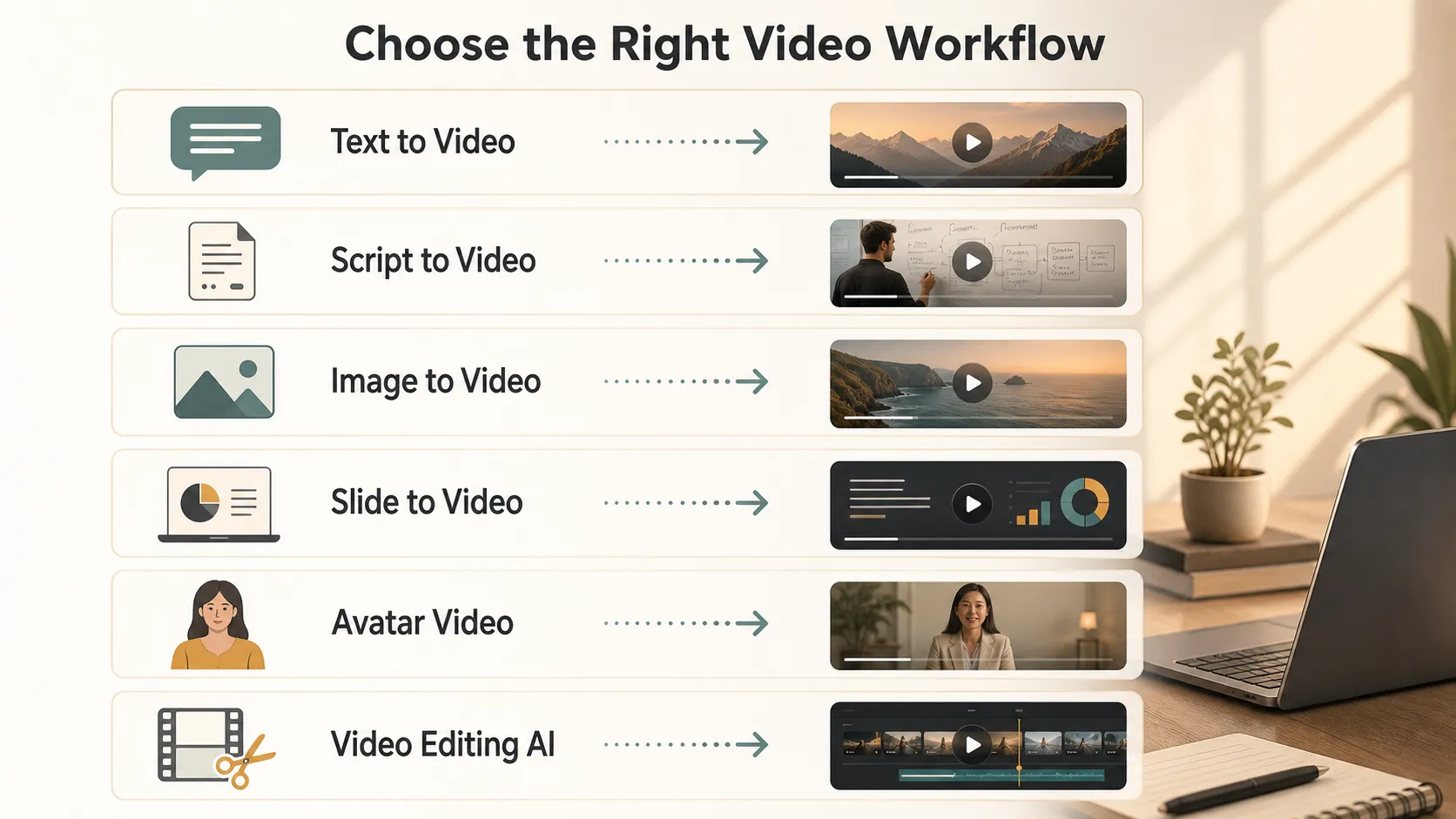
Different types solve different problems. If you only have one sentence, text-to-video may be enough. If you have a full script, a script-based workflow gives more structure. If you already have slides, screenshots, or brand visuals, tools that support reference uploads may produce more relevant results.
Text, Script, Image, And Slide Inputs
Text-to-video tools create video from prompts. You describe the scene, style, mood, camera movement, and message. This is good for concept clips, social visuals, and creative testing. Google DeepMind’s Veo ↗ is a useful official reference for understanding how modern video generation models are developing around realism, audio, motion, and creative control.
Script-to-video tools are better when the message matters. You provide a script, and the platform helps break it into scenes, voiceover, captions, or visuals. Synthesia’s guide to what Synthesia is ↗ explains how text and materials like PowerPoints or PDFs can be used to create business videos with avatars, voices, templates, and brand elements.
Image-to-video tools start with a still image and add motion. This is useful for product visuals, posters, campaign graphics, or AI-generated images that need movement. Runway’s own generative video guide ↗ is helpful for understanding how prompt, image, and video inputs can lead to different results.
Slide-to-video tools are useful when the source material is already structured. A presentation, report, lesson, or project update can become a video without rebuilding the message from scratch. This is often the most practical route for business, education, and internal communication because the hard part is not only generating visuals. It is organizing the message.
What To Check Before Choosing An AI Video Maker
Before choosing an AI video generator, check what kind of control you actually get.
Look for prompt quality, script support, templates, image or reference upload, aspect ratios, voiceover options, subtitles, editing control, export resolution, watermark rules, commercial usage rights, and privacy.
Prompt quality matters because “make a video about our product” is rarely enough. Strong tools let you specify audience, tone, length, structure, and visual style.
Editing control also matters. Some tools generate a finished clip with limited changes. Others let you revise scenes, change text, replace visuals, adjust voiceover, and edit timing. Descript, for example, is often used for AI-assisted video editing, captions, transcription, and repurposing existing recordings; its official site explains its broader AI video editing workflow ↗.
If you upload client material, unreleased product images, internal notes, or private documents, check privacy terms before using the tool. For teams using AI in business workflows, the NIST AI Risk Management Framework ↗ is a useful high-level reference for thinking about trust, risk, and governance.
Using Pi To Create AI Videos And Dynamic PPT-Style Videos
Pi fits directly into this topic because it can generate videos, not just presentations. With Pi's AI video generator ↗, users can create ordinary AI videos from ideas, scripts, notes, or reference content. This is useful for short explainers, social clips, educational summaries, marketing videos, business updates, product introductions, and simple storytelling videos.
Pi is also useful when the video should feel like a dynamic presentation. For example, a report, project update, business proposal, lesson summary, or pitch deck can become a more engaging dynamic PPT-style video. The content still has the clarity of a presentation, but it moves like a video, making it easier to share, watch, and understand asynchronously.
Users can move from:
- Idea to video
- Script to explainer video
- Notes to learning video
- Report to video brief
- Product message to marketing video
- Presentation to dynamic PPT-style video
- Business content to shareable video
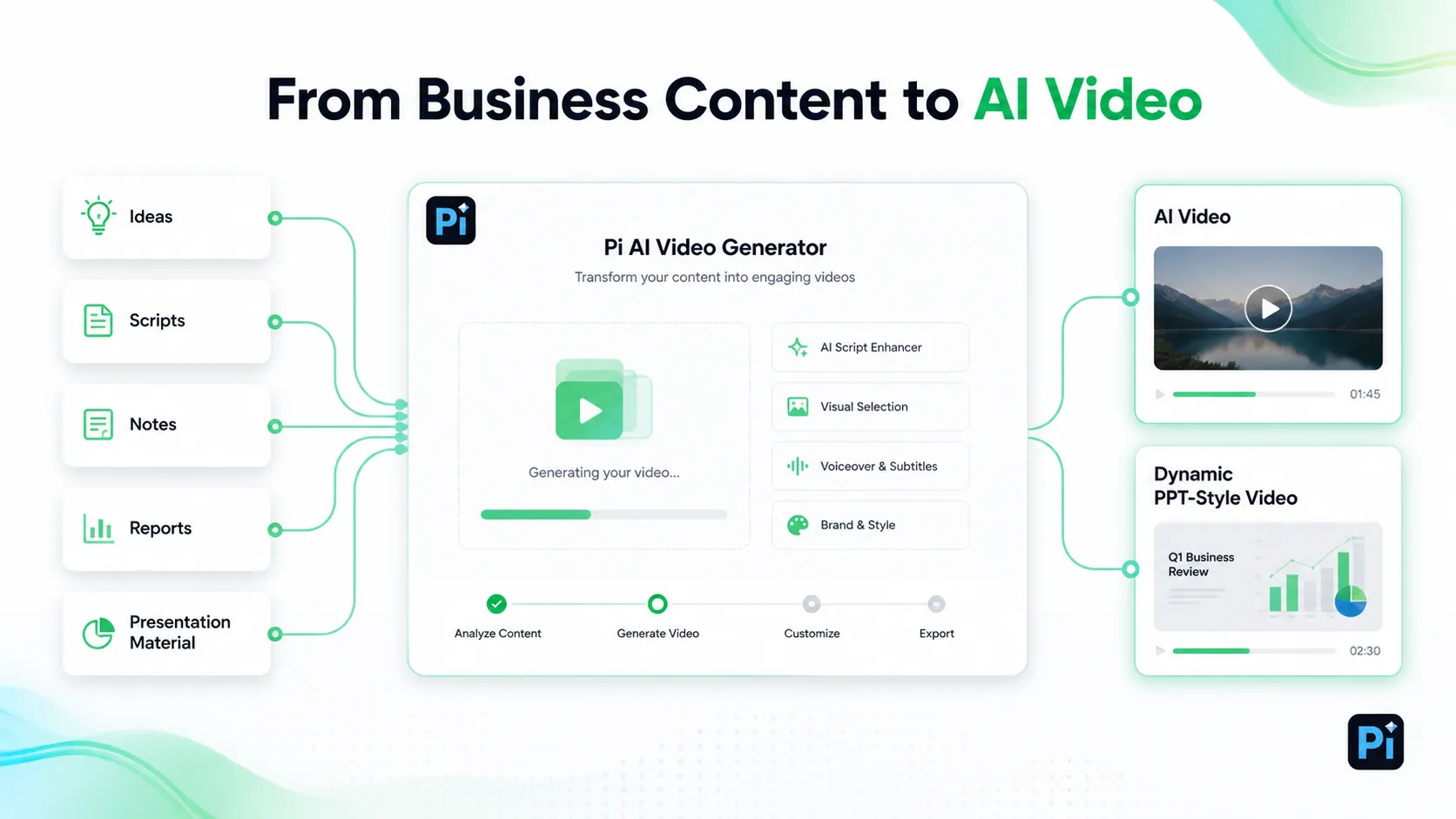
This matters because not every video needs filming, actors, or a full editing workflow. Many practical videos are really about communication: explaining an idea, summarizing information, presenting a plan, or making a message easier to watch. Pi supports both ordinary video generation and presentation-based video generation, which makes it useful for people who already have content and want to turn it into a video format.
Pi also gives users more control over the final style. You can work with themes, custom colors, editable styles, ready-made components, automatic layout, icons, image effects, and AI-generated visuals. That makes it easier to create videos that feel designed, rather than a collection of disconnected clips.
Where Free AI Video Tools Work Best
Free AI video tools work best for testing ideas, creating drafts, making short social clips, repurposing existing content, and exploring different styles. They are useful when you want to see whether an idea has potential before spending time on full production.
They may fall short when you need brand-perfect visuals, precise product accuracy, long-form editing, advanced motion control, clean exports, or confirmed commercial usage rights. The practical approach is to use free access for testing, then choose the right workflow when the video becomes business-critical.
Responsible Use Before Publishing
AI-generated video can be useful, but it can also create trust issues. If a video could make viewers think a real person said something they did not say, or that a real event happened when it did not, disclosure may be needed.
YouTube’s Help Center explains its rules for disclosing altered or synthetic content ↗, especially when content appears realistic. Before publishing, review accuracy, usage rights, privacy, and whether disclosure is required.
This is especially important for ads, education, news-like content, financial topics, health topics, and videos that include realistic people, voices, or events. AI can speed up production, but the final responsibility still belongs to the person or team publishing the video.
The Verdict
A free ai video generator online is a useful way to create videos from prompts, scripts, images, slides, notes, and reference material without starting from a blank editing timeline. It can help with social clips, explainers, product demos, educational videos, marketing content, presentation videos, and content repurposing.
The best tool depends on what you are starting with and what kind of video you need. If you want visual clips, tools like Runway, Canva, or Adobe Firefly are useful. If you need avatar-based business videos, Synthesia is worth understanding. If you want to create ordinary AI videos or turn presentations into dynamic PPT-style videos, Pi is a natural fit because it can work from ideas, scripts, notes, references, and presentation material.
Frequently Asked Questions (FAQ)
What is a free ai video generator online?
It is a browser-based tool that uses AI to help create videos from prompts, scripts, images, slides, notes, or reference material.
Are free AI video generators really free?
Usually they are free to start, but may include limits such as credits, watermarks, video length, resolution, or export options.
What can I make with an AI video generator?
You can make social clips, explainer videos, product demos, educational videos, marketing videos, presentation videos, and summaries from notes or articles.
Can Pi generate AI videos from existing content?
Yes. With Pi's AI video generator ↗, users can create ordinary AI videos from ideas, scripts, notes, or reference content, and can also turn presentations into dynamic PPT-style videos for sharing, teaching, marketing, reporting, or business communication.


