how to write a resume
If you are learning how to write a resume, start with one simple goal: make it easy for an employer to see why you fit the role. A resume is not your life story. It is a focused document that highlights the experience, skills, education, and results that matter most for one job or one career direction.
For beginners, the best resume is usually clear, simple, and specific. You do not need fancy design. You need the right information, in the right order, with strong examples.
Know What A Resume Is Supposed To Do
A resume is often the first impression you make on an employer. Yale Office of Career Strategy describes it as a key document for presenting your background and preparing for review. In plain English: your resume helps someone decide whether to interview you.
That means every section should answer the employer’s quiet question: “Can this person do the work?”
Before writing, read the job description carefully. Highlight repeated skills, tools, responsibilities, and qualifications. If you are unsure what a role usually requires, explore O*NET OnLine or the BLS Occupational Outlook Handbook to understand common tasks, skills, and career paths.
Choose The Right Resume Format
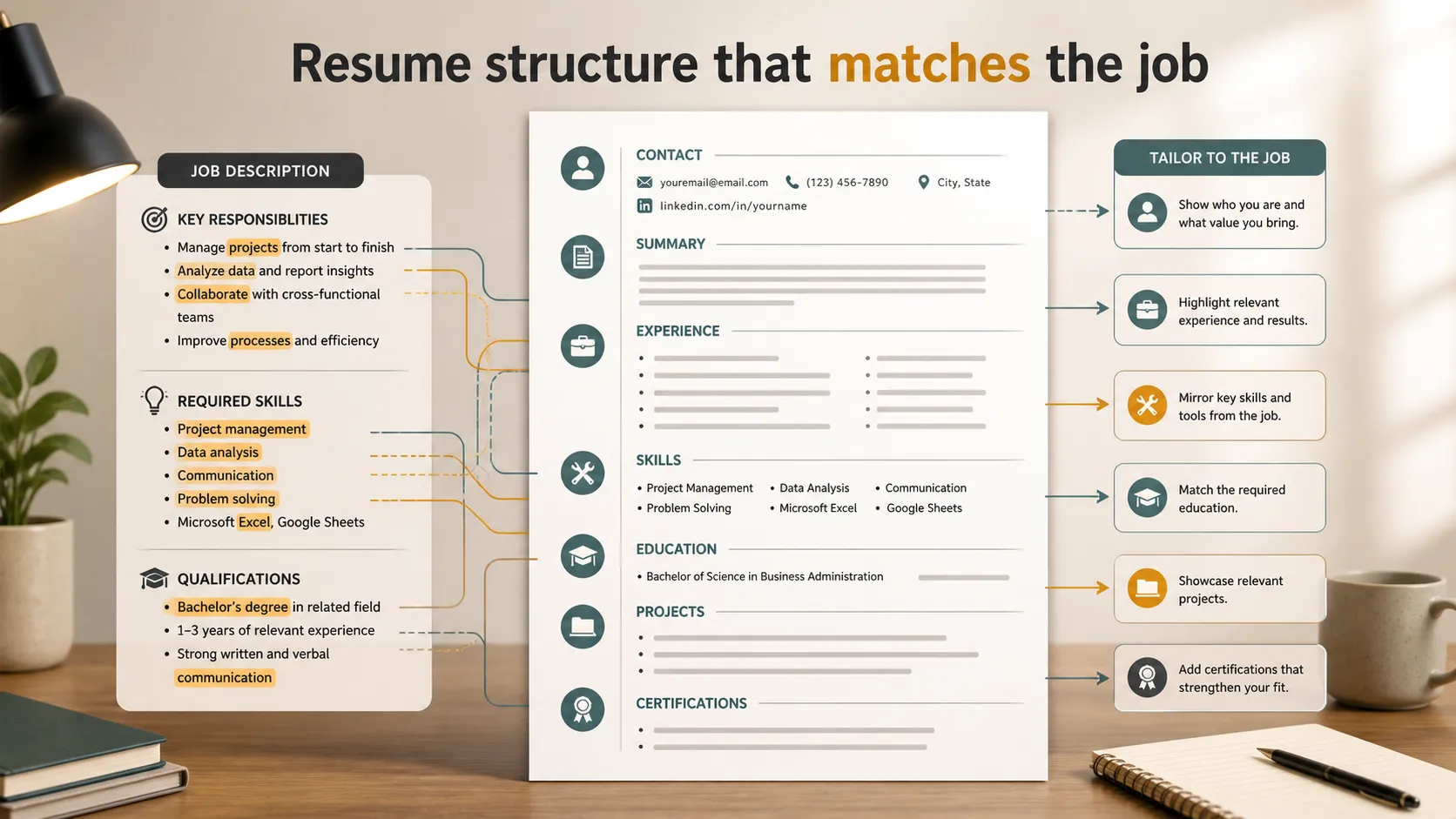 Most beginners should use a reverse chronological resume, where your most recent experience appears first. It is familiar, easy to scan, and works well for most applications.
A functional resume focuses more on skills than dates, but it can feel vague if used poorly. A combination resume includes both a skills section and detailed work history. CareerOneStop’s resume guide explains these formats and notes that clean, consistent layout matters.
| Section | how to write a resume focus | Beginner Tip |
|---|---|---|
| Contact | Make it easy to reach you | Use a professional email |
| Summary | Give a quick snapshot | Skip it if you have little experience |
| Experience | Show proof through results | Use action verbs and numbers |
| Skills | Match the job description | List real, relevant skills |
| Education | Show degrees or training | Include coursework only if useful |
| Projects | Add evidence if experience is light | Focus on outcomes and tools used |
Start With Clean Contact Information
Put your name at the top, followed by your phone number, professional email, city or region, LinkedIn profile, and portfolio if relevant. Do not include personal details such as age, marital status, or a photo unless your country or industry specifically expects it.
If you have a portfolio, GitHub, writing samples, design work, or a personal website, include it only if it strengthens the application. A broken or unfinished portfolio can hurt more than help.
Write A Resume Summary Only If It Helps
A resume summary is a short introduction near the top. It works best when you already have experience or a clear direction.
Weak summary:
“Hardworking and motivated professional looking for an opportunity to grow.”
Stronger summary:
“Customer support specialist with 3 years of experience resolving SaaS product issues, improving help center documentation, and supporting onboarding for small business clients.”
The stronger version gives the employer real signals: role, years, industry, skills, and audience.
Build Strong Experience Bullets
Your experience section is the heart of the resume. CareerOneStop recommends making qualifications and skills easy for employers to find. That means your bullets should not simply list duties.
Weak bullet:
“Responsible for social media.”
Stronger bullet:
“Created weekly Instagram and LinkedIn posts for a student organization, increasing event sign-ups by 28% over one semester.”
The stronger bullet shows action, context, and result.
MIT’s career team recommends using PAR statements: Project, Action, Result. In practice, that means you describe what you worked on, what you did, and what changed because of it.
Use numbers when you can: revenue, time saved, customers helped, people trained, events organized, error reduction, audience growth, or project size. If you do not have exact numbers, reasonable scale still helps.
Add Skills That Actually Match The Job
Your skills section should not be a random list of everything you have ever touched. Include skills that are relevant to the job and honest for your current level.
For technical roles, list tools, programming languages, platforms, software, methods, or certifications. For nontechnical roles, include job-specific skills like CRM tools, research methods, reporting, budgeting, writing, scheduling, customer support systems, or data analysis.
Avoid listing soft skills alone, such as “teamwork” or “leadership,” without proof. Show those inside your experience bullets.
Include Education, Projects, And Certifications
If you are a student or recent graduate, education can appear near the top. If you have several years of work experience, it usually moves lower.
Projects are especially useful for beginners. A class project, freelance assignment, volunteer campaign, research project, or personal build can show real ability. Include the project name, tools used, your role, and the outcome.
Certifications belong on your resume when they are relevant, current, and recognized in the field. Do not crowd the page with weak certificates just to fill space.
Tailor Your Resume For Each Role
One resume will not fit every job perfectly. You can keep a master resume with all your experience, then create tailored versions for specific roles.
MIT’s resume guidance emphasizes aligning your resume with the job description. Use the employer’s language when it honestly matches your background. If the role asks for “data visualization,” do not only write “made charts.” If you used Tableau, Excel, Looker, or Python, say so.
For federal jobs, the rules can be different. USAJOBS advises applicants to read the job announcement closely and show how they meet the listed qualifications.
Keep The Design Simple
A resume should be easy to scan. Use one readable font, consistent spacing, clear headings, and simple bullets. Avoid tiny text, heavy graphics, tables that break in application systems, and overly designed layouts.
Columbia’s resume guidance frames a resume as a marketing tool, not an autobiography. That is a helpful standard: everything on the page should help sell your fit for the role.
Proofread carefully. Check dates, names, punctuation, links, and formatting. Read it out loud. Then ask someone else to review it.
Use Pi To Present Your Career Story Visually
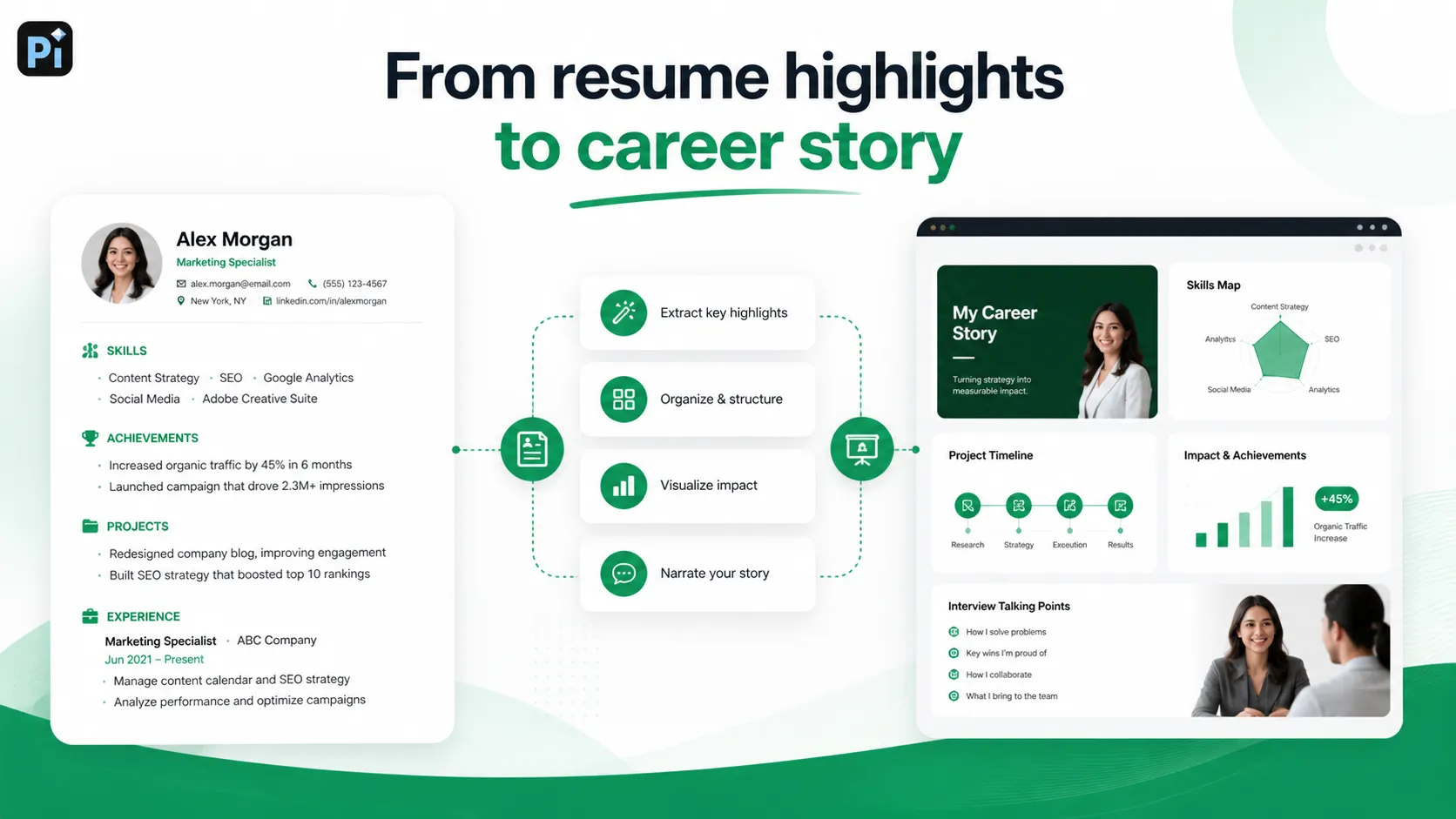
Your job application resume should usually stay clean and ATS-friendly. But there are moments when a visual version of your career story is useful: networking, portfolio pages, career fairs, personal branding, interviews, coaching sessions, or sharing your progress with a mentor.
That is where Pi can help. You can turn your resume highlights into a visual resume, career poster, or presentation: skills mapped by category, project timelines, achievement charts, role-specific strengths, and interview story slides. Pi supports customizable themes, colors, layouts, icons, charts, and AI-generated visuals, so your career information can become easier to understand at a glance.
The key is to use the right format for the right situation. Send a simple resume for job applications. Use a visual resume or poster when you want to explain your story in a more memorable way.
The Verdict
Learning how to write a resume is really learning how to edit your career story. Choose the details that match the job, write bullets with action and results, keep the format clean, and make every section easy to scan.
A strong resume does not need to be flashy. It needs to be relevant, honest, specific, and clear enough that an employer can quickly see why you deserve the next conversation.
Frequently Asked Questions (FAQ)
Q: What is the easiest way to learn how to write a resume?
A: Start with one job description. Highlight the top skills and responsibilities, then build your resume around the experience, projects, and results that match those needs.
Q: How long should a resume be?
A: Most beginners should keep it to one page. A two-page resume can work if you have enough relevant experience, but longer is not automatically better.
Q: Should I include a resume summary?
A: Include a summary if it adds useful context, especially if you have experience or are changing careers. Skip it if it only says generic things like “hardworking” or “motivated.”
Q: Can I use a visual resume instead of a normal resume?
A: For most job applications, use a clean traditional resume. A visual resume or poster can be useful for portfolios, networking, interviews, or personal branding.


