interactive presentation platforms

Passive presentations are becoming harder to justify in 2026. Audiences are distracted, meetings are shorter, webinars compete with multitasking, and teams expect faster feedback from every session. This is why interactive presentation platforms have moved from “nice-to-have” technology to a practical part of modern communication.
The best tools do more than add novelty. They help presenters turn one-way slide delivery into a two-way experience through live polls, interactive quizzes, clickable paths, Q&A, audience reactions, embedded media, and real-time feedback. When used well, interactive slides can make training more memorable, workshops more productive, sales conversations more responsive, and executive briefings more focused.
The key phrase is “when used well.” Engagement features are powerful, but they are not a substitute for a clear message. A poll cannot fix a confusing strategy story. A quiz cannot rescue a poorly structured pitch. The right interactive presentation software depends on your use case: classroom learning, employee training, live events, sales meetings, investor presentations, or high-stakes business decks.
This guide compares leading interactive presentation tools, explains where each platform fits best, and shows how to choose the right workflow for audience engagement without losing strategic clarity.
What Is an Interactive Presentation Platform?
An interactive presentation platform is software that helps presenters involve the audience directly during a slide-based experience. Instead of showing static slides while people listen passively, these platforms allow participants to respond, vote, ask questions, explore content, or interact with the presentation in real time.
Traditional tools like PowerPoint and Google Slides are excellent for building structured slide decks, especially when teams need familiar editing, offline access, and broad compatibility. However, they are usually not built around live audience participation by default. Interactive presentation platforms add engagement layers such as polls, word clouds, quizzes, branching navigation, embedded forms, audience analytics, and live Q&A.
Some tools are engagement-first. They are ideal for classrooms, workshops, conferences, and all-hands meetings where participation is the main objective. Others are broader presentation or design platforms that include interactive features alongside templates, animations, video, collaboration, and publishing. A growing category includes AI presentation makers that help teams generate content, structure ideas, and create polished decks faster.
For professional teams, the best choice is not simply the platform with the most interactive widgets. It is the platform that helps the audience understand the message, participate at the right moments, and leave with a clear conclusion.
Comparison Table: Top Interactive Presentation Platforms at a Glance
| Platform | Key Interactive Features | Pricing Model | Best Use Case |
|---|---|---|---|
| Mentimeter | Polls, word clouds, quizzes, Q&A | Free and paid plans | Live audience participation |
| Slido | Q&A, polls, surveys, event moderation | Free and paid plans | Conferences and webinars |
| Kahoot! | Game-based quizzes, challenges, learning modes | Free and paid plans | Education and training |
| Prezi | Zoomable canvas, nonlinear navigation, video presentation | Subscription plans | Storytelling and keynote-style talks |
| Canva | Templates, clickable designs, embedded media | Free and paid plans | Visual content and lightweight decks |
| Genially | Interactive visuals, gamification, microsites | Free and paid plans | Education and interactive content |
| Pitch | Collaboration, modern decks, analytics | Free and paid plans | Team-based startup and sales decks |
| Pi | Multi-Agent AI, business-ready structure, premium deck creation | SaaS model | High-stakes business presentations |
Try Pi AI Presentation Generator for Free ↗
Best Interactive Presentation Platforms to Consider
Mentimeter is one of the most recognized audience engagement tools for live participation. It works well when the goal is to ask questions, collect opinions, run quick polls, and visualize audience responses instantly. For facilitators, trainers, and event speakers, Mentimeter can make a room feel more involved without requiring a complex setup.
Slido is especially useful for Q&A-heavy environments. It is often used in conferences, webinars, town halls, and panel discussions where audience questions need to be collected, ranked, moderated, and answered efficiently. Its strength is not flashy design, but structured participation at scale.
Kahoot! is best known for game-based learning. It works well in classrooms, onboarding sessions, and training environments where quizzes and competition can increase energy. It may be less ideal for formal investor decks or executive strategy meetings, but it remains a strong choice when recall, participation, and learning reinforcement matter.
Prezi offers a different kind of interactivity through movement and nonlinear navigation. Instead of moving slide by slide in a fixed sequence, presenters can zoom into topics, return to a central map, and create a more spatial story. This can work well for keynote-style presentations, concept explanations, and sales conversations where the presenter wants flexibility.
Canva is not purely an interactive presentation platform, but it is widely used for creating visual decks, social assets, and lightweight presentations. Its strength is accessibility: teams can quickly design attractive slides, add media, and publish or present online. It is useful for marketing teams, educators, and creators who need strong visuals without a steep design learning curve.
Genially focuses on interactive content such as clickable diagrams, gamified learning materials, infographics, and interactive microsites. It works well when the audience explores content rather than only watching a presenter. This makes it useful for education, training, internal knowledge sharing, and digital learning assets.
Pitch is designed for modern teams that collaborate on business presentations. It combines clean presentation design, workflow features, and sharing capabilities. It is particularly useful for startups, sales teams, and marketing teams that need to produce polished decks together.
Pi, short for Presentation Intelligence, fits a different need: professional business presentation creation where interactivity should support a persuasive narrative rather than become the main event. For pitch decks, sales decks, executive updates, consulting reports, product launch decks, and brand proposals, the challenge is not only engaging the audience. It is sequencing the argument, clarifying the business logic, and delivering a deck that feels ready for decision-makers.

How to Choose the Right Interactive Presentation Software
Choosing interactive presentation software starts with the audience and the stakes of the presentation. A classroom quiz, a webinar Q&A, a sales discovery meeting, and a board presentation all require different levels of structure, design polish, analytics, and control.
If your session depends on live participation, prioritize polling, quizzes, Q&A moderation, and response visualization. If your audience will explore the content on their own, prioritize clickable navigation, embedded media, and self-guided interaction. If the deck will be reviewed by executives, investors, or clients, prioritize professional structure, visual quality, narrative clarity, export options, and brand consistency.
Ease of use also matters. A tool with excellent interaction features can still slow a team down if it requires too much setup or creates compatibility issues. Look for a platform that matches your workflow, whether that means live facilitation, remote collaboration, AI generation, branded templates, PPT export, or analytics after the session.
Audience data is another important factor. Poll results, quiz scores, question themes, and engagement metrics can help presenters understand what resonated and where confusion remains. For training teams, this can support learning measurement. For sales teams, it can reveal buyer priorities. For leadership teams, it can surface concerns that might otherwise remain unspoken.
Finally, consider design standards. Interactivity can draw attention, but professional design earns trust. The best platform should help you create slides that are clear, readable, visually consistent, and appropriate for the audience.
When Engagement Features Are Not Enough
Interactive features can improve attention, but they do not automatically create a strong presentation. Many teams discover that a deck can be engaging in the moment and still fail to persuade. The audience may enjoy a poll, respond to a quiz, or submit questions, but still leave without understanding the recommendation.
This is the boundary that matters for business communication. Interaction should support the message, not distract from it.
Common limitations appear when a presentation depends too heavily on engagement mechanics:
- The deck feels lively, but the core argument is unclear.
- Polls collect feedback, but the presenter does not connect results to a decision.
- Interactive slides look modern, but the narrative lacks sequencing.
- Audience participation increases, but executives still need sharper business logic.
- Visual effects create energy, but the deck is not polished enough for a client, investor, or leadership team.
For lower-stakes sessions, this may not be a major issue. In a workshop or classroom, participation can be the main goal. But in a high-stakes business setting, audience engagement is only one layer of success. The presentation must also frame the problem, build evidence, compare options, anticipate objections, and guide people toward a decision.
That is why professional teams often need a workflow that combines interaction with strategy, structure, and premium presentation design.
Where Pi Fits for Professional Interactive Presentations
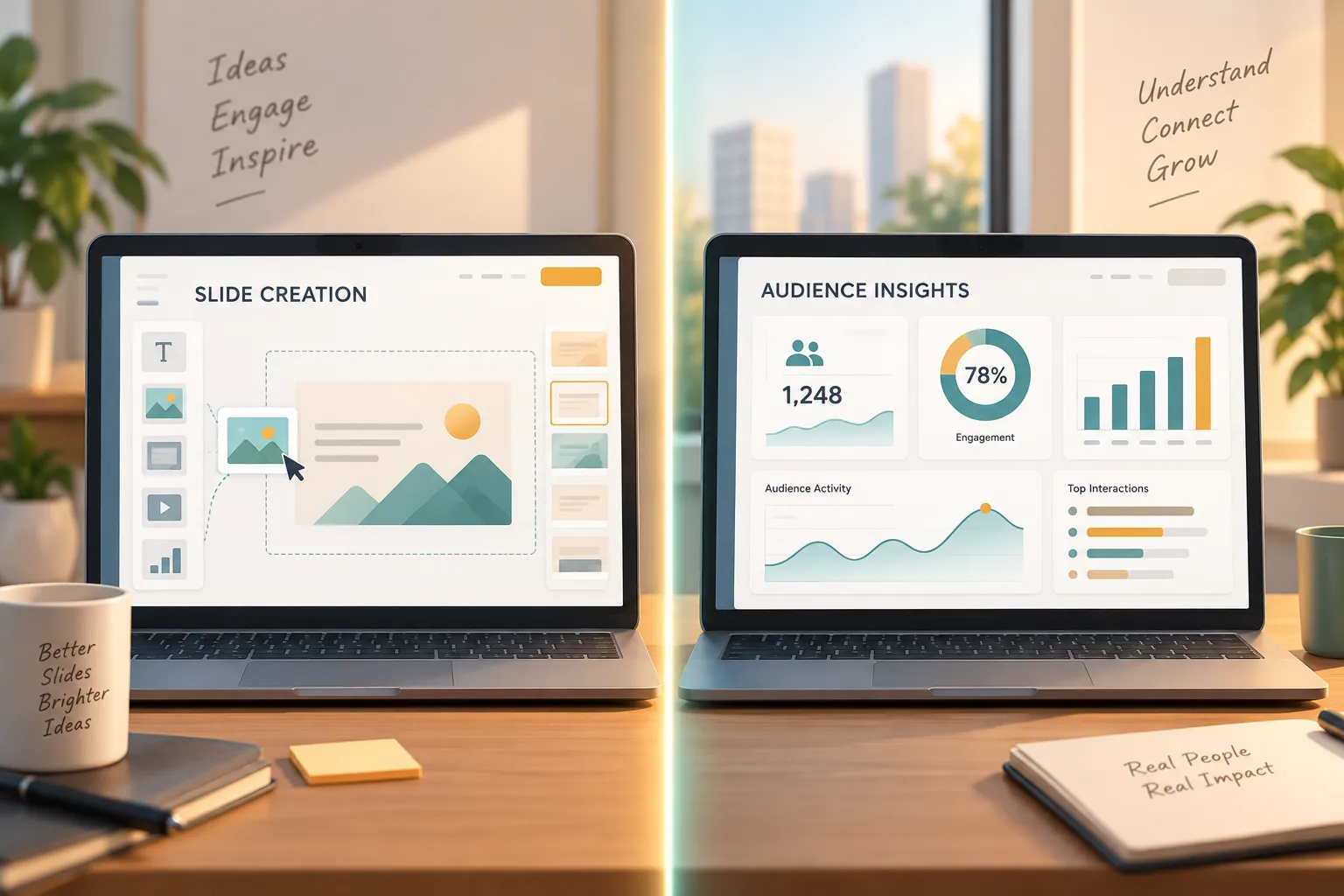
Pi is built for teams that need professional business presentations, not just slide decoration or live polling. It is an AI presentation maker and AI PPT generator designed to help users create structured, polished decks for serious communication contexts.
Pi is especially relevant when the presentation needs to support a business outcome: winning investor confidence, aligning leadership, explaining market research, launching a product, presenting a sales strategy, or turning complex analysis into a clear executive story.
1. Business Logic Comes Before Slide Styling
Many presentation workflows begin with visual choices: templates, colors, icons, and layouts. Those details matter, but they are not the foundation of a persuasive deck. Pi emphasizes business-ready structure first, helping teams organize ideas into a logical flow before refining the visual layer.
This matters for pitch decks, consulting reports, sales decks, and executive presentations because the audience is evaluating the thinking behind the slides. They want to know what problem matters, why now, what evidence supports the recommendation, and what action should follow.
2. Multi-Agent AI Supports Deeper Deck Creation
Pi’s Multi-Agent AI approach is designed to support more than surface-level slide generation. Instead of treating the deck as a collection of isolated pages, it helps shape the presentation as a structured communication asset. That can include clarifying the storyline, improving the hierarchy of information, and aligning content with a professional use case.
For teams under deadline, this can reduce the time spent turning raw ideas into a coherent deck. The goal is not to remove human judgment. It is to give business users a stronger starting point and a more reliable path from idea to presentation-ready output.
3. Premium Aesthetics Help Build Credibility
In high-stakes presentations, visual quality affects how the message is received. A deck that looks inconsistent, generic, or overloaded can make strong ideas feel less credible. Pi focuses on business-grade aesthetics so teams can create presentations that feel polished enough for investors, executives, clients, and partners.
This is different from simply adding animations or interactive elements. Professional aesthetics are about hierarchy, spacing, contrast, chart clarity, and slide-to-slide consistency. When interactivity is added, it should feel integrated into the deck rather than placed on top as a gimmick.
4. Interaction Supports the Narrative
For professional presentations, interactive moments should be intentional. A poll can validate a market pain point. A discussion prompt can reveal customer priorities. A clickable section can help a sales team adapt the conversation to the buyer’s interests. A Q&A moment can surface objections before the final recommendation.
Pi fits teams that want those moments to support a sharper narrative. The focus is not on making every slide interactive. It is on helping presenters build a deck where audience participation strengthens the business case.
Build High-Stakes Business Decks with Pi ↗
Recommended Platform by Use Case
For classrooms and learning environments, Kahoot!, Genially, and Mentimeter are strong options. They make it easy to create quizzes, interactive learning activities, and live participation moments that help students or trainees stay involved.
For webinars, conferences, and town halls, Slido and Mentimeter are often practical choices. They support scalable Q&A, audience polling, and feedback collection, which are useful when presenters need to manage participation from larger groups.
For workshops and facilitated sessions, Mentimeter, Miro-style collaborative workflows, and Genially-style interactive content can work well depending on whether the audience is responding live or exploring material in groups. The best choice depends on whether the session is speaker-led, participant-led, or a hybrid of both.
For marketing content and lightweight visual decks, Canva and Genially are useful when the priority is fast production, visual appeal, and shareable assets. They are especially helpful for teams that need to create many types of content beyond presentations.
For startup updates, sales decks, and collaborative team presentations, Pitch and similar modern deck platforms can be a good fit. They support team workflows and clean design, especially when multiple stakeholders need to contribute.
For investor presentations, executive briefings, consulting reports, product launch decks, market research presentations, and brand proposals, Pi is a strong fit when the team needs strategic structure, business logic, and premium visual quality. In these cases, engagement should not replace persuasion. It should reinforce it.
Final Verdict: Choose the Platform That Matches the Stakes of Your Presentation
The best interactive presentation platforms are not interchangeable. Some are excellent for live polling. Some are built for classroom energy. Some are strong for visual content creation. Others help teams collaborate on modern decks. The right choice depends on what you need the audience to do: answer, learn, explore, buy, approve, invest, or align.
If your main goal is participation, choose a platform with strong audience engagement tools such as polls, quizzes, Q&A, and live response tracking. If your main goal is professional persuasion, choose a workflow that helps you build a clear business argument, polished slides, and audience-specific messaging.
For business teams creating high-stakes presentations, Pi is worth exploring because it focuses on the deeper workflow behind the deck: structure, logic, premium aesthetics, and communication quality. The most practical next step is to try the platform or demo that matches your real presentation scenario, then evaluate not only how interactive it feels, but how clearly it helps your audience reach the right decision.
Start Building Polished Presentations with Pi Today ↗
Frequently Asked Questions (FAQ)
What are the best interactive presentation platforms in 2026?
The best interactive presentation platforms depend on your use case. Mentimeter and Slido work well for live polls and Q&A, Kahoot! is strong for quizzes and learning, Genially is useful for interactive content, Canva helps with visual slides, and Pi is a strong option for professional business decks that need structure, strategy, and polished design.
What is interactive presentation software used for?
Interactive presentation software is used to involve audiences through live polls, quizzes, Q&A, clickable slides, audience reactions, embedded media, and feedback tools. It can improve attention, participation, and understanding in classrooms, workshops, webinars, sales meetings, and executive presentations.
How do interactive slides improve audience engagement?
Interactive slides improve audience engagement by giving people a role in the presentation instead of asking them to only watch and listen. They can answer questions, vote on priorities, test their knowledge, submit concerns, or choose which topic to explore next. This makes the presentation more active and often more memorable.
Is Pi an audience engagement tool or an AI presentation maker?
Pi is primarily an AI presentation maker and AI PPT generator for professional business presentations. It is not positioned as a polling-only audience engagement tool. Pi is best suited for teams that need business-ready structure, Multi-Agent AI support, premium visual quality, and persuasive decks for high-stakes situations.