Why Manual Slide Design Is Slowly Disappearing
Building a professional presentation has never been just about creativity. In many organizations, employees spend far more time arranging slide elements, adjusting layouts, and maintaining visual consistency than developing the ideas they actually need to communicate.
That balance is beginning to change. Recent AI-powered improvements in Microsoft PowerPoint, including PowerPoint Smart Layouts, enhanced Designer capabilities, and Copilot-assisted editing, highlight a broader shift across presentation software. Instead of asking users to manually perfect every slide, modern tools increasingly help organize content and automate repetitive design tasks.
This evolution signals something larger than a software update. Manual slide design is gradually giving way to AI-assisted communication, allowing professionals to spend less time editing slides and more time refining their message.
AI Is Redefining Presentation Creation
For decades, presentation software has given users complete control over every visual detail. While that flexibility is valuable, it also creates unnecessary work. Simple tasks such as aligning graphics, resizing images, balancing whitespace, and maintaining consistent formatting often consume hours that could be spent improving the presentation itself.
Microsoft PowerPoint AI features reflect how quickly expectations are changing. AI can now analyze slide content, recommend smart layouts, improve spacing, and maintain visual consistency automatically. Instead of manually positioning every object, users can rely on AI slide design support for routine formatting decisions.
This does not eliminate creativity. Instead, it allows presenters to concentrate on storytelling, audience engagement, and business objectives while repetitive formatting happens in the background.
Why Better Communication Matters More Than Better Layouts
A well-designed presentation is not defined only by attractive visuals. The real value of a presentation comes from how clearly it explains an idea.
Business teams rarely struggle because they cannot choose a theme or font. More often, they struggle with transforming research, spreadsheets, meeting notes, customer feedback, and scattered ideas into a logical narrative.
AI presentation tools address this challenge by helping users organize information before worrying about design. Instead of starting with empty slides, teams can begin with structured content that is easier to understand, edit, and present.
| Traditional Presentation Workflow | AI-Assisted Presentation Workflow |
|---|---|
| Create slides first | Organize ideas first |
| Manual slide design | Smart layout suggestions |
| Individual editing | AI-supported collaboration |
| Repeated design adjustments | Consistent visual structure |
| Time spent on formatting | Time spent on communication |
How AI Improves Business Presentation Workflows
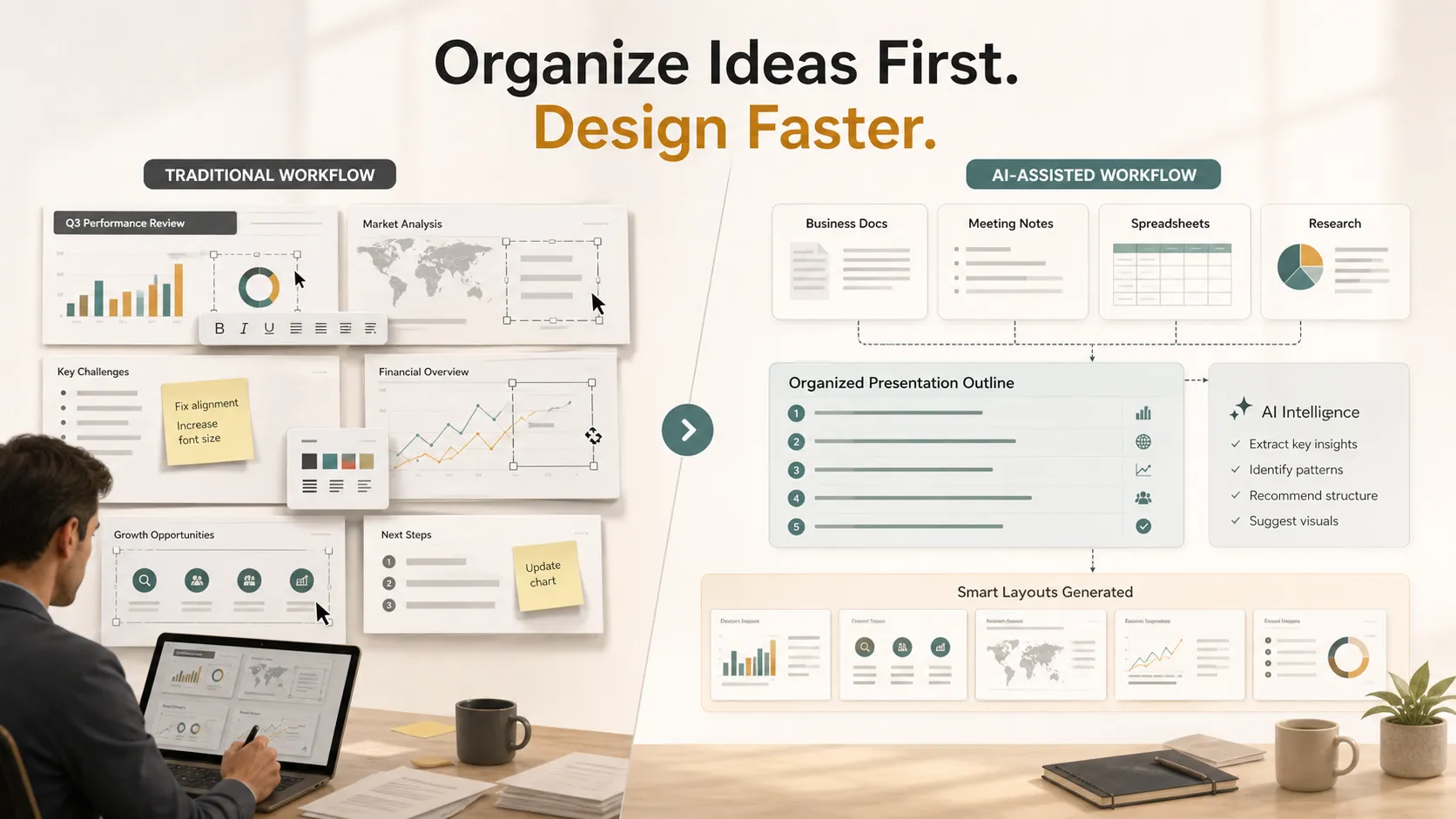
The biggest impact of AI is not simply that it creates attractive slides. It changes how presentations are built from the beginning.
Instead of opening PowerPoint with a blank canvas, professionals can start by collecting meeting notes, reports, spreadsheets, research, and project documents. AI can summarize this information, identify recurring themes, group related ideas, and recommend a logical flow before visual design even begins.
This approach reduces one of the most time-consuming parts of presentation creation: deciding what information belongs on each slide. Once the structure is clear, layouts, charts, and visual elements become much easier to develop.
For business teams, this means presentations can be produced faster without sacrificing quality. Less time is spent adjusting formatting, while more attention can be given to audience needs, business objectives, and clear communication.
The Boundary of Smart Layouts
PowerPoint Smart Layouts and similar AI features are useful because they reduce friction. They help users avoid common design problems, especially when a slide contains mixed content such as text, images, icons, and charts.
However, smart layouts do not solve every presentation problem. A clean slide can still communicate the wrong message if the structure is weak. An attractive deck can still fail if the audience cannot follow the logic.
The professional boundary usually appears in high-stakes business work, such as pitch decks, sales decks, consulting reports, executive presentations, brand proposals, market research decks, and product launch decks. In these situations, teams need more than visual polish. They need a clear argument, a persuasive storyline, and business-ready structure.
That is why the shift from manual slide design to presentation automation is important. The goal is not only to make slides faster. The goal is to make the entire presentation workflow more intelligent.
Presentation Intelligence Beyond Slide Design
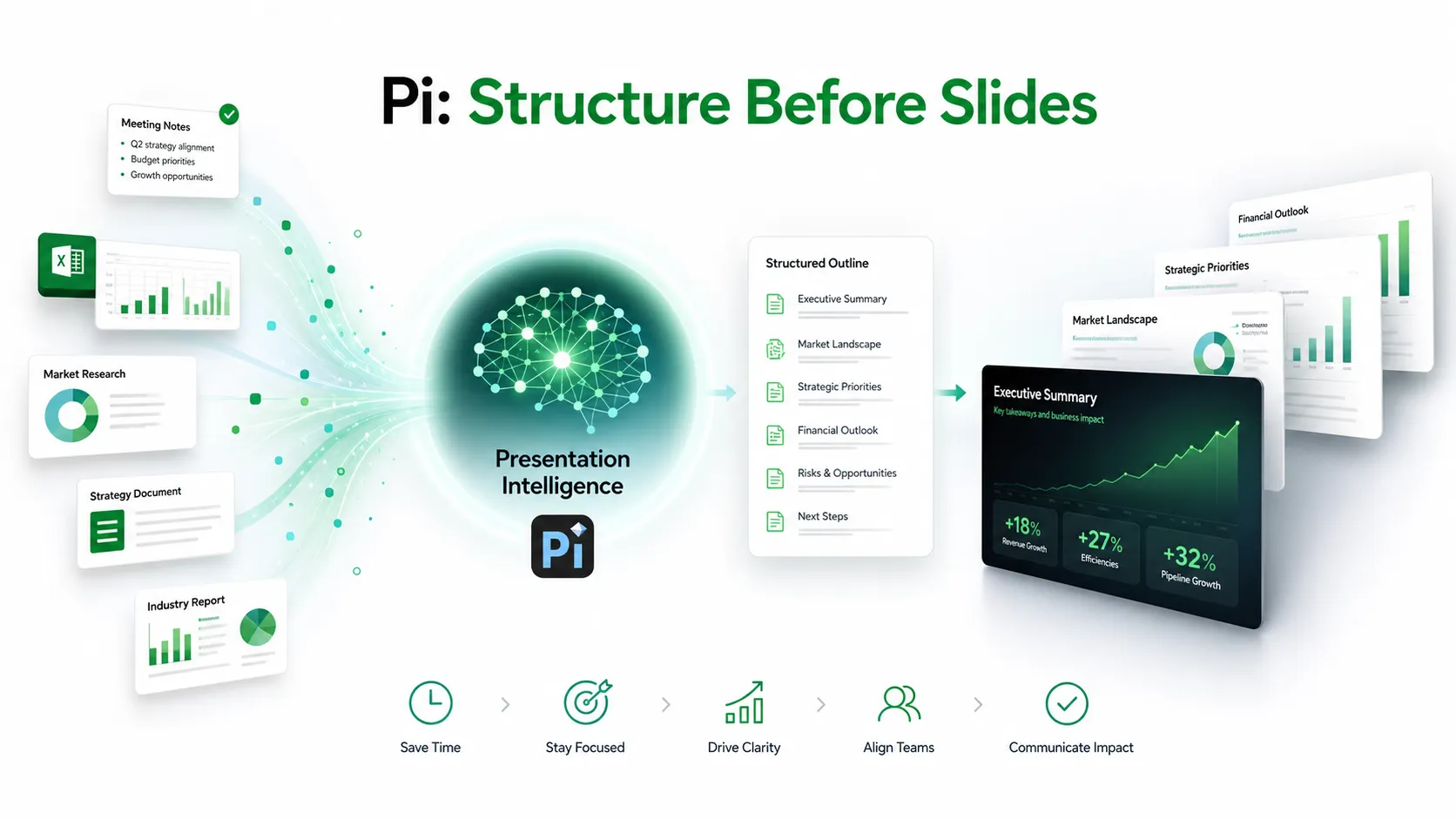 As AI capabilities continue to expand, presentation software is becoming more than a design tool. Increasingly, organizations expect AI to support the entire communication process, from organizing information to preparing presentation-ready content.
This is where Pi (Presentation Intelligence) fits naturally into modern AI presentation workflows. Rather than focusing only on slide appearance, Pi helps teams transform scattered business materials, including research, meeting notes, documents, spreadsheets, and strategic plans, into a structured presentation outline before design work begins.
1. Business Logic Comes Before Slide Styling
Pi is built around the idea that strong presentations start with structure. Before visual design matters, teams need to decide what the presentation is trying to prove, what evidence supports the argument, and how the audience should move from problem to insight to action.
This is especially useful for professional teams preparing business presentations under time pressure. Instead of turning raw information directly into slides, Pi helps organize the thinking first.
2. Multi-Agent AI Supports Deeper Preparation
Pi uses a Multi-Agent AI approach to support different parts of the presentation process. That means the workflow is not limited to generating slide text. It can help with organizing content, shaping a narrative, improving clarity, and preparing material for a professional business context.
This is valuable when teams are working with complex information. A sales deck, consulting report, or executive update often involves more than one message. Pi helps connect those messages into a coherent structure.
3. Premium Output Still Depends on Human Judgment
AI can accelerate preparation, but people remain responsible for decisions. Pi supports the workflow by reducing the time spent structuring information and preparing presentation-ready content. Teams can then review the logic, refine the tone, and adapt the message for the audience.
This balance matters. The future of AI presentation work is not fully automated communication. It is a more productive partnership between human judgment and intelligent software.
What's Next for AI Presentation Software
Presentation software is likely to become increasingly collaborative and context-aware over the next few years.
Future AI features may understand the purpose of a presentation, recommend supporting data, adapt content for different audiences, and maintain consistent branding automatically. Rather than acting as a design assistant alone, AI will increasingly participate throughout the entire presentation workflow.
At the same time, human expertise will remain essential. AI can recommend layouts, summarize information, and accelerate preparation, but professionals are still responsible for strategy, storytelling, business judgment, and final approval.
The Verdict: Manual Formatting Is Becoming a Smaller Part of the Job
Manual slide design is not disappearing because design no longer matters. It is disappearing because AI is making repetitive design work less necessary.
The latest generation of presentation tools shows that the future of presentations is built on intelligent workflows rather than manual formatting. Features such as Smart Layout recommendations and AI-assisted editing allow professionals to spend less time adjusting slides and more time improving the quality of their ideas.
For organizations, the real opportunity extends beyond faster slide creation. AI can help teams organize information, clarify complex topics, and build stronger business narratives before presentation design even begins. As presentation software continues to evolve, the greatest advantage will come from combining AI efficiency with human creativity, critical thinking, and communication skills.
Frequently Asked Questions (FAQ)
Q: What is AI-assisted presentation design?
A: AI-assisted presentation design uses artificial intelligence to help users organize content, recommend layouts, improve formatting, and simplify the presentation creation process. Rather than replacing designers, AI automates repetitive tasks so people can focus on communication and storytelling.
Q: Why is manual slide design becoming less important?
A: Manual slide design is becoming less important because tools such as PowerPoint Smart Layouts and other AI slide design features can recommend layouts, align content, and maintain visual consistency automatically. Professionals can spend more time on message quality and less time on formatting.
Q: Can AI create an entire business presentation?
A: AI can generate outlines, summarize documents, suggest slide structures, and recommend designs. However, successful business presentations still require human judgment to validate information, adapt messaging to the audience, and make strategic decisions.
Q: How does Pi support AI-powered presentation workflows?
A: Pi supports the preparation stage of presentation creation. It helps teams transform research, meeting notes, reports, spreadsheets, and business documents into organized presentation-ready content before visual design begins. This helps professionals focus on structure, storytelling, and clearer business communication.


