Presentation Creation Time: AI vs Traditional Workflows
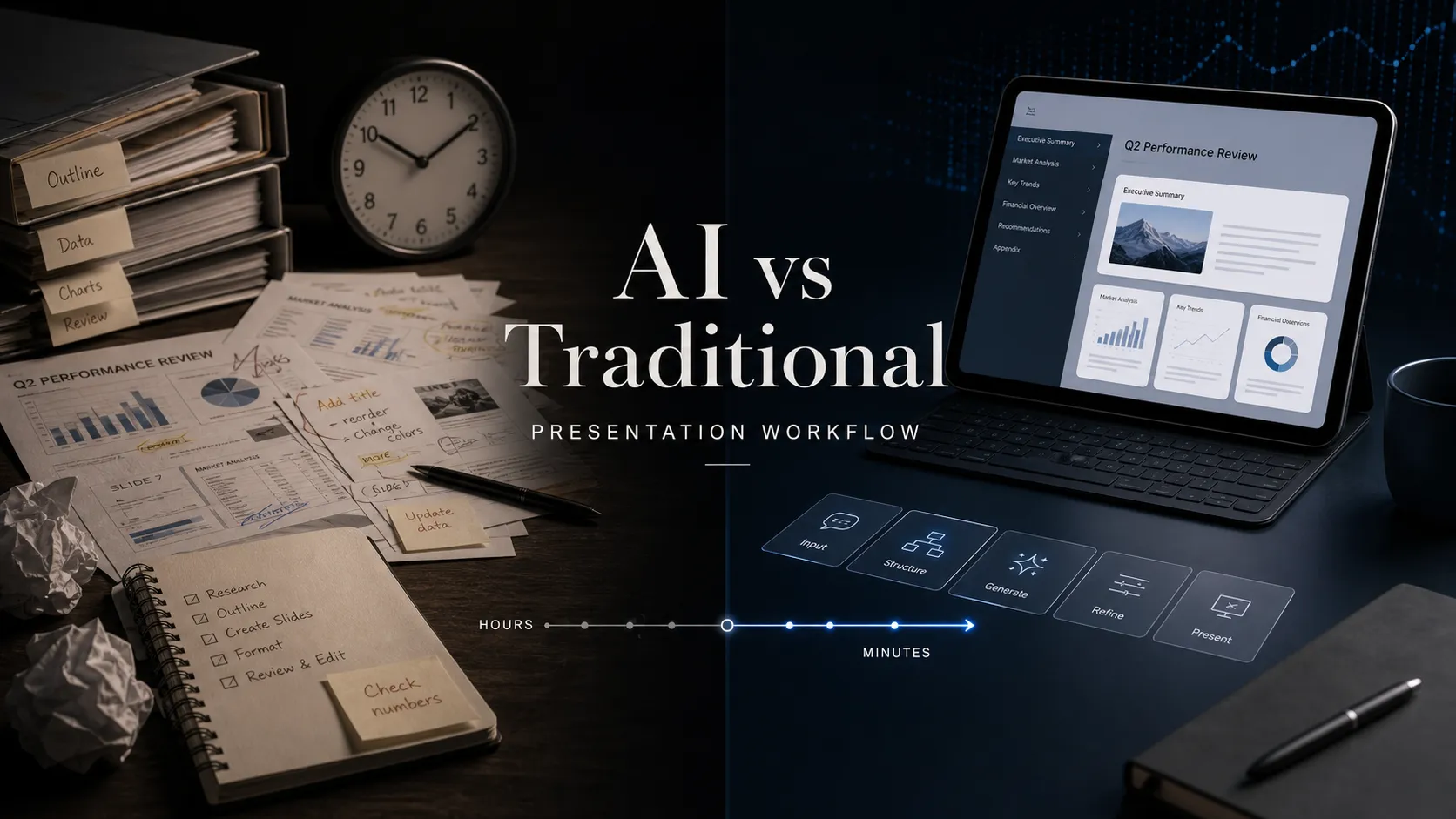
Creating a strong presentation often takes longer than expected because a deck is not just a set of slides. It is a structured argument, a visual explanation, and a decision-making tool for a specific audience. That is why presentation creation time depends less on how quickly someone can open PowerPoint and more on how efficiently they can move from raw information to a clear, persuasive story.
Traditional workflows give teams full control, but they often involve slow, repetitive work. An AI presentation workflow can accelerate research synthesis, outline development, first-draft slide creation, and visual consistency. The goal is not to skip strategy. It is to improve the presentation workflow so human judgment and AI support work together.
Why Presentation Creation Takes So Much Time
Presentation work includes thinking, organizing, writing, designing, editing, and aligning stakeholders. A 20-slide executive deck may look simple in the meeting, but the process behind it can include many decisions: clarifying the audience, reviewing research, building a logical structure, writing slide headlines, designing charts, formatting layouts, and revising after feedback.
These steps are connected. If the storyline changes late, the team may need to rewrite copy, rebuild charts, and redesign several slides. This is why presentation productivity is not only about faster slide production. A better workflow must reduce rework, improve clarity, and help teams make stronger decisions earlier.
The Traditional Presentation Workflow
A traditional workflow usually starts with information gathering. A team collects notes, research, spreadsheets, customer insights, market data, or product details. Then someone manually turns that material into an outline, deciding what belongs in the opening, evidence section, recommendation, and close.
After that, slide creation begins one page at a time. The presenter writes titles, adds bullets, creates charts, searches for visuals, adjusts layouts, and applies brand formatting. Feedback often arrives after the first complete draft, which means entire sections may need to be reordered or rewritten.
This approach has strengths. It allows careful control over nuance, confidential information, stakeholder expectations, and final positioning. For high-stakes business decks, that control still matters. The limitation is that teams can spend too much time on mechanical tasks before the strategic quality of the deck is clear.
The AI-Assisted Presentation Workflow
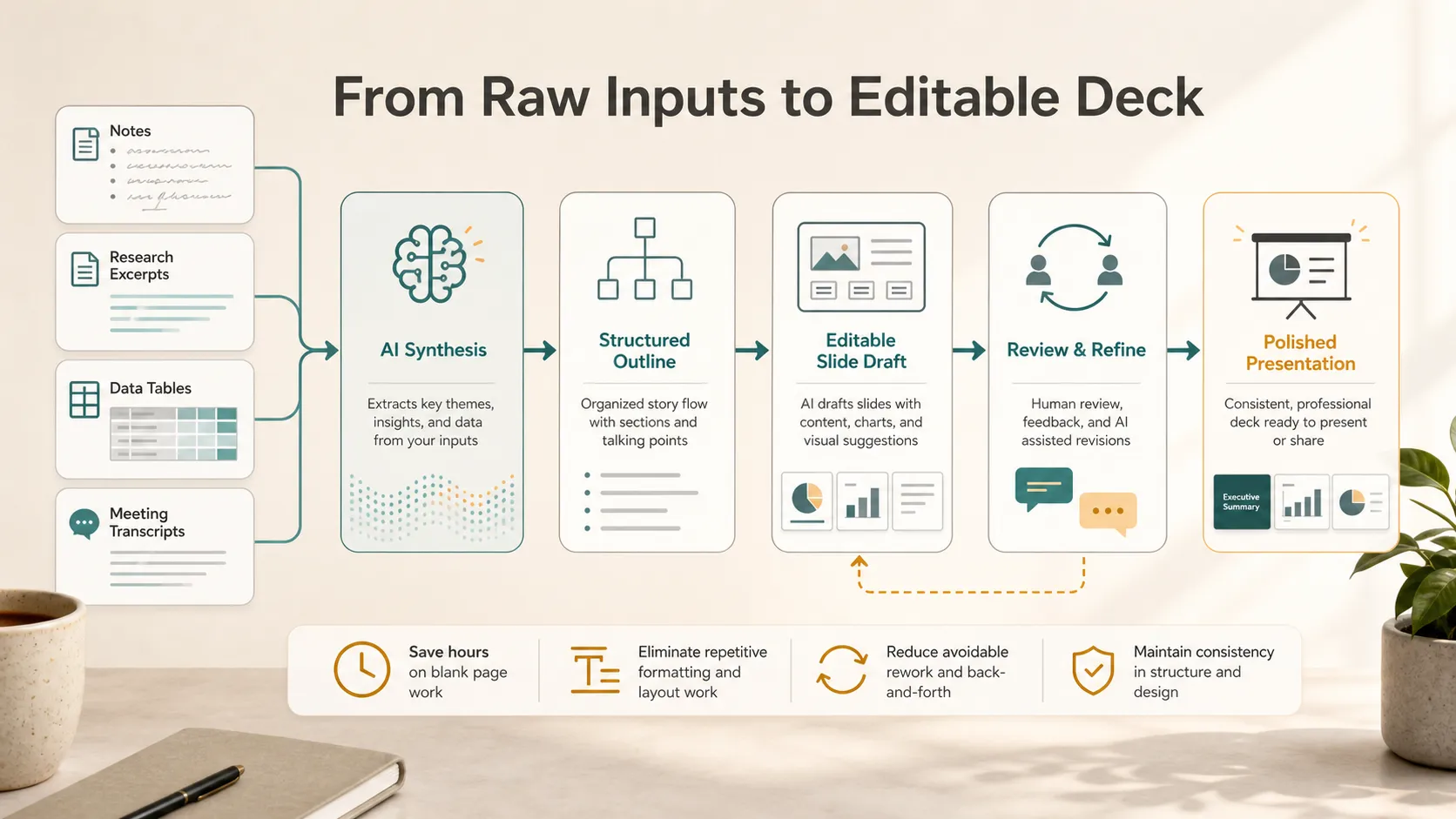
An AI-assisted workflow changes the starting point. Instead of beginning with a blank slide, teams can provide rough inputs: meeting notes, a brief, research excerpts, transcripts, or a simple description of the goal. AI can help synthesize the material, identify themes, propose a structure, and generate an initial slide-by-slide draft.
This does not remove the human role. It gives the team a stronger starting point. Instead of manually building every section from scratch, people can review the draft, adjust the argument, correct details, refine the design, and sharpen the message.
This is especially useful when the deck follows a known business format, such as a sales deck, consulting report, pitch deck, market research presentation, product launch deck, or executive briefing. AI can organize familiar patterns while humans make the final strategic decisions.
Where AI Saves the Most Presentation Creation Time
AI saves the most time in the early and middle stages of presentation creation. Turning scattered notes into a coherent outline is one of the highest-impact use cases. Instead of spending hours deciding what belongs where, AI can suggest a working structure that the team can edit.
First-draft generation is another major gain. A draft does not need to be perfect to be useful. It gives teams something concrete to react to, which is often faster than debating structure in the abstract. AI can also help create common business slide patterns, including problem-solution, market landscape, competitive positioning, KPI summary, roadmap, and recommendation slides.
Visual consistency also matters. Traditional workflows often require manual adjustments across every slide: title alignment, spacing, chart styling, icon placement, and section dividers. AI-assisted tools can reduce this formatting burden, giving teams more time to improve the narrative and evidence.
Where Human Judgment Still Matters
AI can accelerate the workflow, but professional presentations still require human judgment. A strong deck must reflect business context, audience expectations, and decision criteria.
Human review is especially important for data accuracy. Charts, financial metrics, market claims, and customer evidence must be checked carefully. AI can help organize and express information, but teams remain responsible for verifying the facts.
Strategic positioning also depends on context. An executive presentation may need a direct tone. A customer proposal may need more empathy and proof. A pitch deck may need to emphasize traction, category creation, or business model strength. These choices require human leadership.
Traditional vs AI Presentation Workflows
| Presentation Stage | Traditional Workflow | AI-Assisted Workflow |
| Research synthesis | Manual review and note sorting | Faster extraction of themes |
| Outline creation | Built from scratch | Draft structure generated from inputs |
| First slide draft | Created slide by slide | Produced as an editable starting point |
| Visual consistency | Manual formatting across slides | More consistent layouts and styling |
| Revisions | Feedback may trigger large rewrites | Faster iteration on structure and copy |
| Final judgment | Fully human-led | Human-led with AI support |
AI is most useful when it improves the flow of work, not simply when it creates slides faster. The real productivity gain comes from reducing blank-page time, repetitive formatting, and avoidable rework.
How Pi Helps Teams Create Business Presentations Faster
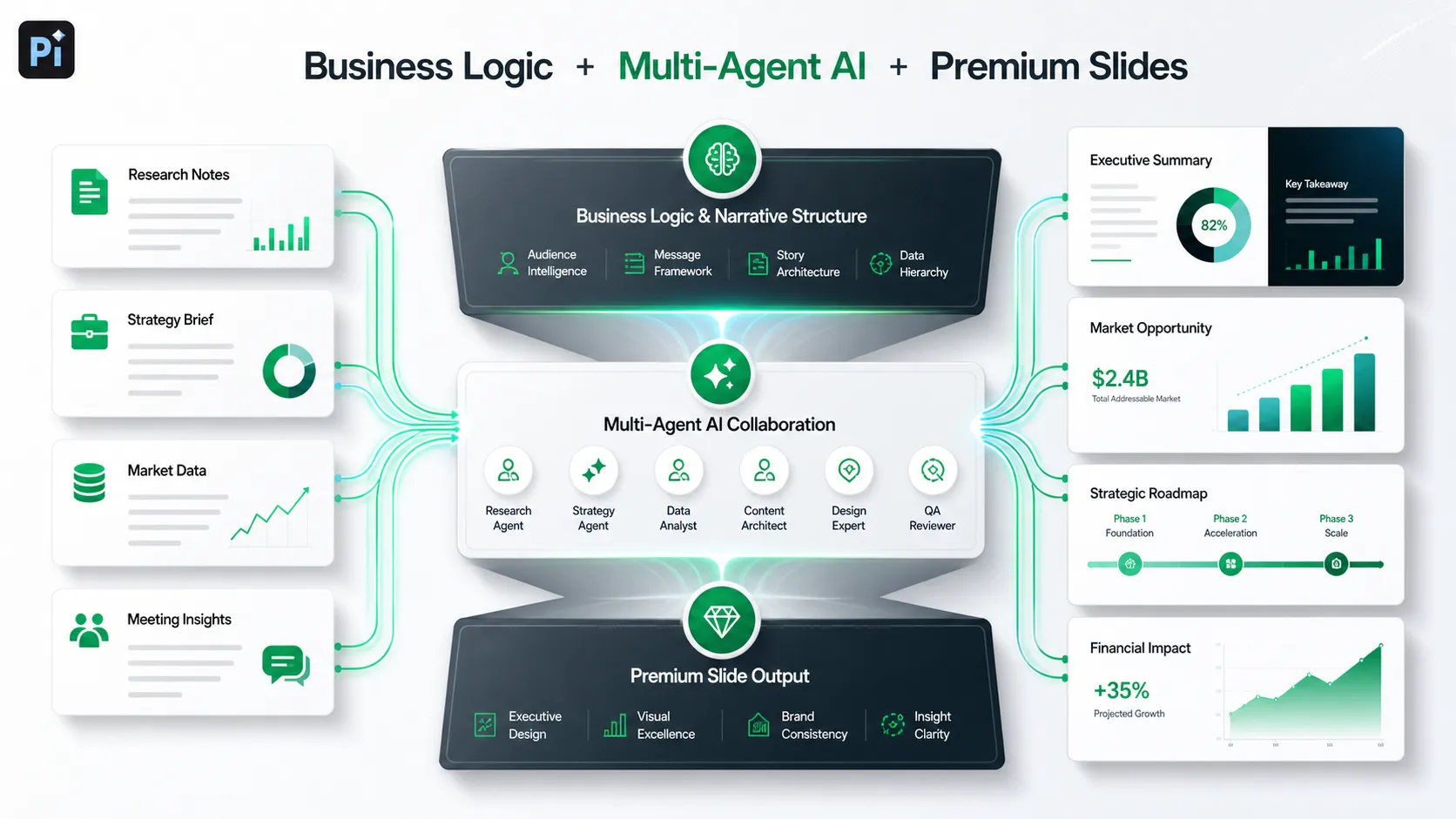
Pi is built for professional presentation workflows where speed matters, but quality cannot be sacrificed. As an AI presentation maker and AI PPT generator, Pi focuses on the deeper work behind business presentations: structure, logic, narrative, and premium visual quality.
For teams creating pitch decks, sales decks, consulting reports, market research decks, brand proposals, product launch decks, or executive presentations, the goal is not just to generate slides. The goal is to create a deck that feels organized, credible, and ready for a serious business conversation.
1. Business Logic Comes Before Slide Styling
Pi helps teams start with the argument behind the deck. Before slide styling becomes the focus, the presentation needs a clear purpose, sequence, and message hierarchy. This reduces rework because the team is not polishing slides that may later need to be removed or reordered.
By helping shape the narrative first, Pi supports a more efficient presentation workflow. Teams can move from raw direction to structured thinking faster, then refine the content with greater confidence. This is especially useful when a deck must connect research, business context, and a recommendation rather than simply present information.
2. Multi-Agent AI Supports the Full Deck Workflow
Pi uses Multi-Agent AI to support multiple aspects of presentation creation, including narrative development, organization, slide content, and refinement. This matters because professional decks involve different types of work. A strong headline requires communication skill. A market overview requires synthesis. A sales deck requires audience framing. A strategy presentation requires logic.
Instead of treating the presentation as one text-generation task, Pi supports a more complete workflow. That helps teams move faster while still reviewing and improving the final output.
3. Premium Visual Quality Reduces Formatting Time
Many teams lose hours fixing layouts after the content is already written. Pi’s business-grade aesthetics help reduce that burden by producing slides with stronger visual hierarchy, cleaner composition, and more professional polish from the start.
This does not remove the need for final review, especially for brand-sensitive materials. But it can reduce manual formatting time, allowing teams to focus on message quality, data accuracy, and stakeholder alignment.
When AI Presentation Creation Is the Better Fit
AI-assisted presentation creation is especially useful when teams face tight deadlines, frequent deck requests, or research-heavy topics. It is also valuable when the presentation follows a recognizable business structure, such as a sales narrative, investor story, market analysis, quarterly update, or strategic recommendation.
AI is a strong fit when the team already has raw material but needs help turning it into a coherent deck. It is less useful when the main challenge is unresolved strategy, missing data, or sensitive political judgment. In those cases, AI can still support drafting and organization, but human leadership must define the direction.
A Practical Verdict on Presentation Creation Time
Traditional workflows remain valuable when teams need maximum control, careful stakeholder handling, and highly specific judgment. But they often make teams spend too much time on blank-page creation, manual formatting, and repeated restructuring.
AI-assisted workflows can significantly reduce presentation creation time when used thoughtfully. The strongest results come from pairing human judgment with a professional tool that understands business structure, narrative flow, and visual quality. Pi is designed for that balanced workflow: faster creation without treating the presentation as a generic slide-generation task.
Frequently Asked Questions (FAQ)
Q: How long does it take to create a professional presentation?
A: It depends on the topic, research depth, stakeholder feedback, and design expectations. A simple internal deck may take a few hours, while an executive presentation, pitch deck, or consulting report can take much longer.
Q: Can an AI presentation workflow reduce presentation creation time?
A: Yes. AI can reduce time by helping with research synthesis, outline creation, first-draft slides, copy refinement, and visual consistency. Human review is still needed for strategy, accuracy, and audience fit.
Q: Can AI create professional business presentations?
A: AI can create strong professional drafts when the tool is built for business logic, structure, and design quality. For high-stakes decks, teams should still verify data and refine the final message.
Q: Where does AI save the most time in a presentation workflow?
A: AI usually saves the most time when turning rough inputs into an outline, generating an editable first draft, organizing slide structure, and reducing repetitive formatting work.


