project planning templates
Project planning templates are useful because most projects do not fail from a lack of effort. They get messy because the scope is unclear, the timeline keeps shifting, task owners are vague, or stakeholders are working from different versions of the plan. A good template gives the team a shared starting point before the work gets scattered across chats, spreadsheets, slides, and meeting notes.
The best templates do not document everything. They answer the questions that matter early: what are we doing, why does it matter, who owns each part, what could block progress, and how will we explain the plan?
What A Project Planning Template Is
A project planning template is a reusable structure for organizing a project before and during execution. It can live in a document, spreadsheet, task tool, or presentation deck. The format matters less than the thinking it supports.
A practical template usually covers the project goal, scope, deliverables, timeline, owners, risks, stakeholder updates, and next step.
PMI's overview of what goes into a project plan is a helpful reference because it connects the plan to scope, stakeholders, milestones, approvals, and the executive summary. Microsoft also describes project planning templates as frameworks for organizing tasks, milestones, and communication.
Project Overview Template
Use a project overview template when you need one page or a few slides that explain the project at a glance.
Include the project name, one-sentence purpose, business problem, target audience, main deliverables, key dates, owner, and current status.
Project Timeline Template
A project timeline template shows when major work happens. It is best for projects with clear phases, deadlines, approvals, or launch dates.
Include the start date, end date, main phases, milestones, review dates, dependencies, and launch or delivery date.
A timeline template should not become a dumping ground for every tiny task. Use it to show the shape of the work, then keep detailed task tracking somewhere else. PMI's article on planning and scheduling is useful here because planning defines the work, while scheduling turns that work into timing.
Project Roadmap Template
A roadmap template is useful when the project needs to show direction over time. It is less detailed than a task tracker and more strategic than a timeline.
Include strategic themes, major initiatives, time periods, priority levels, workstream dependencies, and expected outcomes.
Task Tracker Template
A task tracker template is for daily execution. It answers the basic question: who is doing what, by when, and what is blocked?
Include the task name, owner, due date, priority, status, dependency, and notes or blockers.
Every task should have one clear owner. Shared ownership sounds collaborative, but it often means nobody knows who is responsible for moving the work forward. Asana's work plan template is a useful example because it organizes goals, tasks, owners, dates, milestones, dependencies, and status updates in one place.
Risk Register Template
A risk register template helps the team discuss problems before they become emergencies. It is useful for cross-functional projects, launches, events, and anything with budget pressure.
Include the risk description, likelihood, impact, owner, mitigation plan, warning sign, and current status.
Do not make this template too formal for a small project. A lightweight risk list is better than no risk discussion at all.
Stakeholder Update Template
A stakeholder update template keeps communication consistent. Instead of writing a fresh update from scratch every week, use the same structure so people know where to look.
Include the current status, what changed since the last update, completed work, upcoming milestones, open risks, decisions needed, and next steps.
This template is not just for reporting. It also reduces confusion. Atlassian's project management resources are useful if your team wants more structure around collaboration, planning, and execution.
Project Proposal Template
A project proposal template is used before the project is approved. It makes the case for why the work should happen and what result it should create.
Include the problem or opportunity, proposed solution, scope, expected benefits, timeline, resource needs, risks, and approval request.
Project Planning Presentation Template
Some project plans need to become presentations. This happens when you are pitching a project, aligning executives, briefing a client, or updating a large team. A project planning presentation template turns the plan into a story.
Use a presentation template when people need to understand the plan quickly, not study every detail. A strong deck might include an opening summary, the problem or goal, scope, timeline, workstreams, roles, risks, decisions needed, and next steps.
This is where planning and communication meet. A spreadsheet can manage tasks, but a presentation helps people see the logic of the project.
How To Choose The Right Template
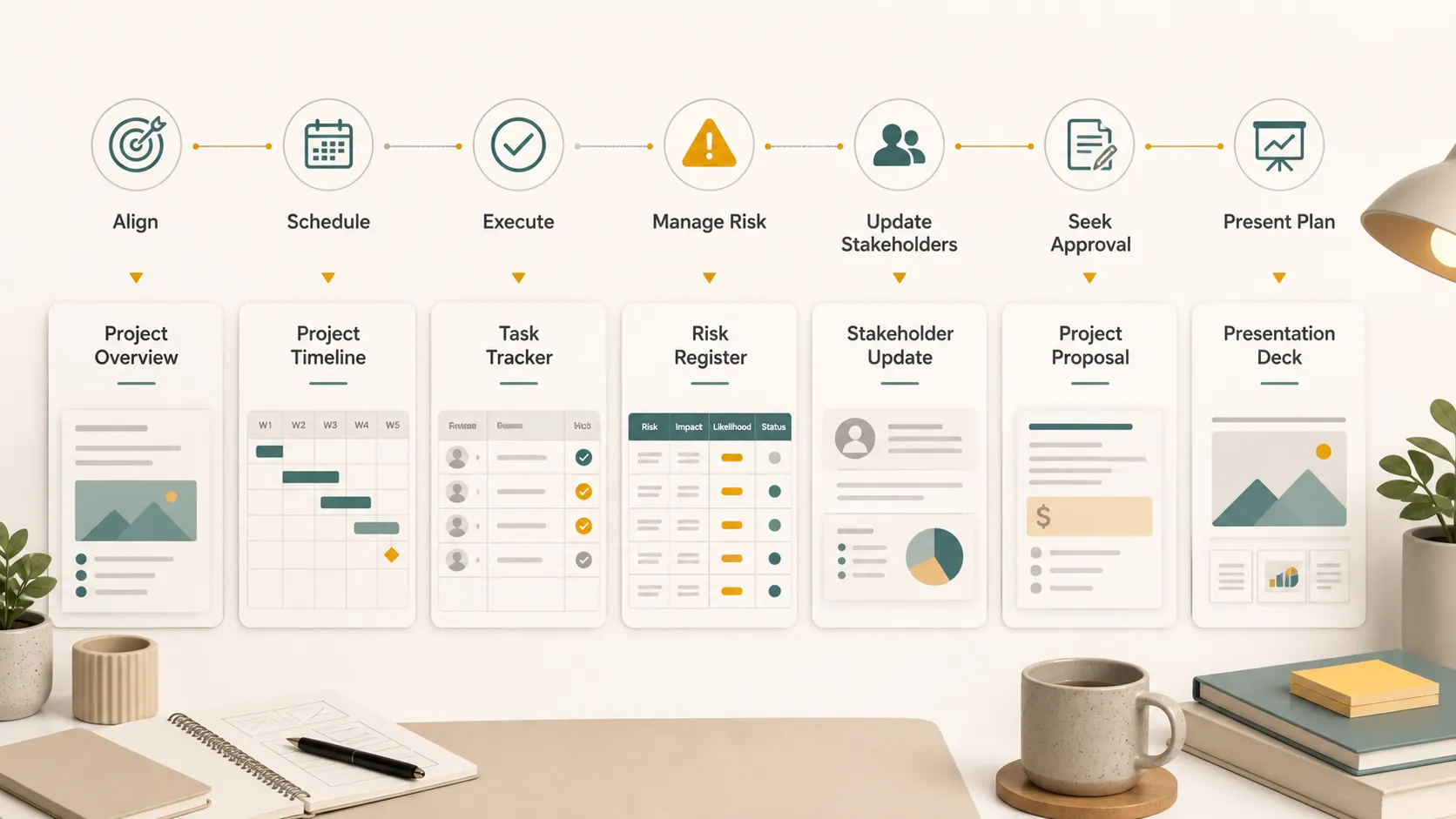
Do not pick a template because it looks impressive. Pick the one that matches the project stage. Use an overview when the team needs alignment, a timeline when timing matters, a task tracker when work is moving, a risk register when uncertainty could affect delivery, a stakeholder update when outside groups need visibility, a proposal when the project needs approval, and a presentation when you need to explain the plan.
| Planning need | Best template | Use it when |
|---|---|---|
| Align the team | Project overview | The project is starting |
| Show timing | Project timeline | Dates and milestones matter |
| Track execution | Task tracker | Work is already moving |
| Manage uncertainty | Risk register | Blockers could affect delivery |
| Share progress | Stakeholder update | Others need regular visibility |
| Explain the plan | Project presentation | The plan needs to be presented |
Where Pi Fits Into Project Planning Templates
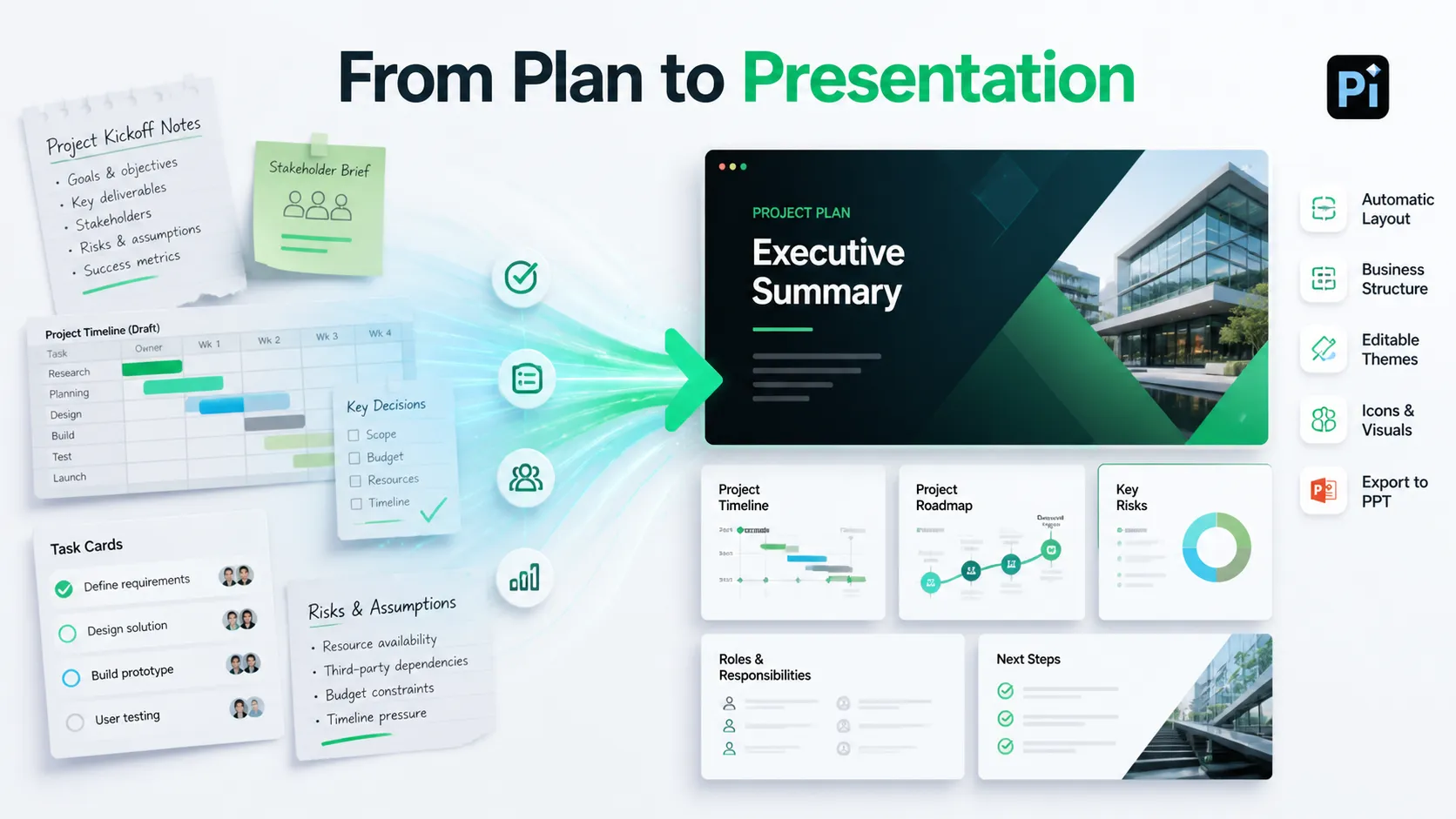
Templates help you organize the work. Pi helps when that plan needs to become a clear, polished presentation.
For example, you may start with rough project notes, a timeline, a stakeholder brief, or a document full of scattered ideas. Instead of manually turning that material into slides, you can use Pi to shape the content into a presentation structure. That is useful when the project plan needs to be shared with clients, leadership, investors, or a cross-functional team.
Pi also gives you more flexibility than a static slide template. It has editable presentation styles and many templates you can use directly. You can customize the theme, colors, layout style, and visual tone so the presentation fits the project.
The component side matters too. Pi can help you build sections such as timelines, roadmaps, comparison blocks, metric panels, executive summaries, process diagrams, and next-step slides. Automatic layout keeps the deck organized as content changes. The icon library helps make responsibilities, phases, and project categories easier to scan. For slides that need stronger visuals, Pi can support image effects and AI-generated visuals during the design process.
Once the project planning presentation is ready, you can export it as a PPT file and open it in PowerPoint or other compatible presentation tools for final editing, sharing, or delivery.
The Verdict
Project planning templates are not just admin files. Used well, they make projects easier to understand, manage, and explain. The right template can clarify scope, organize tasks, show timing, surface risks, and keep stakeholders aligned.
Use simple templates when the project is small. Use specialized templates when the work has many owners, phases, approvals, or dependencies. When the plan needs to become a polished presentation, Pi can turn rough planning material into a structured deck with editable themes, components, icons, visuals, automatic layout, and PPT export.
Frequently Asked Questions (FAQ)
What are project planning templates?
Project planning templates are reusable structures for organizing project goals, scope, timelines, tasks, owners, risks, and updates. They help teams start faster and stay aligned.
What should a project planning template include?
A good template usually includes the project goal, scope, deliverables, timeline, owners, milestones, risks, stakeholder updates, and next steps.
Which project planning template should I use first?
Start with a project overview template if the team is still aligning. Use a task tracker once work begins, and use a presentation template when you need to explain the plan to stakeholders.
Can Pi help create project planning presentations?
Yes. Pi can turn notes, timelines, plans, or rough project content into a polished presentation with editable templates, custom themes, components, icons, image effects, AI visuals, automatic layout, and PPT export.


