Slide Deck vs Presentation: What's the Difference?

In business communication, people often use “slide deck” and “presentation” as if they mean the same thing. In many situations, that is understandable. If someone says, “Can you send me the presentation?” they may mean the PowerPoint file. If a manager says, “Let’s review the deck,” they may mean the slides for an upcoming meeting.
Still, the distinction matters. A slide deck is the set of slides or the document itself. A presentation is the broader communication experience: the message, delivery, audience, timing, narrative, and business goal. Understanding slide deck vs presentation helps teams prepare better materials, use clearer presentation terminology, and avoid confusion in professional settings.
What a Management Consulting Report Format Must Do
A management consulting report format should help the audience make a decision. It should not feel like a research archive, a status update, or a decorative slide deck.
A strong format usually does five things:
- Defines the business question early.
- Explains why the issue matters now.
- Shows the evidence behind the problem.
- Compares realistic strategic options.
- Recommends a clear next step.
This is what separates a professional management consulting presentation from a general business update. The report should make the logic easy to follow, even when the analysis behind it is complex.
Harvard Business Review’s guide to effective presentations is useful here because executive communication depends on clarity, sequence, and audience focus.
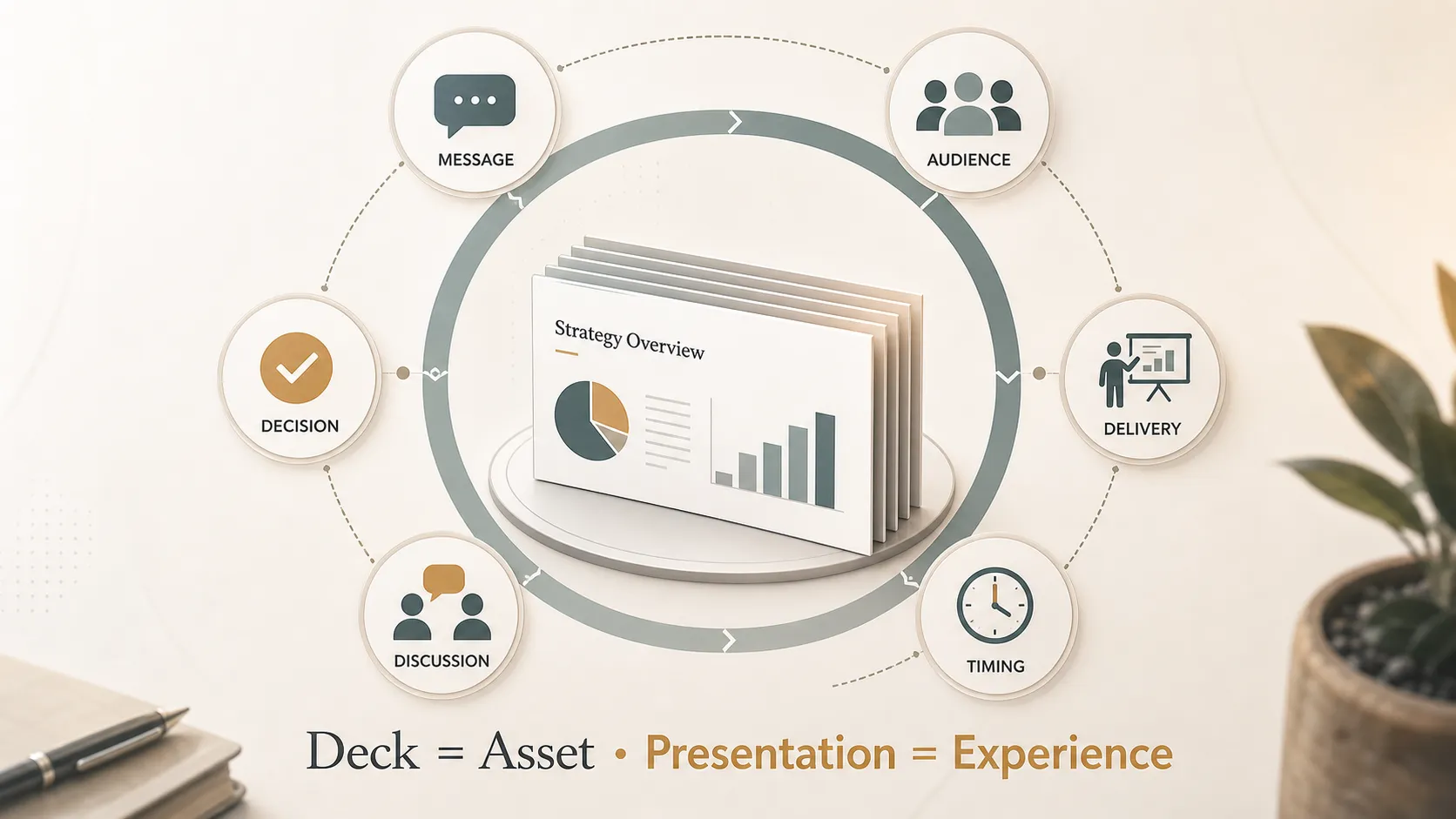
The slide deck meaning is straightforward: it is a sequence of slides arranged in a file or document. A slide deck may be created in PowerPoint, Google Slides, Keynote, PDF format, or an AI presentation maker. It usually contains visual pages that explain information, support a meeting, or document a business idea.
The term “deck” comes from the idea of a stack or set of cards. In workplace language, a slide deck is the “stack” of slides used to organize a message. It can be short, such as a five-slide sales overview, or long, such as a detailed consulting report.
A slide deck can guide a live meeting, support a pitch, summarize research, explain a strategy, or act as a document people read later. In many organizations, the deck becomes the artifact people review, revise, forward, and store.
That is why a deck needs structure even when no one is speaking over it. A strong deck should make the main message visible, organize information logically, and help the reader understand what matters without unnecessary effort.
What a Management Consulting Report Format Must Do
A management consulting report format should help the audience make a decision. It should not feel like a research archive, a status update, or a decorative slide deck.
A strong format usually does five things:
- Defines the business question early.
- Explains why the issue matters now.
- Shows the evidence behind the problem.
- Compares realistic strategic options.
- Recommends a clear next step.
This is what separates a professional management consulting presentation from a general business update. The report should make the logic easy to follow, even when the analysis behind it is complex.
Harvard Business Review’s guide to effective presentations is useful here because executive communication depends on clarity, sequence, and audience focus.
Management Consulting Report Format: Core Sections
Use this structure as the foundation for a consulting-style report. It gives the deck enough discipline without turning it into a rigid template.
| Management consulting report format section | Purpose | Common slide output |
|---|---|---|
| Executive summary | State the answer and decision needed | Recommendation overview |
| Business context | Explain why the issue matters now | Market or performance snapshot |
| Key question | Define the decision frame | Problem statement slide |
| Diagnostic analysis | Identify causes, gaps, or drivers | Issue tree, chart, or framework |
| Strategic options | Compare possible paths | Option evaluation matrix |
| Recommendation | Commit to the preferred direction | Recommendation slide |
| Implementation roadmap | Translate strategy into action | Timeline or workstream plan |
| Risks and mitigations | Prepare leaders for uncertainty | Risk map or mitigation plan |
| Next steps | Clarify ownership and momentum | Action plan slide |
This structure works because it moves from context to diagnosis, from diagnosis to choice, and from choice to action. The audience should not have to guess where the report is going.
How to Structure Complex Business Logic
The strongest consulting reports usually start with the answer, then support it with grouped evidence. This is often associated with pyramid-style communication: recommendation first, supporting reasons second, detail after that.
A practical slide flow can look like this:
- Start with the business question.
- Give the executive answer.
- Explain the current situation.
- Show the root causes or key findings.
- Compare strategic options.
- Recommend one path.
- Explain the implementation plan.
- Close with risks, owners, and next steps.
Action titles are especially important. Instead of writing “Market Analysis,” write “Enterprise demand is growing fastest in regulated industries.” Instead of “Cost Review,” write “Three cost pools account for most margin pressure.”
These headlines make the reasoning visible. They help the audience understand the conclusion before they inspect every chart.
What Makes Consulting Slides Executive-Ready
Executive-ready slides are not just clean. They are easy to scan, specific, and decision-oriented.
Good consulting slides usually have:
- one main message per slide;
- a clear action title;
- supporting evidence below the headline;
- charts or tables that prove the point;
- limited secondary detail;
- a visible recommendation or implication.
Nielsen Norman Group’s explanation of visual hierarchy is useful for consulting slides because the audience should know where to look first. For data-heavy slides, the U.S. Census Bureau’s guide to data visualization is also a helpful reference for presenting information clearly.
If the report will be shared as a deck, accessibility matters too. Microsoft’s guide to accessible PowerPoint presentations and W3C’s accessible presentation guidance can help teams make slides easier for more audiences to use.
Where Static Consulting Templates Break Down
Static templates are helpful when the structure is already known. They can save time, standardize formatting, and give teams a professional starting point.
They start to break down when the business situation is unclear. A template can provide boxes for “insights” and “recommendations,” but it cannot automatically decide which evidence belongs in the main storyline, which findings should move to the appendix, or how to make the recommendation credible.
Common problems include:
- too many slides with no clear storyline;
- data shown without interpretation;
- recommendations buried too late;
- options that are not meaningfully different;
- visual polish without decision clarity;
- slide titles that describe topics instead of insights.
A deck can resemble McKinsey style slides in visual tone without achieving the same level of analytical discipline. The goal is not to copy any proprietary style. The goal is to build a clear, evidence-based business argument.
How Pi Helps Build Consulting Reports
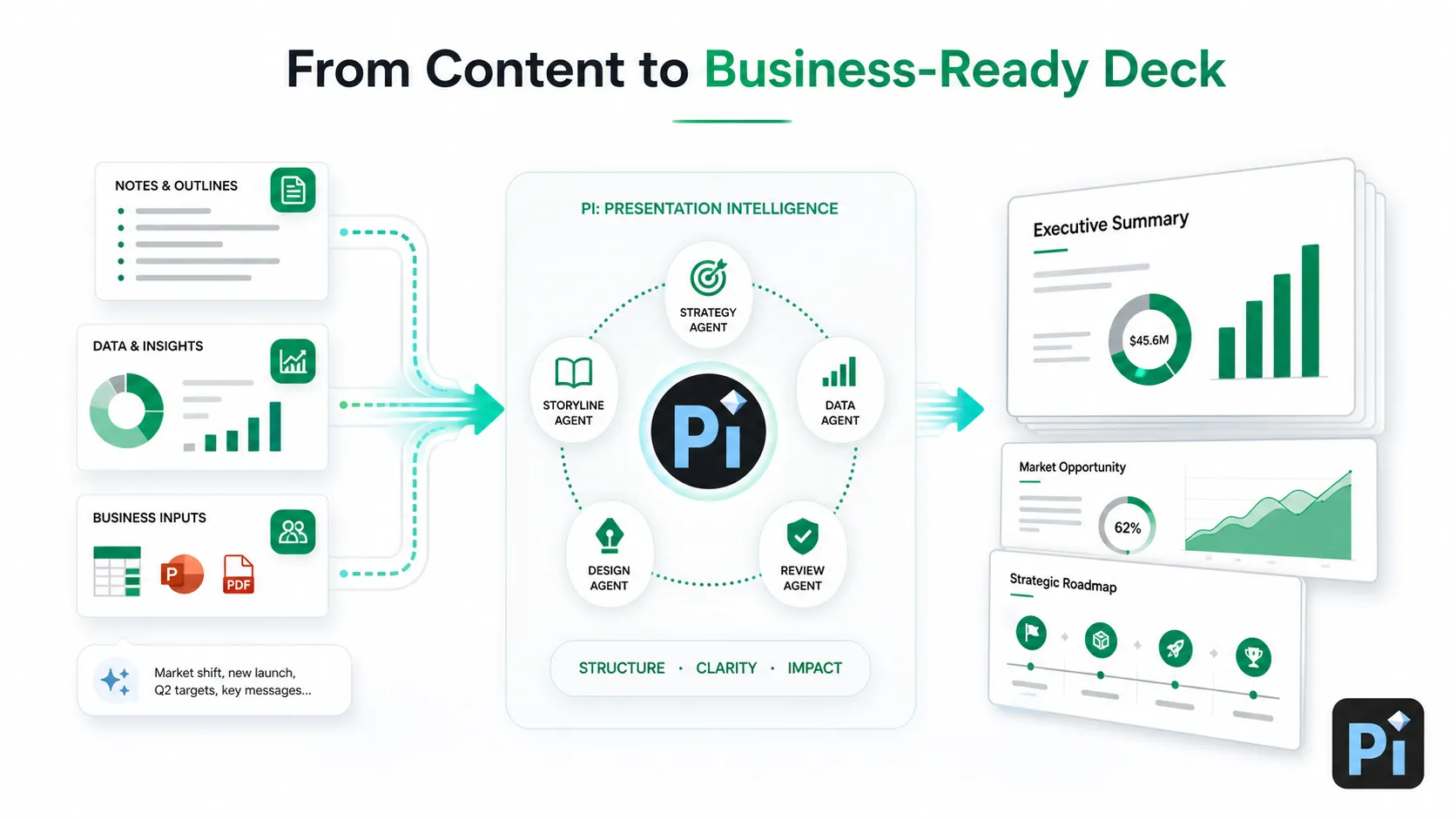
Pi can help turn complex inputs into a structured management consulting presentation. This is useful when a team has notes, research, spreadsheets, interview findings, or rough strategy ideas, but not yet a clear executive narrative.
Pi helps with the layer between raw analysis and final slides. It can support storyline structure, slide sequencing, executive wording, and visual organization. For consulting reports, that matters because the deck needs to feel like a recommendation, not a pile of materials.
Pi also supports AI consulting template workflows where different parts of the presentation need different kinds of thinking. A concept such as a multi-agent system is useful background for understanding how specialized AI processes can work together, but the business value is simple: the final deck should be more structured, more polished, and easier to present.
Pi does not replace expert judgment, validated data, or client-specific analysis. Its value is helping professionals move from complex material to a business-ready consulting report format faster.
When to Use This Consulting Report Template
This management consulting report template is useful for:
•strategy reviews;
•market research decks;
•transformation plans;
•operating model recommendations;
•executive presentations;
•client advisory reports;
•internal decision papers;
•board-level updates.
It is also useful when a team wants consulting-style slides that are concise, structured, insight-led, and decision-oriented. The focus should be clarity of thinking, not imitation.
The Verdict: Use the Term That Matches the Job
Use slide deck when you are referring to the file, slides, or document. For example, say “I’ll send the slide deck after the call” or “The slide deck needs a clearer problem statement.”
Use presentation when you are referring to the communication event, delivery, message, or audience experience. For example, say “I’m preparing a presentation for the leadership team” or “The presentation should focus on the recommendation, not just the data.”
If you are unsure, choose the term that matches the main focus. File and slides: slide deck. Message and delivery: presentation. In everyday business conversations, people may understand either term, but using the more precise word helps avoid confusion and improves the quality of the work.
Frequently Asked Questions (FAQ)
Is a slide deck the same as a presentation?
Not exactly. A slide deck is the set of slides or the file. A presentation is the broader communication experience, including the deck, delivery, audience interaction, timing, and business objective.
What does slide deck mean?
Slide deck means a collection of slides, usually created in PowerPoint, Google Slides, Keynote, PDF, or an AI presentation maker. It is used to organize and communicate information.
Does every presentation need a slide deck?
No. A presentation can happen without slides, especially in speeches, briefings, workshops, or discussions. In business settings, slide decks are common because they support structure, visuals, data, and follow-up.
Which term should I use in business: slide deck or presentation?
Use “slide deck” when talking about the file or slides. Use “presentation” when talking about the communication event, delivery, message, or audience impact.


