How to Make Music With AI: 5 Prompts for Videos and Presentations
To make music with AI, write a short prompt that describes where the track will play, how it should feel, and which instruments you want to hear. Generate a first version, then listen to it alongside your video, narration, or slides. Revise the part that gets in the way, whether that’s a busy drum pattern, a loud melody, or an ending that cuts off too abruptly.
Pi Music is a starting point for making a soundtrack for a presentation, a narrated demo, or a short video. Use the five prompts below to describe the music you want, then audition the result against the project it will accompany.
How to Make Music With AI From a Text Prompt
- Start with the scene. Identify where the music should enter and end. For a narrated demo, note where the presenter starts speaking and where the end card appears.
- Describe the sound. Pick a mood, a tempo, and two or three instruments. If the track will sit under dialogue, ask for an instrumental arrangement and a restrained melody.
- Listen with your project. Play the first version under the actual narration. Check the opening, any changes in energy, and the transition out.
- Revise one thing at a time. If the drums land on important words, ask for softer percussion while keeping the mood and tempo. If the ending is the only problem, revise the ending or add a fade in your editor.
Five AI Music Prompts You Can Adapt
| Use case | Example prompt | What to listen for |
|---|---|---|
| Product demo | Warm electronic instrumental for a narrated software demo. Soft synth bass, light percussion, and a short lift near the end. Keep the main melody sparse and leave room for the voiceover. | The groove supports the demo while the narrator stays clear. |
| Presentation opener | Confident instrumental opening with warm piano chords, a low pulse, and a brief rise that resolves cleanly before a speaker begins. | The final chord gives the presenter a clear cue to start. |
| Tutorial video | Calm background music for a step-by-step tutorial. Quiet piano, soft pads, and a steady pace. Keep the arrangement consistent between sections. | The track sits comfortably under repeated instructions. |
| Podcast intro | Short, upbeat instrumental intro with plucked strings and brushed drums. Use a distinct opening motif and a clear ending that leaves room for the host’s first line. | The opening is recognizable and the handoff feels natural. |
| Short social video | Playful instrumental beat for a quick reveal. Start with a clear rhythmic hook, build to one accent, and settle gently after it. | The accent lines up with the reveal when you edit the track to the clip. |
Worked Example: Background Music for a Product Demo
Imagine a 45-second video about a new dashboard. The first five seconds show the interface, the next 30 seconds carry the voiceover, and the last ten seconds introduce the call to action. Here’s a prompt you can adapt to that edit.
Make a warm electronic instrumental for a 45-second software demo. Open with a soft bass pulse. Keep the middle sparse, with a quiet synth pad under the narration. Add a gentle lift for the closing card and end on a clean chord. No vocals.
Suppose the first version introduces a bright synth lead just as the presenter explains the dashboard. Keep the parts that work and revise the middle of the prompt.
Keep the warm bass pulse, light percussion, and closing lift. Replace the lead melody in the middle with a soft sustained pad so the dashboard narration stays clear.
Compare the two tracks at similar playback levels while the narration is playing. Pay particular attention to the first line after the intro and the last line before the end card.
Use timing cues to describe the shape of the track. If the lift lands a few seconds early, align it to the picture in your editor. If a suitable section runs long, trim at the end of a musical phrase and fade it out before the next spoken line.
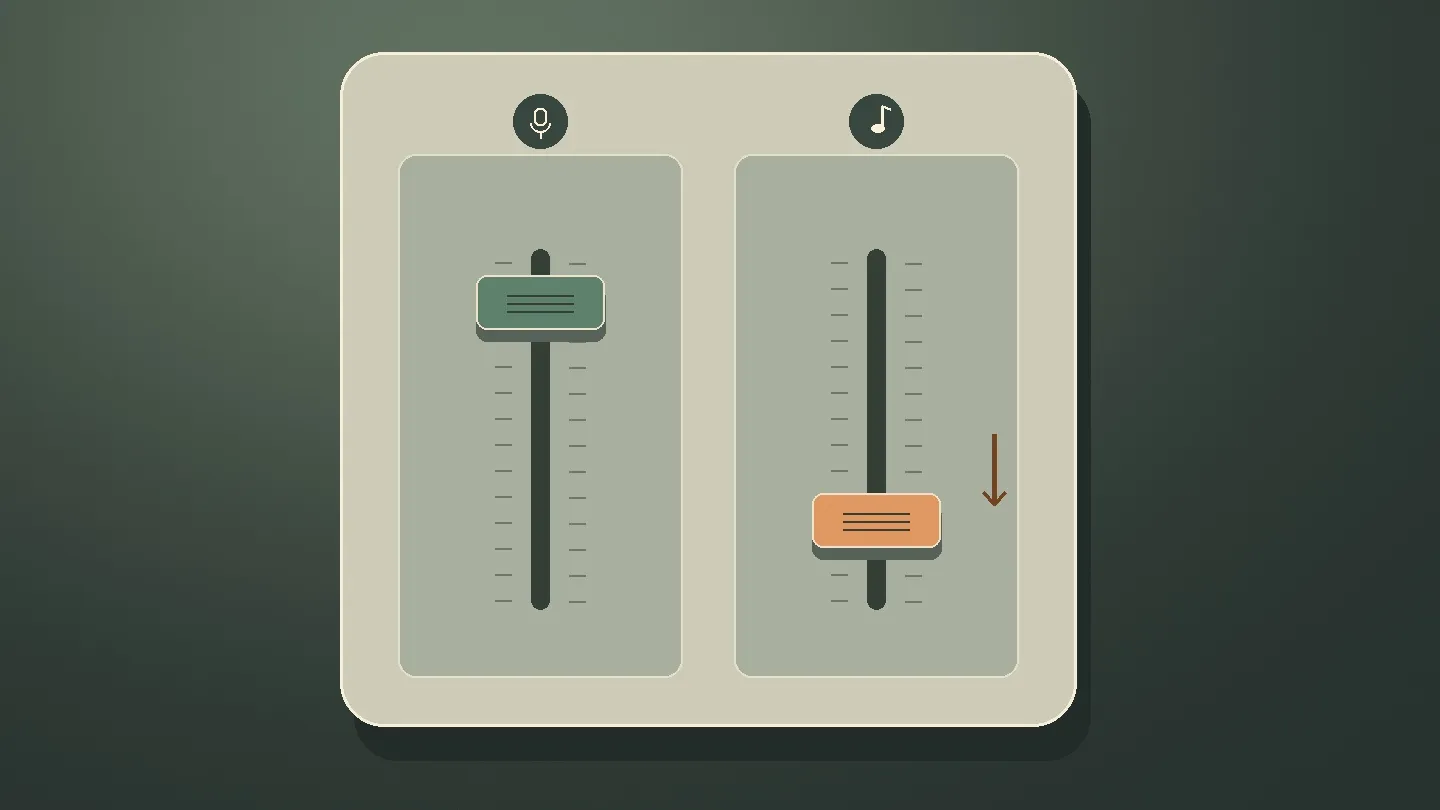
Keep the narration clear by pulling down the music fader while the presenter speaks.
What to Check Before You Use the Track
- Speech clarity. Listen to the mix on headphones and small speakers. Lower the track under speech if any words are hard to follow.
- Transitions. Play through the cuts where the music enters, changes, and ends. Listen for abrupt jumps in volume or rhythm.
- Usage terms. Check the music tool’s current terms for the way you plan to use the track, especially before adding it to client work or monetized content.
Choose the prompt that fits your project and try it in Pi Music. If you’re scoring a narrated deck, start with the presentation opener and play the track through the transition into your first spoken line.
Frequently Asked Questions (FAQ)
What should I include in an AI music prompt?
Describe the use case, mood, tempo, instruments, and any changes in energy. For dialogue-heavy projects, say that the music should leave room for narration.
How can I ask for AI background music without vocals?
Use “instrumental” and “no vocals” in your prompt. Name the instruments you want and listen for any vocal textures before adding the result to your edit.
Can I make music that fits a specific video length?
Include the target length and describe where the track should change. For precise timing, trim and align the audio in your editor after generation.
How do I keep background music from competing with a voiceover?
Ask for sparse instrumentation and fewer melodic changes. Listen with the narration playing, and lower the music level during the spoken sections.
Can I use AI-generated music in a commercial project?
Check the generator’s current terms for your account and intended use. Review any conditions that apply to ads, client deliverables, or monetized videos before publishing.