Free Image Resources for Presentation Slides
Strong presentation images make slides clearer, more credible, and easier to remember. A relevant photo can set context before the audience reads the first line. A clean illustration can simplify an abstract idea. A polished background can make a title slide feel intentional instead of empty.
But images only help when they support the message. A stock photo of a handshake does not automatically improve a sales deck. A dramatic technology background does not necessarily explain a product strategy. The best presentation images are chosen with purpose: they help the audience understand what the slide is saying, why it matters, and what decision or action should follow.
Free image resources make visual quality more accessible, but they are still only inputs. A strong presentation also needs structure, logic, consistency, and a clear point of view.
Why Presentation Images Matter
Slides compete for attention. In a meeting, the audience is listening, reading, comparing numbers, and forming opinions at the same time. A useful image reduces that effort by giving the slide an immediate frame of reference.
Images can set context quickly, simplify complex topics, and make key ideas easier to remember. A workplace scene can show where a business problem lives. A product image can make a feature more concrete. A visual metaphor can help the audience remember the point after the meeting ends.
Still, better slide images will not fix a weak storyline. A strong visual should reinforce the headline, support the evidence, and fit the audience’s expectations. The goal is not decoration. The goal is communication.
What Makes an Image Useful for a Slide?
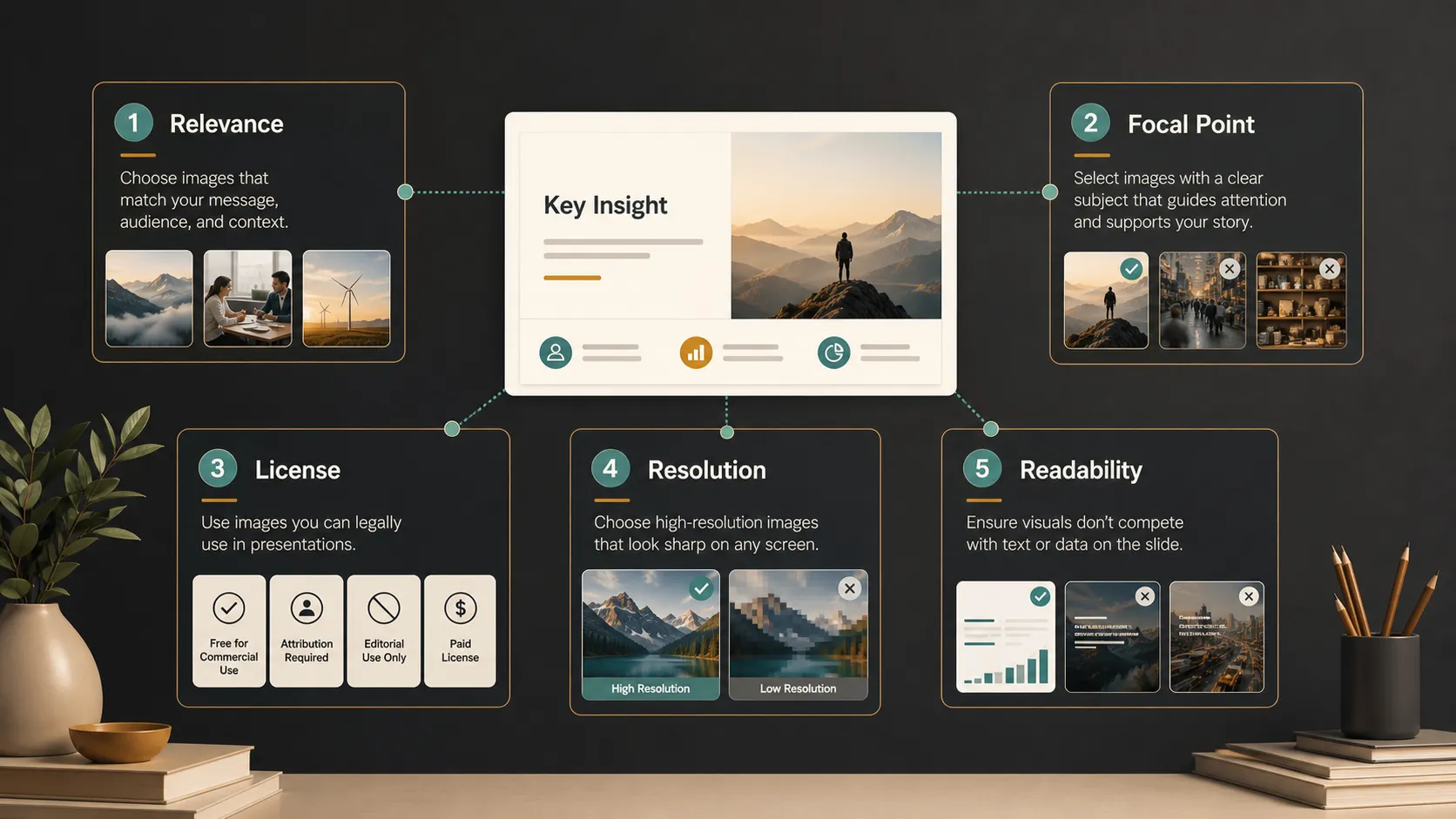
A useful slide image is not always the most beautiful image. It is the image that helps the slide do its job. Before downloading free stock photos, evaluate each option through the purpose of the presentation.
Good presentation images usually have:
- Direct relevance to the slide message
- A clear focal point
- A tone that fits the audience and business context
- Enough resolution for large screens and exported PDFs
- Clean space for titles, labels, or short text overlays
- License terms that match the intended use
The license point matters. Free does not always mean unrestricted. Some images may require attribution, limit commercial use, or restrict modification. Before using an image in a client proposal, investor deck, training material, or public presentation, review the terms carefully.
Common Types of Free Image Resources
Different presentations need different visual assets. Business and workplace photos are common in sales decks, consulting reports, HR presentations, and executive updates. They can show collaboration, leadership, customer service, operations, or office environments. The main risk is choosing images that feel staged or generic.
Technology visuals work well for SaaS, AI, cybersecurity, data, cloud, and product strategy presentations. These may include devices, abstract networks, code-inspired backgrounds, or people using digital tools. The best technology visuals feel modern without overwhelming the slide.
Education images support training decks, onboarding materials, academic presentations, and learning programs. Classroom scenes, study environments, notebooks, and instructional settings can give the content a human anchor.
Creative backgrounds and abstract textures can add polish to title slides, section dividers, and keynote-style moments. Use them carefully. If the background is too busy, readability suffers. Icons and simple illustrations are often better than photos when the slide needs to explain a framework, process, or comparison.
Choosing Images for Different Presentation Types
A sales deck needs visuals that build trust and make the buyer’s world feel understood. The image should support the customer’s problem, desired outcome, or industry context. A generic image may make the deck look finished, but a specific one can make the message feel more relevant.
A pitch deck benefits from cleaner, more strategic visuals. Investors and leadership audiences expect focus. Images should support market context, product differentiation, customer need, or future vision. Decorative visuals can weaken the impression of discipline.
Executive presentations often need restraint. Senior stakeholders usually prefer sharp headlines, clear charts, and selective imagery rather than photo-heavy slides. When images are used, they should clarify business context or make a key message easier to remember.
Education decks need accessible visuals that reduce cognitive load. Product launch decks often need premium visuals that show momentum, customer value, and market fit. Internal updates usually require clarity and consistency more than dramatic imagery.
The Limits of Free Stock Photos
Free image resources can improve a deck quickly, but they have limits. Many free stock photos are widely used, which can make a presentation feel familiar. Some images may not match your brand style, industry, or audience. Others may look attractive alone but awkward beside charts, icons, or company templates.
The deeper limitation is that images do not solve narrative problems. A deck still needs a clear point of view, logical flow, strong slide titles, and evidence that supports the argument. If the message is unclear, a better photo may make the slide prettier but not more persuasive.
Free image resources are best treated as supporting materials. They provide useful visual assets, but the presentation still needs a structured workflow to become business-ready.
Where Pi Fits in a Professional Presentation Workflow
Pi is not a stock photo library. Pi, short for Presentation Intelligence, is an AI presentation maker built to help professionals turn content, messaging, and visuals into structured, business-ready presentations. This matters because high-stakes decks need more than attractive assets. They need a coherent argument that earns attention and supports decisions.
1. Business Logic Comes Before Slide Styling
Pi helps teams begin with the purpose of the presentation: the audience, the message, the decision, and the flow of the story. This is especially important for pitch decks, sales decks, consulting reports, executive presentations, brand proposals, market research decks, and product launch decks.
When the logic is strong, images become more effective. They are selected to support a point, not to fill empty space. A customer photo can reinforce a market insight. A product visual can clarify differentiation. A background image can create atmosphere without distracting from the main message.
2. Multi-Agent AI Supports the Full Deck Workflow
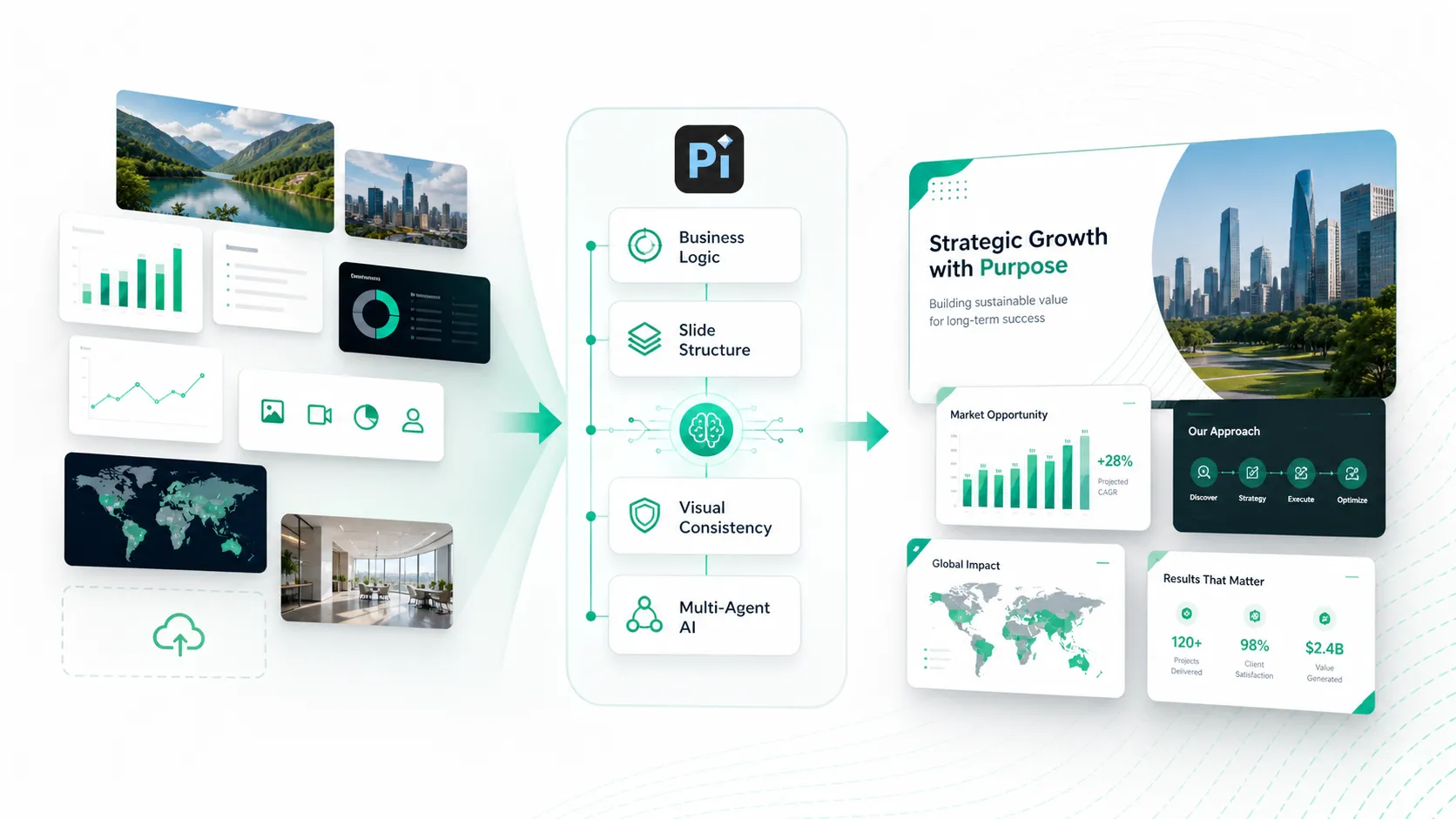
Pi uses Multi-Agent AI to support different parts of the presentation process, from structure and content development to visual refinement. Free image resources can supply useful visuals. Pi helps those visuals fit within a stronger presentation system, connecting them to audience needs, slide logic, and the overall business story.
This is especially useful when a team has raw materials but not a finished narrative. A folder of images, charts, notes, and screenshots still needs organization. Pi helps shape those assets into a deck that feels intentional, not assembled at the last minute.
3. Premium Visual Quality Helps Images Feel Integrated
Professional decks require consistency across headlines, layouts, charts, icons, and imagery. Pi helps create premium, business-grade aesthetics so visuals feel integrated rather than pasted in.
The question is not only “Which image looks good?” It is also “Does this slide support the argument, and does the full deck feel credible?” For high-stakes business presentations, that second question is often more important.
Quick Comparison: Image Resources vs Presentation Intelligence
| Presentation Need | Free Image Resources | Pi |
| Visual assets | Provides photos, icons, textures, and illustrations | Helps integrate visuals into a business-ready deck |
| Slide structure | Does not define the storyline | Supports professional flow and slide logic |
| Business context | Depends on manual selection | Helps align content with audience and purpose |
| Visual consistency | Requires manual editing | Supports cohesive premium aesthetics |
| Best use case | Finding supporting imagery | Building high-stakes presentations with structure and polish |
A Practical Way to Build Better Slides with Free Images
Start by defining the message of the slide in one sentence. If the message is unclear, pause before searching for images. A visual cannot support a point that has not been defined.
Next, choose the image type that fits the task. A photo may work for context or emotion. An icon may work for a feature list. A simple illustration may work for a process. An abstract background may work for a title or divider slide, but it should not compete with the text.
Check the license and resolution before placing the image into the deck. Then test readability. If the slide includes text over an image, make sure contrast is strong and the focal point does not fight the headline.
Finally, review the image in context. A single slide can look good on its own but feel inconsistent inside the full deck. Look across the presentation for repeated styles, color harmony, and visual rhythm. Strong presentations feel intentional from start to finish.
The Verdict: Use Free Images, but Build the Deck Around the Message
Free image resources are valuable presentation resources. They help teams find photos, icons, illustrations, and backgrounds without starting from scratch. Used well, they can make slides more engaging and easier to understand.
However, the strongest decks are not built by collecting attractive images. They are built around a clear message, a logical flow, and visuals that support the decision the audience needs to make. For simple presentations, free images may be enough. For pitch decks, sales decks, consulting reports, executive presentations, and product launches, Pi can help turn those visual inputs into a more strategic, professional presentation workflow.
Frequently Asked Questions (FAQ)
Q: What are the best free image resources for presentation slides?
A: The best resources depend on the deck. Business decks often need workplace photos, product visuals, icons, and clean backgrounds. Education decks may need learning-related images and simple illustrations. Choose images by relevance, quality, license terms, and fit with your slide message.
Q: Can I use free stock photos in commercial presentations?
A: Sometimes, but not always. Free stock photos may have different license terms. Before using an image in a sales deck, pitch deck, client proposal, training deck, or public presentation, confirm whether commercial use, modification, and attribution are allowed.
Q: What image quality is best for PPT slides?
A: Use images that stay sharp on large screens and in exported PDFs. Avoid blurry, compressed, or poorly cropped visuals. A clear focal point, good contrast, and enough empty space for text are often more important than file size alone.
Q: How can Pi help if I already have free presentation images?
A: Pi helps turn your content, message, and visuals into a professional presentation workflow. It supports business-ready structure, slide logic, premium visual quality, and coherent storytelling for pitch decks, sales decks, consulting reports, executive presentations, and product launch decks.


