AI Slides for Reports, Proposals, and Team Updates

Business slides are not all built for the same purpose. A report slide needs to explain what happened. A proposal slide needs to persuade people to support a plan. A team update slide needs to keep everyone aligned on progress, risks, and next steps.
In daily work, teams often start with the same kind of material: meeting notes, project updates, metrics, customer feedback, research findings, or a rough document. But the final slides need to change depending on the audience and goal.
This is where AI can make slide creation much faster. Instead of starting from a blank presentation, you can give AI the source material and ask it to shape the content into the right type of slides for the situation.
AI slides are not just about saving time. They help turn business input into clearer communication, whether you are preparing a report, writing a proposal, or updating your team.
Why business teams need different slides for different situations
Many workplace presentations begin with similar raw material. A product launch update may include user feedback, timeline changes, early results, open risks, and next actions. A sales project may include client requirements, pricing questions, proposed scope, and internal blockers. A marketing campaign review may include performance data, creative learnings, budget notes, and recommendations.
The source material may be similar, but the slide structure should not be.
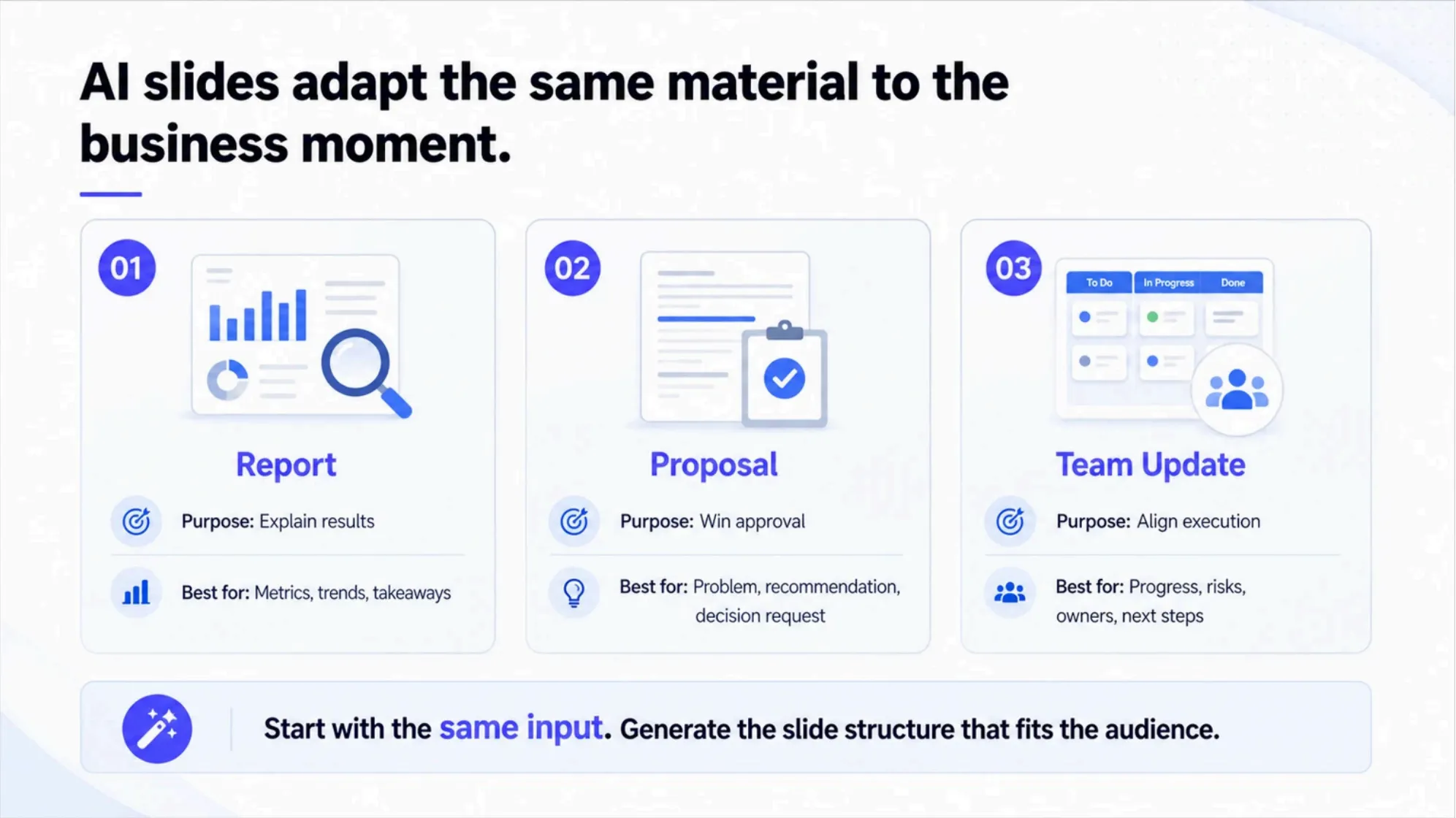
A report is usually built to explain results. It needs to make data easier to understand and show what changed. A proposal is built to move a decision forward. It needs to make the case for an idea, solution, or plan. A team update is built to align execution. It needs to show progress, blockers, ownership, and next steps.
When teams use the same slide format for every situation, the message can become unclear. A report may feel too persuasive. A proposal may feel too descriptive. A team update may include too much background and not enough action.
AI can help by shaping the same business input into different slide structures based on the purpose of the presentation.
What AI slides can help you create faster
AI slides are most useful when the user already has useful content but needs help turning that content into a clear presentation format.
The key is to define what kind of slide you need. A rough project summary can become a report, a proposal, or a team update, but each version should organize the message differently.
1. Report slides that turn information into clear takeaways
Report slides are built around evidence. They help the audience understand what happened, what changed, and what the data means.
A good report slide does not simply place numbers on a page. It explains the signal behind the numbers. If a metric improved, the slide should help explain why. If performance declined, the slide should help identify what needs attention. If the results are mixed, the slide should make the trade-offs easy to see.
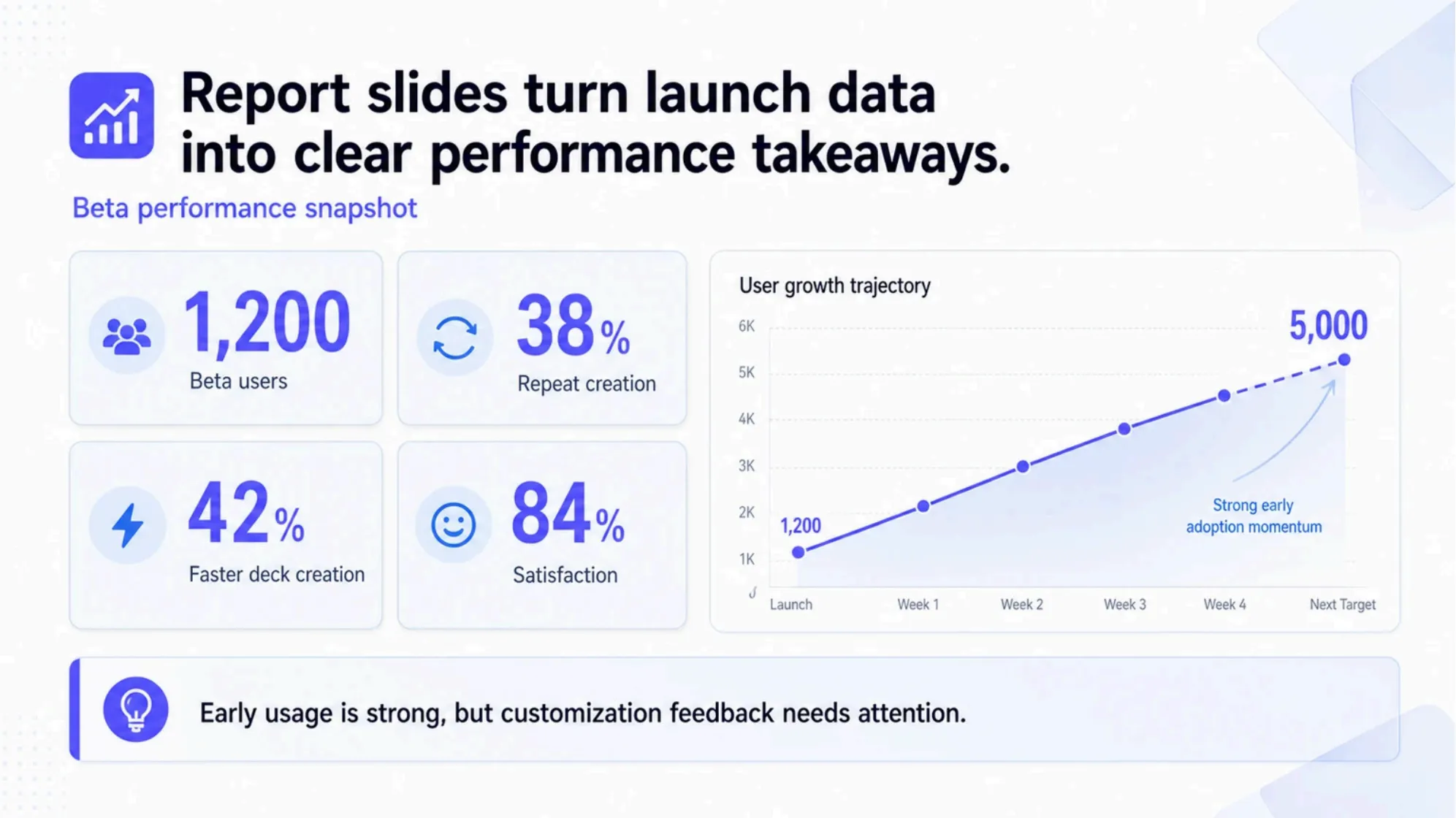
For example, a product launch report might include adoption data, feature usage, customer feedback, and support volume. AI can help turn those inputs into a slide with a clear summary, metric cards, a chart, and a short set of takeaways.
The goal is not to show every detail. The goal is to help the reader understand the most important result quickly.
2. Proposal slides that turn ideas into action
Proposal slides are built around persuasion. They need to explain a problem, introduce a solution, show value, and make the requested decision clear.
A proposal slide should not feel like a report with different labels. It needs a stronger point of view. The audience should understand why the proposal matters, what action is being recommended, and what benefit the organization can expect.
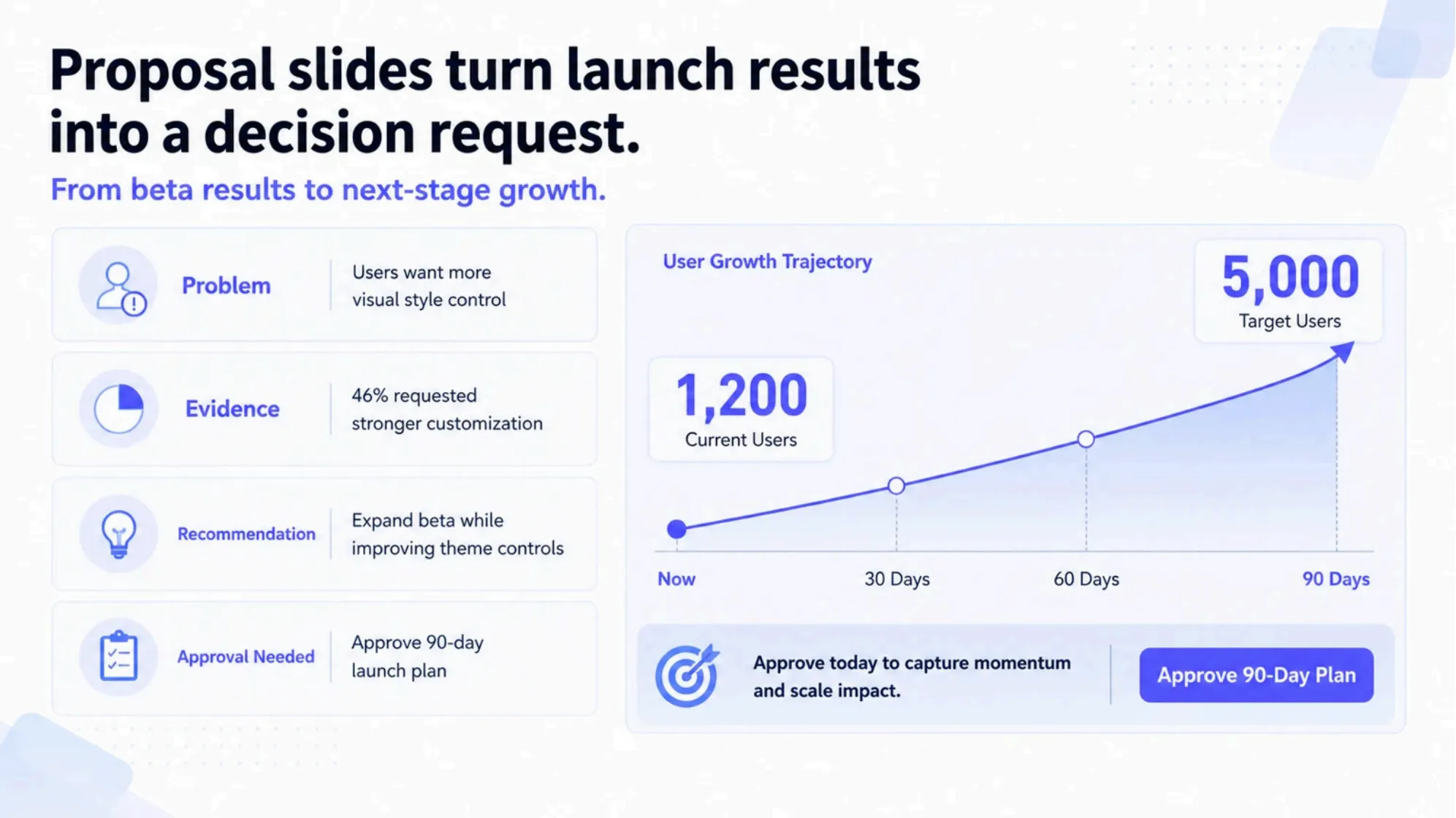
For example, the same product launch material could become a proposal for expanding the launch, increasing budget, changing positioning, or adding a new customer segment. AI can help organize the slide around the problem, recommended action, expected impact, and approval needed.
This is especially useful when teams have a rough idea but need to turn it into a business case. Instead of spending hours deciding how to frame the proposal, AI can create a structured first version that is easier to refine.
3. Team update slides that keep everyone aligned
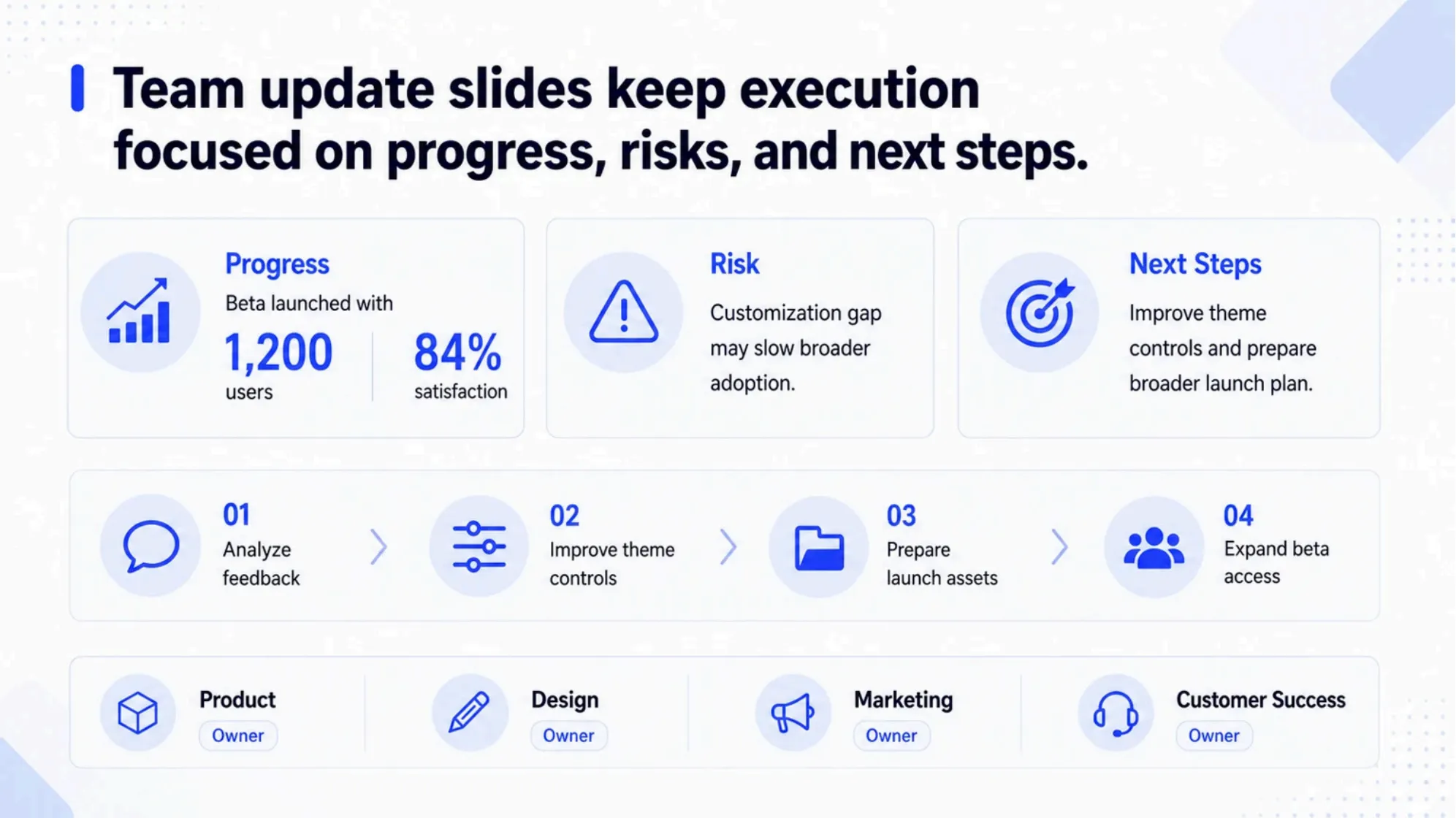
Team update slides are built for execution. They help people understand what has been done, what is blocked, who owns the next action, and what needs attention before the next meeting.
These slides should be simple and practical. They do not need to sell the idea again, and they usually do not need deep analysis. Their job is to reduce confusion.
A useful team update may include a progress snapshot, timeline status, risks, blockers, owners, and next steps. AI can help turn meeting notes or project updates into a structured slide that makes responsibilities clear.
This is valuable because many team updates are created quickly before a meeting. AI can help turn scattered notes into a slide that is easy to scan and easy to discuss.
How the same input can become different slide structures
The most important thing to understand is that AI slides are not one-size-fits-all.
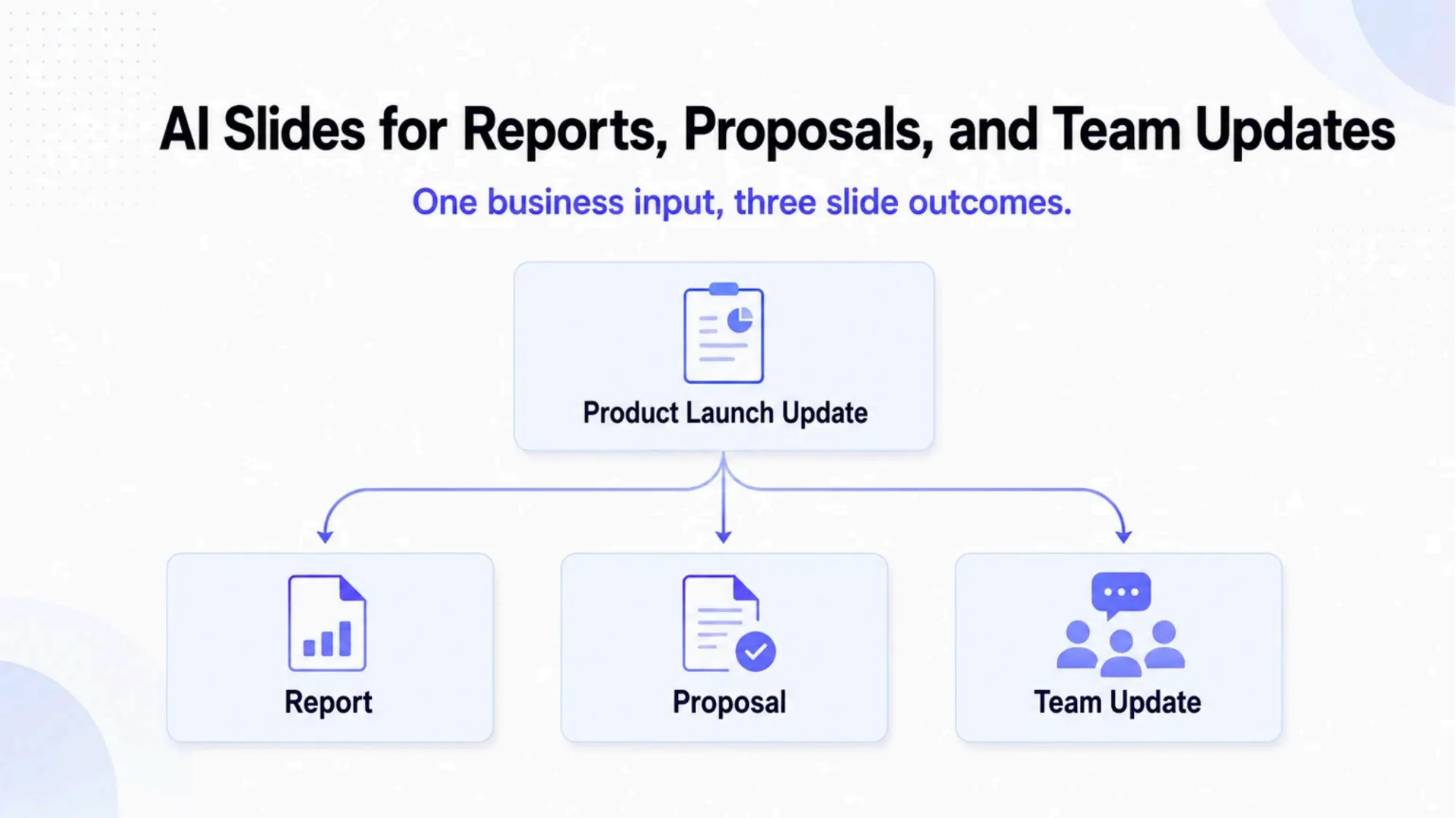
The same business input can lead to different slides depending on the purpose. A product launch update, for example, can become a report slide for leadership, a proposal slide for decision-makers, or a team update slide for the project team.
Here is an example of how the same rough business input can become three different slide structures in Pi: a report slide, a proposal slide, and a team update slide.
View the full example deck: AI Slides for Reports, Proposals, and Team Updates
In the report version, the content is organized around results and key takeaways. In the proposal version, the same material is shaped into a recommendation and decision request. In the team update version, the content becomes a progress tracker with risks, ownership, and next steps.
This kind of workflow helps teams avoid rebuilding slides from scratch every time the audience changes. Instead, they can start with the same source material and use AI to generate the right slide structure for the situation.
A practical workflow for creating better AI slides
AI can generate slides quickly, but the quality of the output depends on the input. The clearer the user is about the purpose, audience, and source material, the more useful the generated slides will be.
1. Define the slide purpose
Before generating slides, decide what the presentation needs to do.
If the goal is to explain results, the slide should be structured like a report. If the goal is to win approval, it should be structured like a proposal. If the goal is to align the team, it should be structured like an update.
This decision changes the slide titles, content order, visual structure, and level of detail. A report may need charts and takeaways. A proposal may need problem-solution framing. A team update may need progress status and action owners.
A simple purpose statement can make the AI output much stronger. For example:
- Create a report slide that summarizes launch performance.
- Create a proposal slide that recommends expanding the launch.
- Create a team update slide that shows progress, risks, and next steps.
The source material can be the same, but the slide purpose should be different.
2. Provide the right source material
AI works best when it has enough context to organize.
Useful inputs may include business notes, project summaries, metrics, customer feedback, timelines, meeting notes, proposal drafts, research findings, or internal reports. The material does not need to be perfectly written, but it should include the facts and direction the slide needs to communicate.
For report slides, include numbers, trends, and observations. For proposal slides, include the problem, recommendation, value, and decision needed. For team updates, include completed work, blockers, owners, and next steps.
This helps AI generate slides that are not only polished, but also relevant to the use case.
3. Review the structure before polishing the design
After AI creates the first version, review the structure before focusing on design details.
Check whether the slide title communicates a real takeaway. Look at whether the main message is easy to understand. Make sure the visual layout supports the purpose of the slide. Remove details that do not help the audience act.
A report slide should make the result clear. A proposal slide should make the recommendation clear. A team update slide should make the next action clear.
Once the structure works, the visual polish becomes easier. The deck can then be refined with better hierarchy, cleaner wording, stronger charts, and a style that fits the audience.
When AI slides are most useful
AI slides are especially useful when teams need to move quickly from raw information to a presentable slide structure.
This workflow works well for many everyday business situations, including:
- Weekly reports
- Monthly business reviews
- Client proposals
- Internal project proposals
- Product launch updates
- Sales updates
- Marketing campaign reviews
- Team standup summaries
- Strategy check-ins
- Leadership meeting materials
In these situations, teams often do not need to invent the message from zero. They already have the material. What they need is a faster way to turn that material into the right slide format.
AI helps reduce the time spent on formatting and first-draft structure. Teams can spend more time improving the message, checking the logic, and preparing for the discussion.
Create AI slides for your next business update with Pi
Business slides should match the situation. A report, a proposal, and a team update may use the same source material, but they should not tell the story in the same way.
Pi helps turn rough notes, documents, reports, and project updates into structured slides faster. Whether you need to explain results, recommend a plan, or align your team, you can use Pi to create a clearer first draft and refine it for your audience.
If you already have business notes, a rough proposal, or a team update document, you can use Pi to turn it into slides that are easier to present, share, and improve.