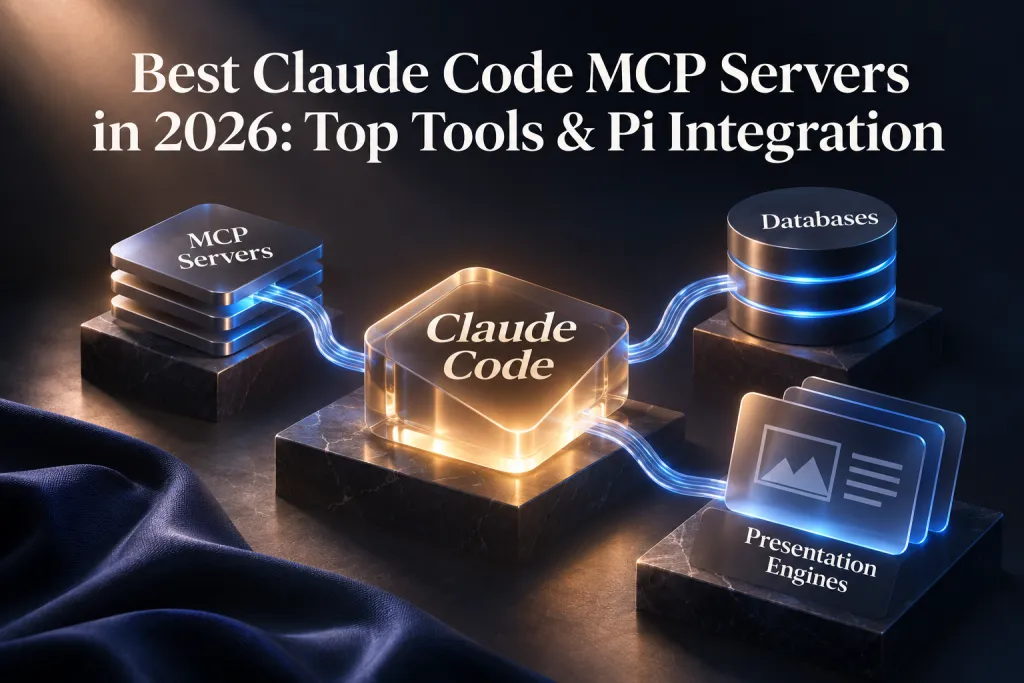
Best Claude Code MCP Servers in 2026: Top Tools & Pi Integration
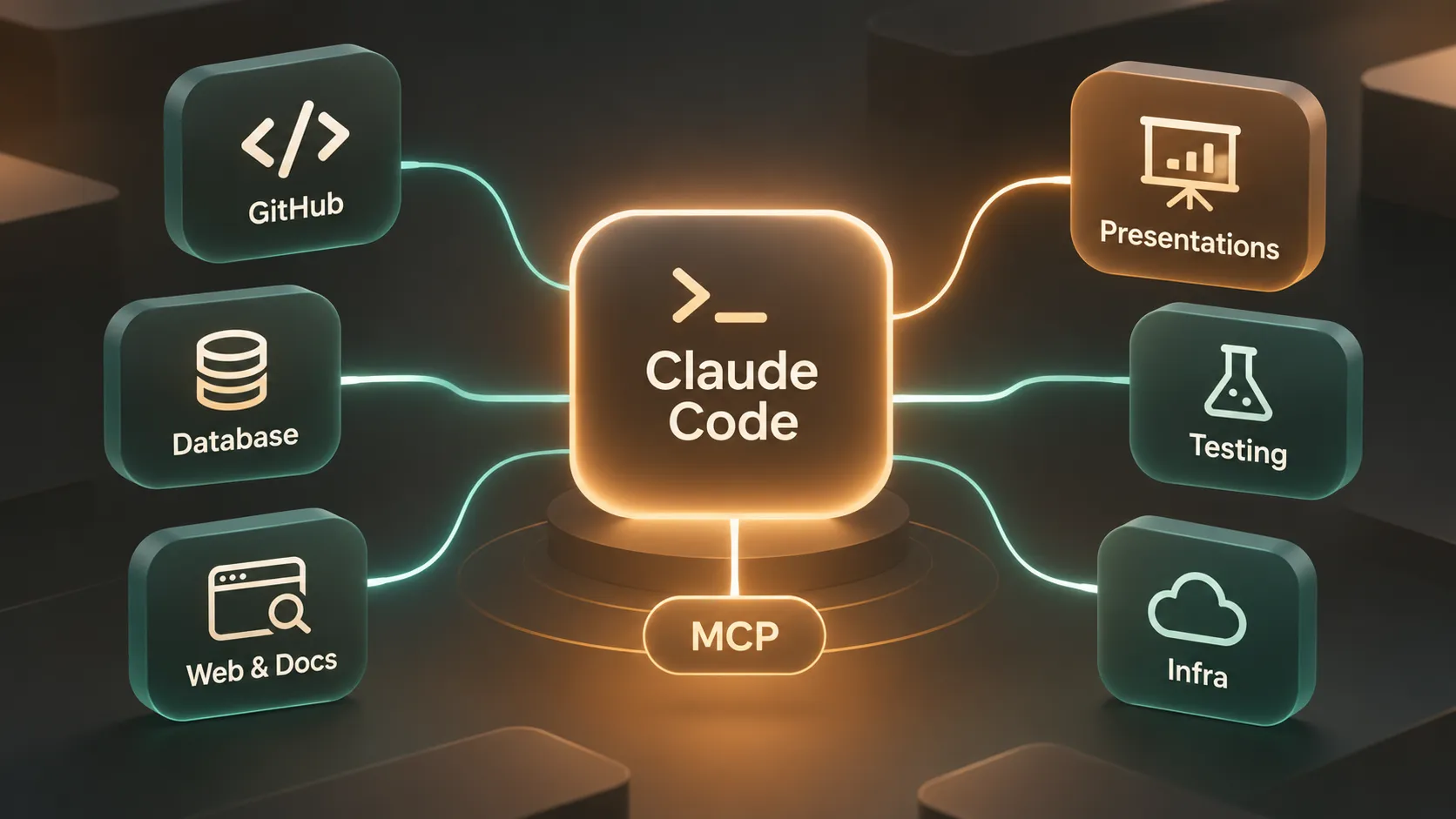
Claude Code is highly effective when the task stays inside a repository: reading code, explaining architecture, proposing changes, and helping engineers move through implementation work faster. But modern development rarely happens in one terminal session or one codebase.
Engineers also need current library documentation, pull request context, browser test results, database schemas, and stakeholder-ready updates. This is where the Model Context Protocol (MCP) changes the workflow. MCP servers give Claude Code controlled access to external tools and services, turning a code-focused CLI into a more connected developer assistant.
The best Claude Code MCP setup is not the largest possible collection of integrations. It is a focused stack that supports repeated work without adding unnecessary context usage, permission risk, or tool-call latency. For many teams, that means combining repository access, live technical context, testing, data workflows, and a way to turn technical progress into clear presentations.
This guide covers the best MCP servers for Claude Code in 2026, including Presentation Intelligence (Pi) MCP for generating professional decks directly from a developer workflow.
Why MCP Servers Change What Claude Code Can Do
Model Context Protocol is a standard that enables AI clients such as Claude Code to discover and use approved external capabilities. Rather than relying only on terminal output and files already available in the local workspace, Claude Code can use MCP servers to retrieve relevant context or perform scoped actions.
In practice, an MCP server can expose tools for reviewing GitHub issues, searching current documentation, inspecting a database schema, running browser tests, or creating a presentation. Claude Code remains the interface where developers reason through a task, while MCP provides the connections needed to complete that task across systems.
This matters because software delivery involves more than code generation. A feature may require a repository review, a check against updated framework documentation, end-to-end validation in a browser, and a concise project update for product or leadership teams. With the right Claude Code integrations, those steps can become a connected workflow rather than a series of tab switches.
MCP does not eliminate the need for engineering judgment or security controls. It gives an assistant additional capabilities, but those capabilities should be deliberately selected, permissioned, and monitored.
How to Choose MCP Servers Without Creating Tool Bloat
More servers do not automatically create a better Claude Code environment. Each additional integration can increase the number of available tools Claude must evaluate, expand the permission surface, consume more context, and introduce avoidable latency.
Choose each server based on a specific recurring job to be done:
- Workflow frequency: Prioritize tasks your team performs weekly or daily, such as PR review, browser validation, or documentation lookup.
- Permission scope: Apply least-privilege access. Read-only repository or database access is often a safer starting point than unrestricted write access.
- Trust and governance: Review who operates the server, how credentials are handled, and what actions can affect production systems.
- Context efficiency: Prefer servers that return focused, relevant results rather than large unfiltered payloads.
- Latency and setup cost: A useful integration should save more time than it adds through configuration, waiting, or troubleshooting.
For most developers and teams, three to six active MCP servers is a practical range. Start with the highest-value workflow bottlenecks, validate how the tools behave in real tasks, and disable connections that are not earning their place in the stack.
Best MCP Servers for Claude Code by Workflow Category
The best MCP servers for Claude Code depend on the systems your team already uses. The following categories cover the most common development workflows without treating every integration as a universal requirement.
GitHub MCP is a strong fit for repository-centered work. It can support issue review, pull request context, branch awareness, and repository management tasks. Teams that use GitHub as the operational record for engineering work may find it especially useful when Claude Code needs to connect implementation decisions with open issues or review feedback. Permissions still matter: separate read and write capabilities where possible, particularly for production repositories.
Context7 and Tavily address a different problem: stale external context. Framework behavior, SDK usage, and library APIs can change faster than a model’s built-in knowledge. A documentation-focused or search-focused server helps Claude Code retrieve current information before it proposes an implementation. Context7 is useful when developers need focused library documentation, while Tavily can support broader web research. Choose one first if your team often loses time verifying changing technical details.
Playwright MCP is valuable for testing and quality workflows. It gives Claude Code a path to reason about browser behavior through automated end-to-end testing, page inspection, and screenshots. This is helpful when a coding task must be validated beyond unit tests, such as checking a checkout flow, responsive state, form submission, or a regression in a user-facing interface. Keep browser test environments isolated from sensitive accounts and production data.
PostgreSQL MCP or Supabase MCP can support database and infrastructure work. These servers are useful for schema inspection, query assistance, and controlled access to development or staging data. They can reduce the friction of understanding relationships, migrations, and data models during implementation. However, database access deserves stricter safeguards than most integrations. Avoid granting broad production write permissions, and validate every query that could alter or expose sensitive data.
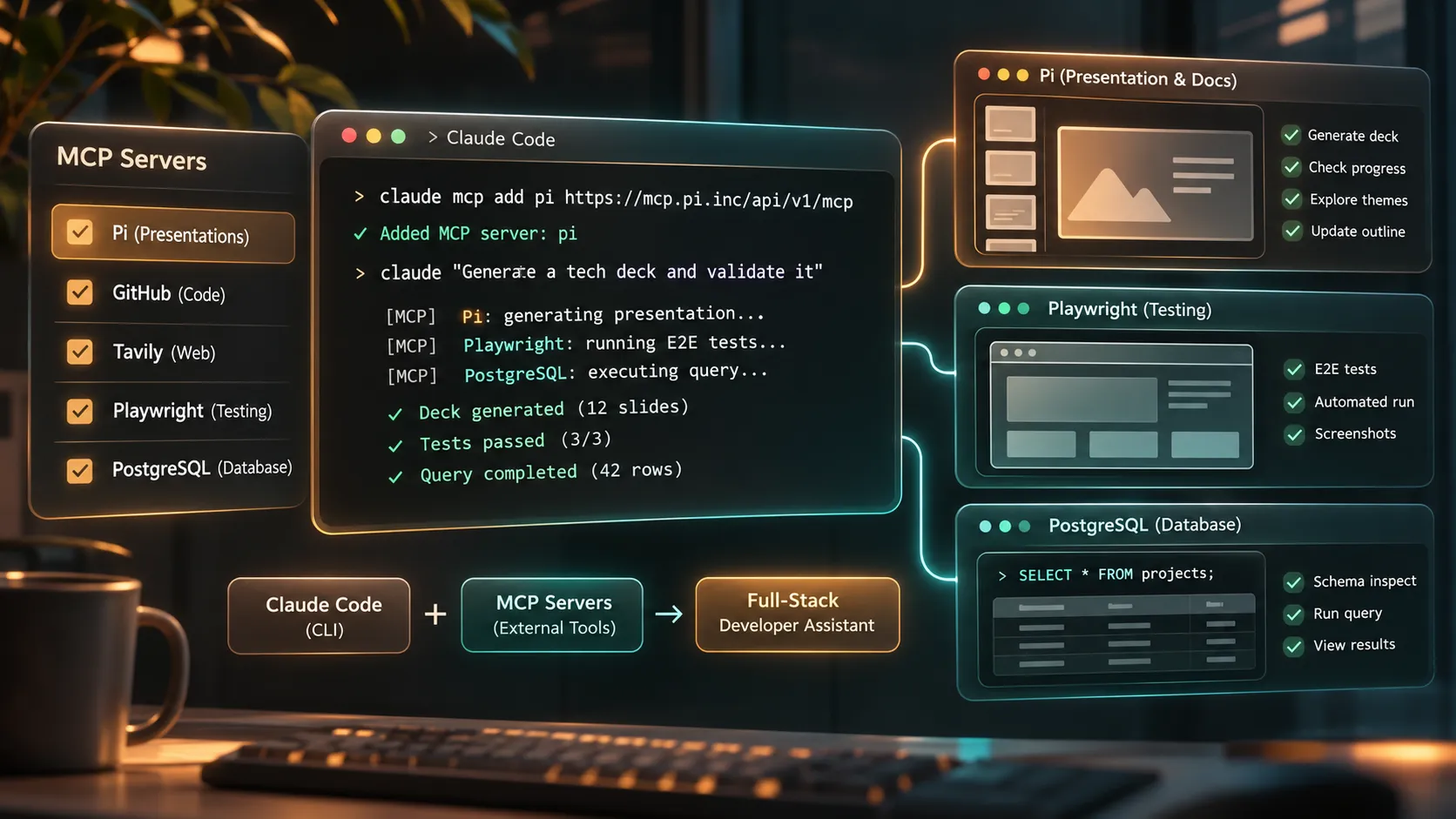
Presentation Intelligence (Pi) MCP fills a workflow gap that coding tools alone do not solve: translating technical work into business-ready communication. Pi helps teams create structured pitch decks, architecture presentations, product updates, technical roadmaps, and executive reporting from concise briefs, implementation context, or project notes. It is not a code-generation server; it is the presentation and document automation layer for teams that need to communicate engineering work clearly.
Presentation Intelligence (Pi) MCP for Decks and Technical Storytelling
Technical teams often complete the hardest part of a project before a meeting begins: researching options, shipping changes, validating behavior, and documenting tradeoffs. Yet turning that work into an understandable deck can still require manual outlining, slide formatting, and repeated design adjustments.
Pi MCP brings presentation creation into Claude Code, so developers and product teams can stay within their existing workflow while producing professional presentation output.
1. Business Logic Comes Before Slide Styling
Pi is built for presentations where structure matters. Instead of treating a deck as a collection of decorative slides, it helps organize a clear narrative: the problem, evidence, technical approach, expected outcome, risks, and next decision.
That is useful for architecture reviews, sprint demonstrations, product launches, engineering proposals, sales engineering briefings, and executive updates. A developer can begin with a short brief or a summary of a codebase change, then use Pi to shape that material into a coherent presentation hierarchy.
2. Generate and Track Decks Without Leaving Claude Code
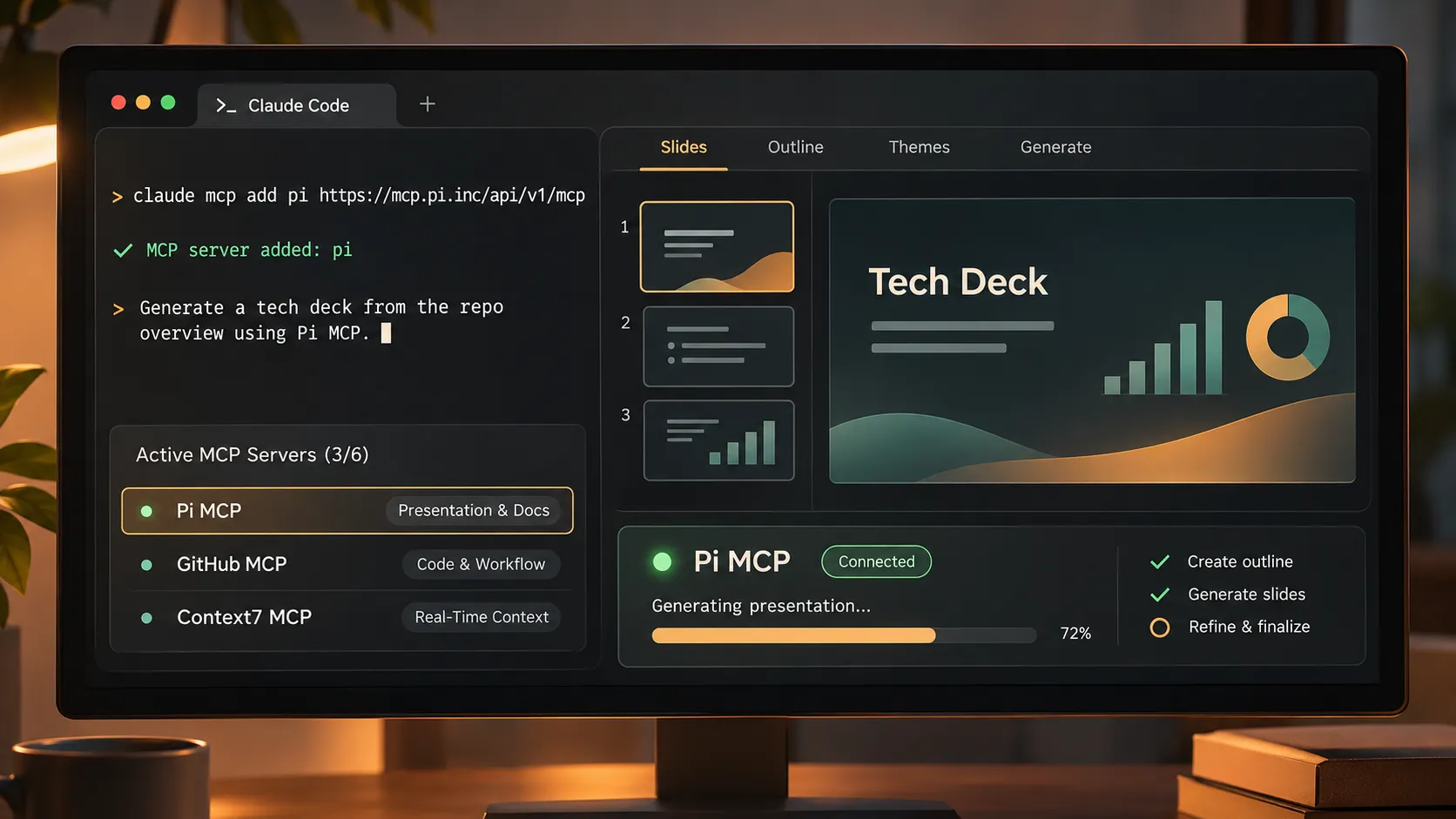
Through Pi MCP, Claude Code can help users generate structured presentation decks and check the progress of a generation. This reduces the interruption of moving from terminal to browser to slide editor simply to create a first draft.
The workflow is particularly practical when a team needs a fast but polished communication artifact after completing a technical milestone. Rather than manually rebuilding project notes into slides, users can direct Pi to turn the relevant context into a presentation designed for the intended audience.
3. Explore Themes and Refine the Narrative
Presentation quality depends on both content hierarchy and visual consistency. Pi lets users explore themes and update presentation outlines from the same Claude Code workflow. This makes it easier to revise a deck when the audience changes from engineers to customers, product leadership, or executives.
For example, an architecture review can prioritize system constraints and tradeoffs, while an executive report can emphasize outcomes, KPIs, delivery status, and decisions needed. Pi supports that transition from technical detail to stakeholder-ready communication without positioning slide design as an afterthought.
Ready to streamline your technical storytelling? Get started with Pi MCP today.
Connect Pi to Claude Code
To add Pi as an MCP server in Claude Code, use the following command:
```bash claude mcp add pi https://mcp.pi.inc/api/v1/mcp ```
Once connected, Pi can support presentation-oriented tasks directly from the terminal workflow, including deck generation, progress checks, theme exploration, and outline updates. Before using any MCP connection in a team environment, confirm the applicable authentication, data-handling, and access policies for your workspace.
Pi is most valuable when presentations are a recurring operational deliverable rather than a one-off task. It gives developers a direct path from technical context to a structured, premium-quality business presentation.
Comparison Table: Claude Code MCP Servers at a Glance
| Server Category | Primary Workflow | Typical Action | Best-Fit Scenario |
|---|---|---|---|
| GitHub MCP | Repository operations | Review PRs, issues, and code context | Teams managing active engineering work in GitHub |
| Context7 or Tavily | Real-time context | Retrieve current documentation or research | Work involving evolving frameworks, APIs, or libraries |
| Playwright MCP | Browser validation | Run E2E tests and inspect screenshots | User-facing features that need browser-level verification |
| PostgreSQL or Supabase MCP | Data workflows | Inspect schemas and run controlled queries | Development or staging database analysis |
| Presentation Intelligence (Pi) MCP | Presentation automation | Generate decks, check progress, revise outlines | Turning technical input into stakeholder-ready presentations |
A Practical Claude Code MCP Stack for Most Teams
A balanced starting stack usually includes GitHub MCP for repository context, Context7 or Tavily for current information, and Playwright MCP for browser validation. This combination supports the core cycle of understanding work, verifying external technical details, implementing changes, and testing user-facing outcomes.
Add PostgreSQL or Supabase MCP when database inspection is a meaningful part of the team’s daily work. For teams that regularly present progress, explain architecture, support sales conversations, or report to leadership, add Pi MCP as the communication layer.
Not every role needs every server. A backend engineer may prioritize GitHub, documentation, and database access. A frontend engineer may replace database access with Playwright. A technical product manager or tech lead may benefit from GitHub, current documentation, and Pi to connect delivery status with stakeholder communication.
The point is to configure around real handoffs. If an integration does not remove a repeated bottleneck, it may not belong in the active set.
Quick Setup Checklist and Final Recommendation
Begin by listing the three workflows that consume the most repeated coordination time in your team. For many groups, those are repository work, documentation verification, and testing. Configure MCP servers for those jobs first, then test them using normal development tasks rather than artificial demos.
Review permissions before enabling write actions. Use read-only access where it is sufficient, keep production systems protected, and avoid exposing secrets or sensitive customer data through loosely governed tools. Monitor whether server responses are focused enough to be useful and whether tool calls create noticeable delays.
When technical work regularly needs to become a decision-ready update, proposal, or deck, add Pi MCP. It helps bridge the gap between completed engineering work and the professional communication required to move a project forward. The strongest Claude Code setup is a small, intentional set of developer productivity tools—not an overloaded catalog of integrations.
Transform Your Developer Workflow Today Stop spending hours turning technical progress into presentation slides. Connect Presentation Intelligence to Claude Code and generate stakeholder-ready decks directly from your terminal. Try Presentation Intelligence for Free →
Frequently Asked Questions (FAQ)
What are the best MCP servers for Claude Code?
The best MCP servers for Claude Code depend on your workflow. GitHub MCP is useful for repository work, Context7 or Tavily helps with current documentation and research, Playwright MCP supports browser testing, PostgreSQL or Supabase MCP supports data workflows, and Pi MCP helps create structured presentations from technical context.
How many MCP servers should I keep active in Claude Code?
Three to six active servers is a sensible starting range for most users. This keeps the toolset focused while limiting context overhead, permission complexity, tool-selection ambiguity, and latency. Add another server only when it solves a recurring workflow problem.
What does Presentation Intelligence MCP do?
Presentation Intelligence, or Pi, MCP lets users generate structured presentation decks, monitor generation progress, explore themes, and update outlines within Claude Code. It is designed for turning technical briefs, project updates, architecture insights, and product requirements into professional business presentations.
Does MCP make Claude Code less secure?
MCP can expand the systems Claude Code can access, so security depends on configuration. Use trusted servers, review requested permissions, follow least-privilege principles, protect production environments, and require human review for actions that can change code, data, or infrastructure.