Create Executive-Ready Presentations in Minutes with AI
Executive-ready presentations are difficult because they are not just slides. They are decisions, arguments, updates, and recommendations compressed into a format that busy people can understand quickly.
A manager may begin with meeting notes, a proposal draft, a quarterly update, or a document full of scattered business information. The material may already contain useful insights, but it is rarely ready to present. It still needs structure, a clear storyline, concise slide titles, polished layouts, and a final recommendation that feels ready for executives, clients, investors, or internal stakeholders.
That is why creating a business presentation often takes longer than expected. The work is not only about formatting slides. It is about turning rough material into a focused deck that helps people understand what is happening, why it matters, and what should happen next.
AI can make this process much faster. Instead of starting from a blank slide, you can start with the content you already have and use AI to turn it into a structured, polished presentation in minutes.
Start Creating
Why executive-ready presentations take so long
Most business presentations do not take time because people lack information. They take time because the information is scattered.
A quarterly business review may start with numbers from a spreadsheet, notes from a meeting, feedback from several teams, and a few unfinished ideas about what leadership should do next. A client proposal may begin as a rough document with good arguments but no clear presentation flow. A strategy update may have useful analysis, but too much background before the main point appears.
The challenge is not simply putting this material onto slides. The challenge is deciding what deserves attention, what should be removed, and how the story should unfold.
Executives usually do not read a presentation like a long report. They scan for signals: the current situation, the most important insight, the risk, the recommendation, and the decision needed. If a deck makes the audience work too hard to find those signals, it may look complete but still fail as an executive presentation.
This is where many teams lose time. They are not only designing slides. They are reorganizing the story, rewriting the message, selecting what matters, and removing what does not.
What makes a presentation executive-ready?
An executive-ready deck is not simply a beautiful deck. It is a deck that helps people understand, evaluate, and act.
The slides need to feel polished, but polish alone is not enough. A deck can look professional and still feel weak if the storyline is unclear, the titles are vague, or the recommendation is buried under too much detail. For a senior audience, clarity is the design standard.
1. A clear decision-making structure
An executive-ready presentation should feel like a guided argument, not a collection of separate slides.
The audience should quickly understand the business context, the key finding, the supporting evidence, the risk, and the recommended next step. This does not mean every deck needs the same structure, but most strong business presentations follow a clear logic: first define the situation, then explain what changed, then show why it matters, and finally recommend what to do.
A useful structure might include an executive summary, performance snapshot, key insights, risks, recommendations, and next steps. The point is not to fill sections mechanically. The point is to make sure every slide has a role in the decision-making process.
2. Slide titles that communicate the point
Many business decks use slide titles like “Overview,” “Results,” “Market Analysis,” or “Next Steps.” These titles tell the audience the topic, but they do not tell them what to understand.
Executive-ready presentations need stronger slide titles. A good title should carry the main message of the slide.
For example, instead of writing:
- Q2 Performance
A stronger title would be:
- Enterprise growth drove Q2 revenue, while self-serve conversion needs attention
The second version gives the audience a point of view immediately. Even before reading the details, they understand the business signal. This makes the deck easier to scan and helps the presenter stay focused on the message rather than simply describing the data.
3. Visual hierarchy that supports fast reading
Good executive presentation design is not about adding decoration. It is about making information easier to read.
Important numbers should stand out. Supporting details should stay secondary. Charts should have clear takeaways. Text should be concise enough to scan quickly. The layout should guide the eye instead of forcing the audience to search for the main point.
This matters because executives often review decks under time pressure. A polished layout helps them understand the argument faster. The goal is not to make every slide visually dramatic. The goal is to make judgment easier.
How AI helps turn rough ideas into polished business decks
AI presentation tools can reduce the time between raw thinking and finished slides.
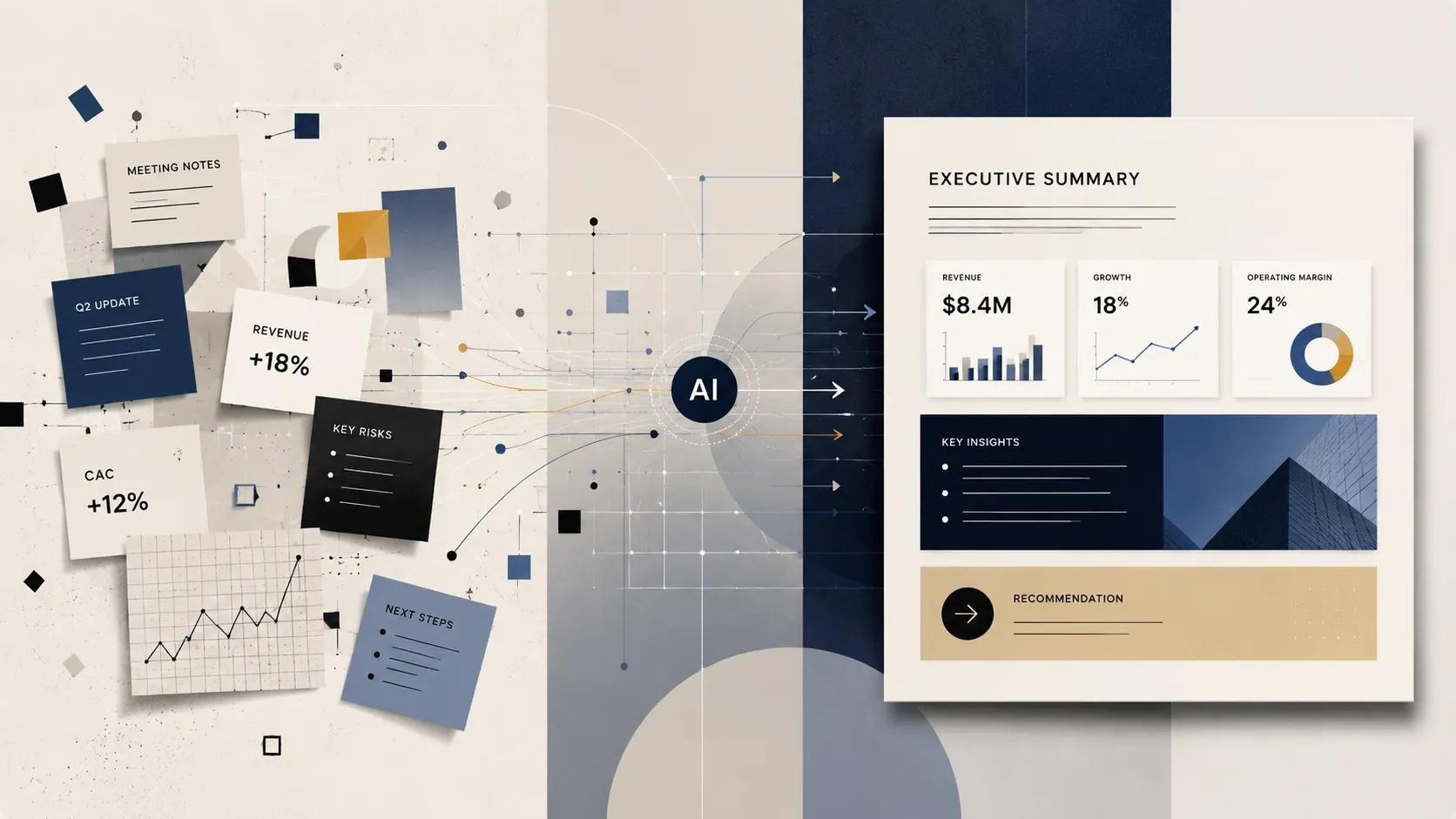
Instead of manually building every section from scratch, you can provide a short prompt, paste your notes, or upload source material. The AI can then organize the content into a coherent presentation structure, suggest slide titles, create a first version of the storyline, and turn scattered points into a more polished business deck.
For example, a manager preparing a quarterly business update may start with rough notes like:
- Q2 revenue grew 18% quarter over quarter
- Enterprise customers contributed most of the growth
- Self-serve conversion rate dropped slightly
- Customer acquisition cost increased by 12%
- Product usage improved after the new onboarding flow
- Main risk: paid acquisition is becoming less efficient
- Recommendation: shift more budget to enterprise outbound and improve self-serve activation
On their own, these notes are useful but unfinished. They still need structure, summary, business framing, and slide logic.
Here is an example of how this kind of rough business input can become a more executive-ready presentation structure in Pi.
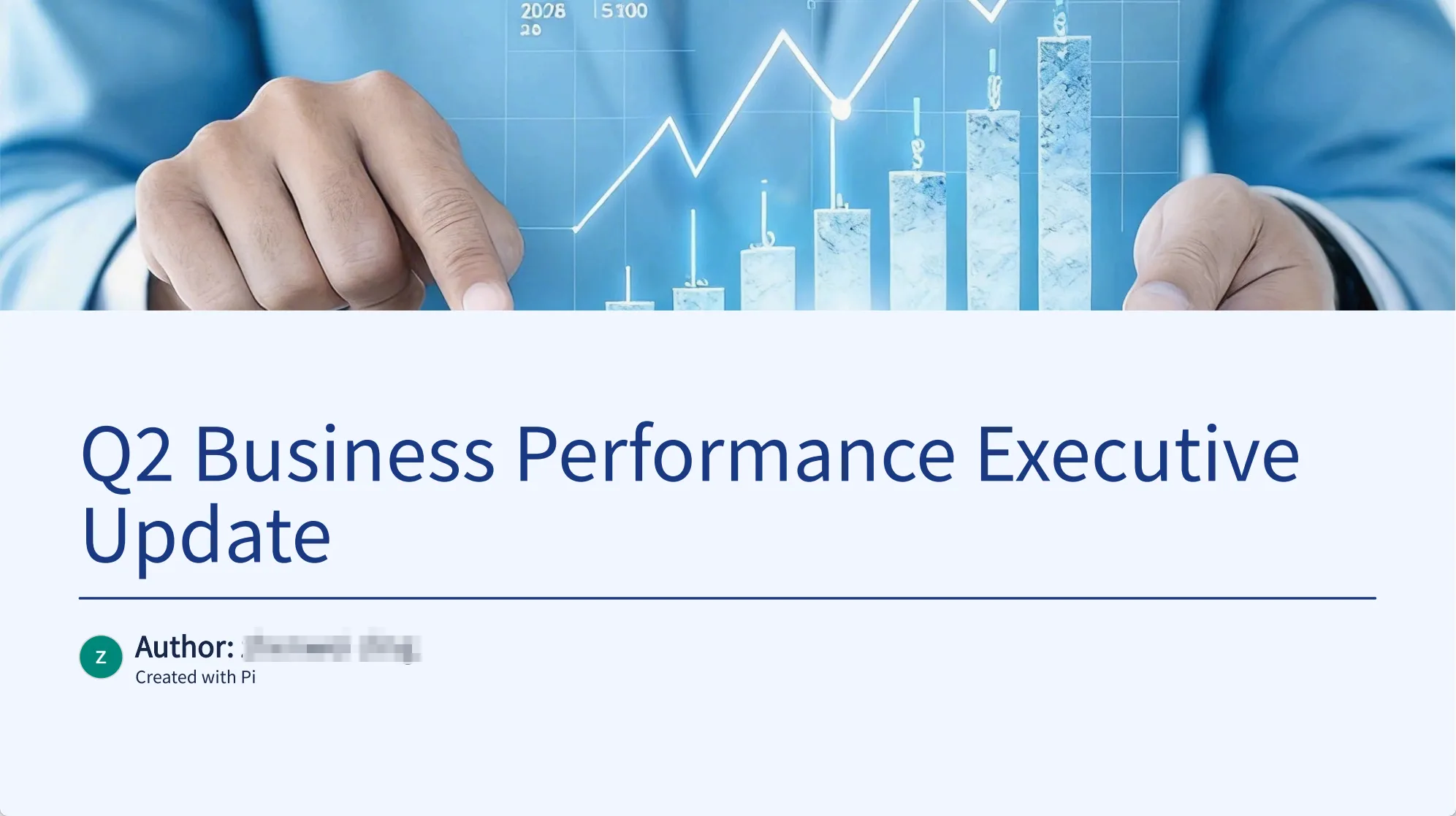
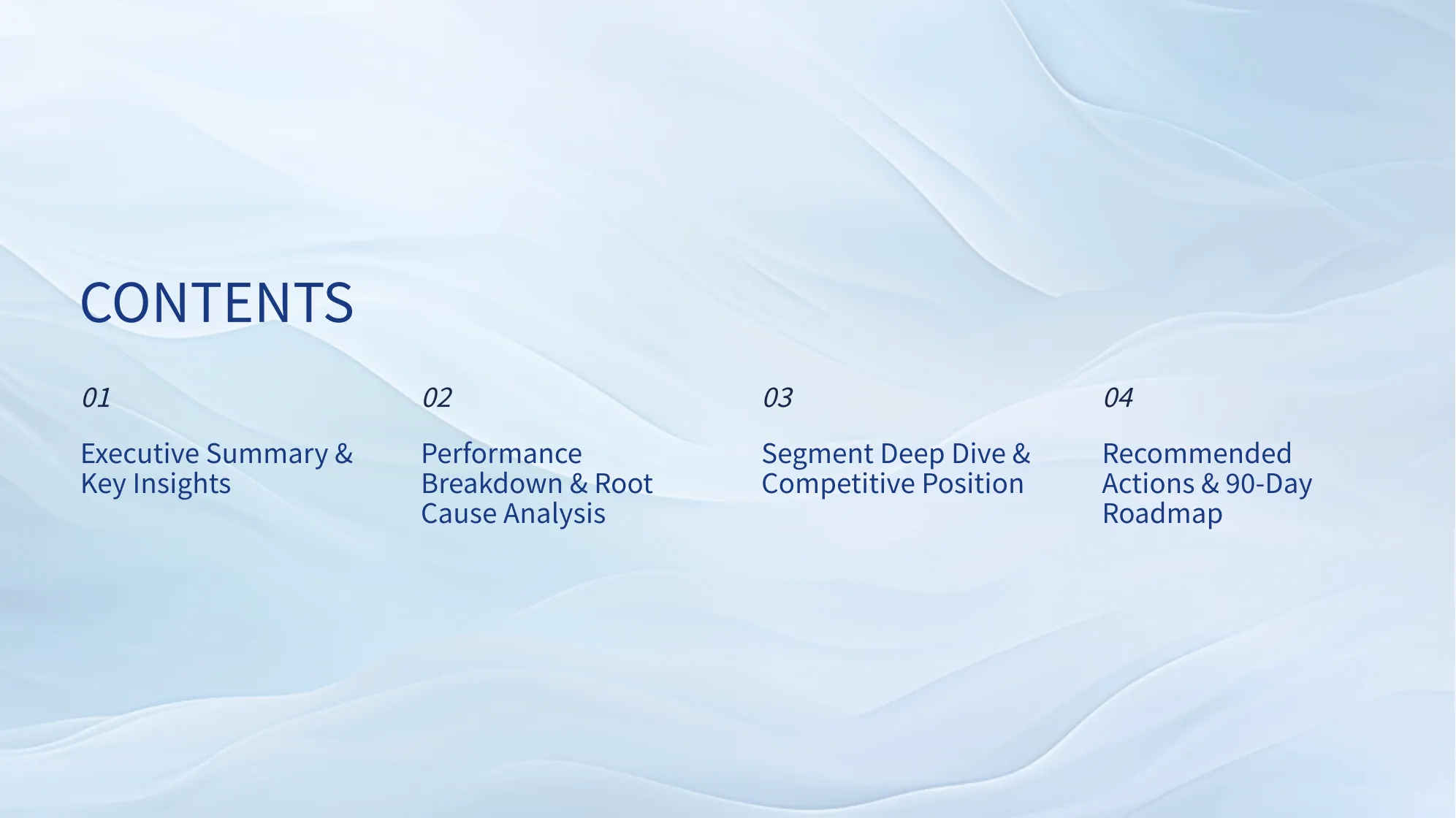
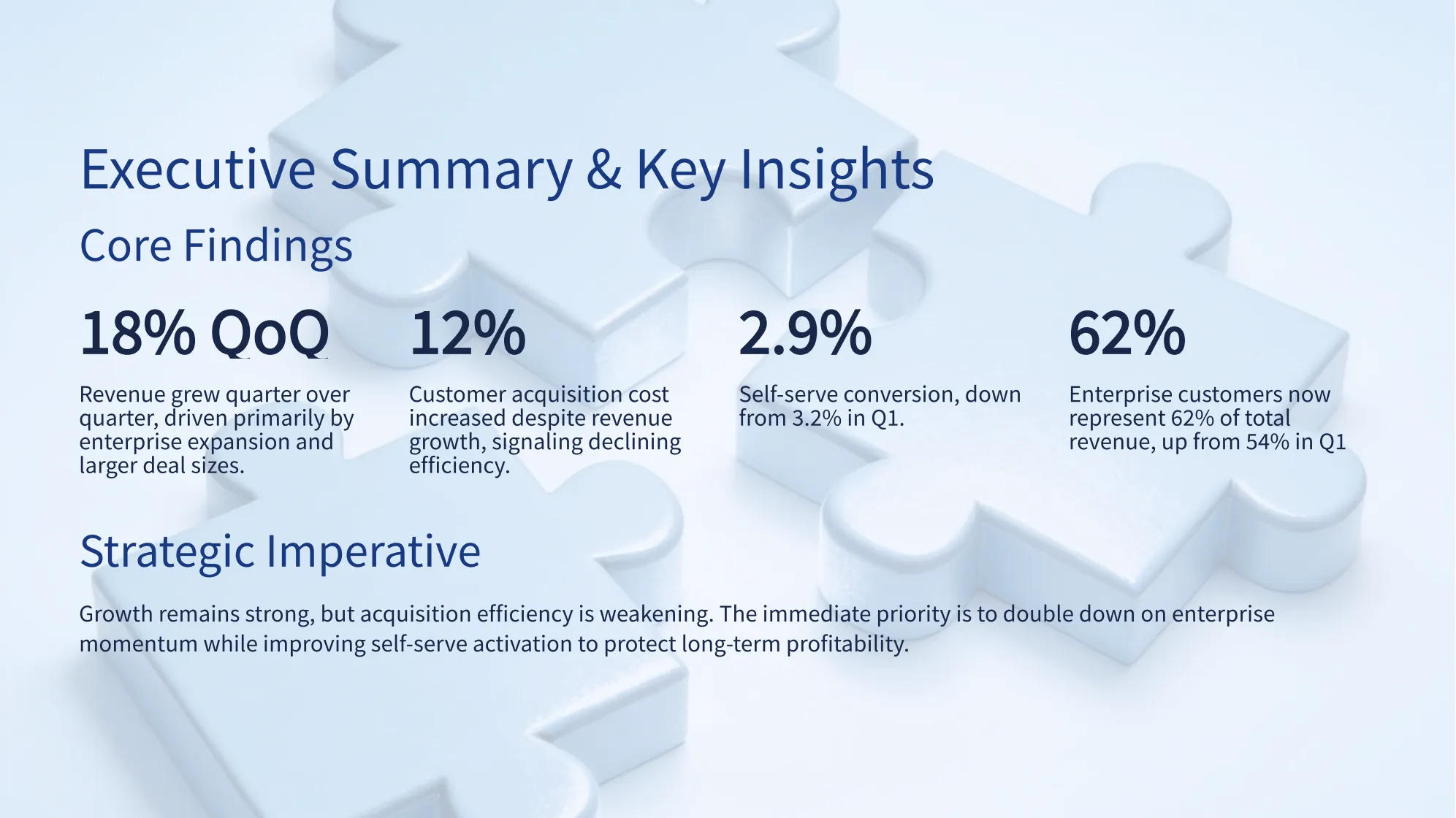
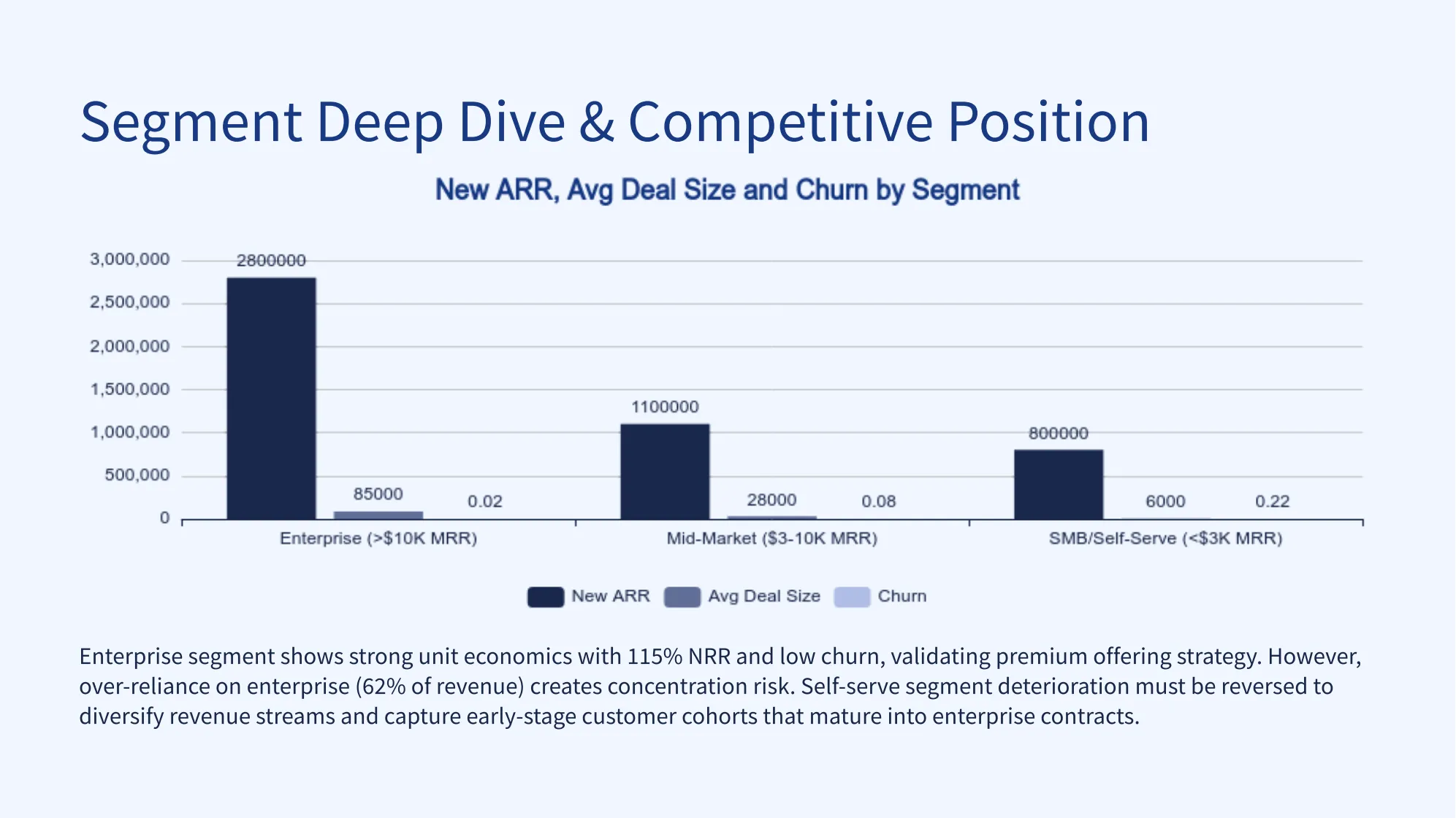
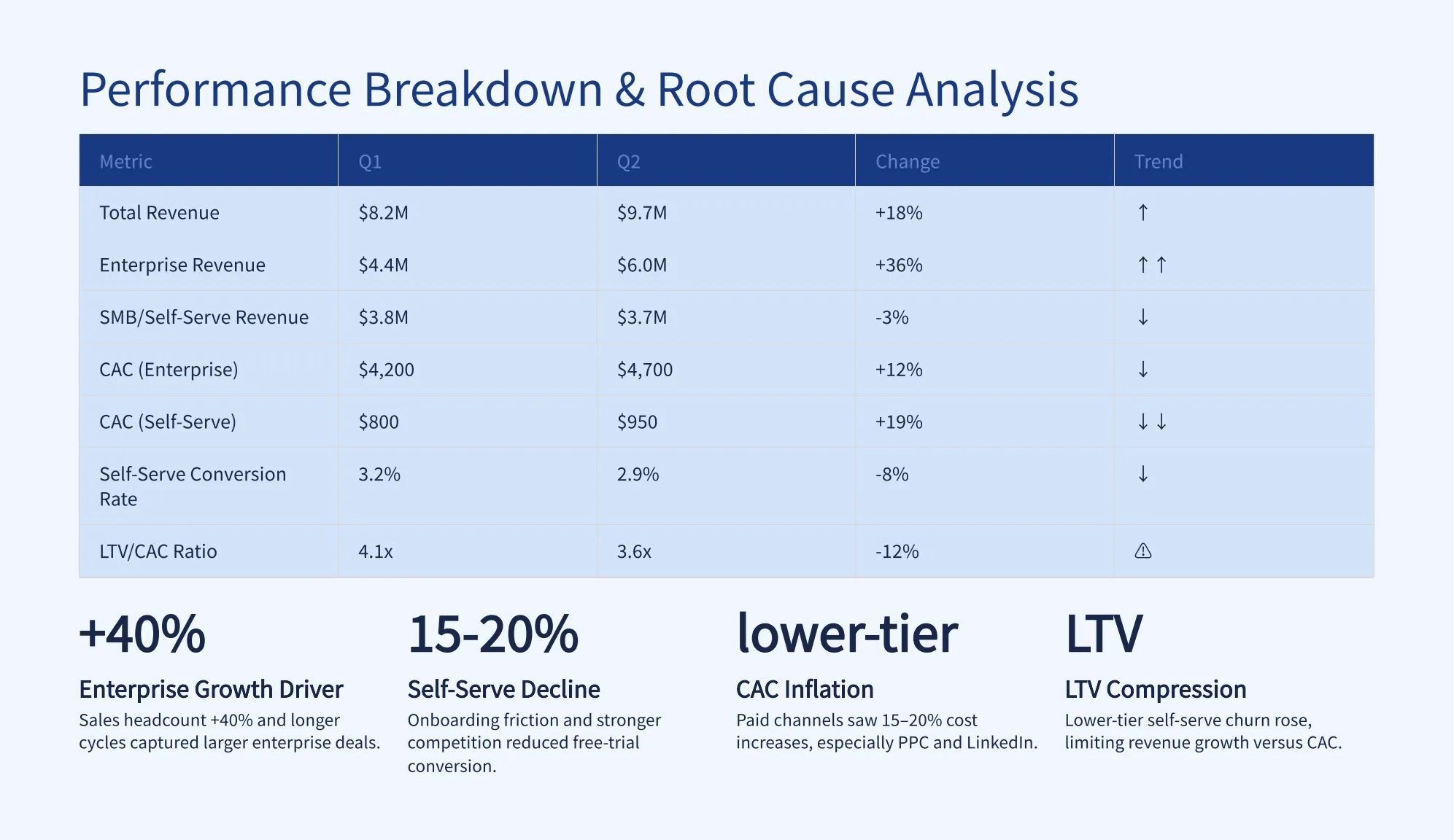
With AI, those notes can become a deck with an executive summary, a performance snapshot, growth drivers, key risks, strategic recommendations, and next steps. The user can then refine the tone, adjust the order, improve the slide titles, and make the final deck match the audience.
This workflow is especially useful when the goal is speed without losing professionalism. AI creates the first structured version, while the user focuses on judgment, accuracy, and final polish.
From raw material to executive-ready slides
The fastest way to create a business presentation is not to start with slide design. It is to start with the purpose of the deck.
1. Define the audience and goal
Before generating the presentation, clarify who the deck is for and what the audience needs from it.
A deck for senior leadership should not sound like a project log. A client proposal should not feel like an internal update. An investor update should not bury the business case under operational details. The same source material can lead to very different presentations depending on the audience.
For example, a leadership update may need a concise summary and a clear recommendation. A client proposal may need more emphasis on value, outcomes, and trust. An internal team report may need more operational detail. When the audience and goal are clear, AI can generate a more relevant structure from the beginning.
2. Provide useful source material
AI works best when it has something concrete to transform.
You can start with meeting notes, project briefs, research summaries, business reports, proposal drafts, sales updates, strategy notes, customer insights, or product launch plans. The input does not need to be perfectly written. In many cases, the value of AI is that it can take messy material and turn it into something clearer.
What matters is that the input includes the facts, direction, and key points the final presentation should cover. If the source material includes numbers, risks, recommendations, and audience context, the generated deck will usually be stronger than one created from a vague prompt alone.
3. Refine the deck for executive quality
AI can create a strong first version, but the final polish still matters.
After generating the deck, review whether the main message is clear, whether each slide title says something meaningful, whether the recommendation is specific, and whether the visual hierarchy supports quick reading. This is also the moment to remove unnecessary details, adjust the tone, and make the deck sound more like your business context.
This step is where the presentation becomes truly executive-ready. AI helps you get there faster, but the final version should still reflect your judgment.
When this workflow is most useful
Creating executive-ready presentations with AI is especially useful when speed and clarity both matter.
This workflow works well for business situations where the content already exists somewhere, but still needs to become a polished deck. For example:
- Weekly or monthly business reviews
- Quarterly performance updates
- Client proposals
- Investor updates
- Strategy discussions
- Product launch plans
- Internal project reports
- Team performance summaries
- Market research presentations
- Leadership meeting decks
In these situations, teams often do not need to invent the content from zero. They need to transform existing material into a deck that is clear, concise, and presentable. AI helps shorten that transformation process.
Instead of spending hours turning notes into slides, teams can create a structured first draft quickly and spend more time on what actually matters: sharpening the message, checking the logic, and preparing for the conversation.
Create polished business presentations faster with Pi
A strong business presentation should not start from a blank slide. It should start from a clear goal, useful source material, and a structure that helps the audience make decisions.
Pi helps turn rough ideas, notes, documents, and business inputs into polished presentations faster. Whether you are preparing an executive update, client proposal, internal report, or strategy deck, you can move from raw content to a structured presentation in minutes.
If you already have a project update, meeting notes, or a rough business summary, you can use Pi to turn it into a polished presentation structure and refine it for your audience.