100 Informative Speech Topics You Can Turn into Informative Slides
Choosing from hundreds of possible informative speech topics can feel harder than giving the speech itself. A broad subject like technology, health, or culture may sound interesting, but it can quickly become too vague to explain in a clear, engaging way.
The best informative speech ideas are specific enough to research, simple enough to organize, and visual enough to become strong slides. Whether you are preparing for a class, workshop, club meeting, internal training, or professional presentation, the goal is not just to find a topic. The goal is to shape that topic into a clear explanation your audience can follow.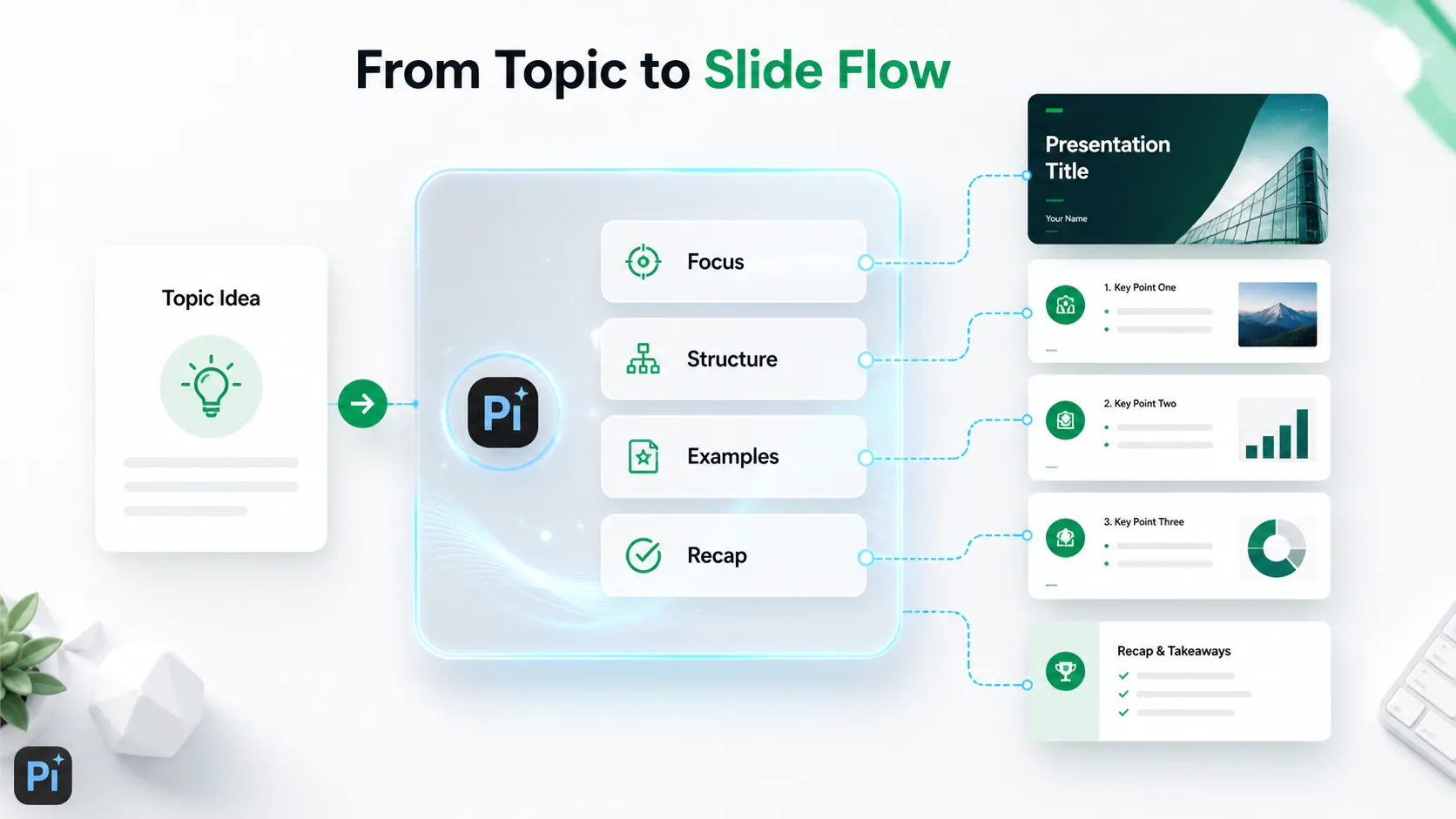
This guide gives you 100 speech topics across major categories, then shows how to turn your chosen idea into a slide-ready structure with help from Pi.
What Makes a Good Informative Speech Topic?
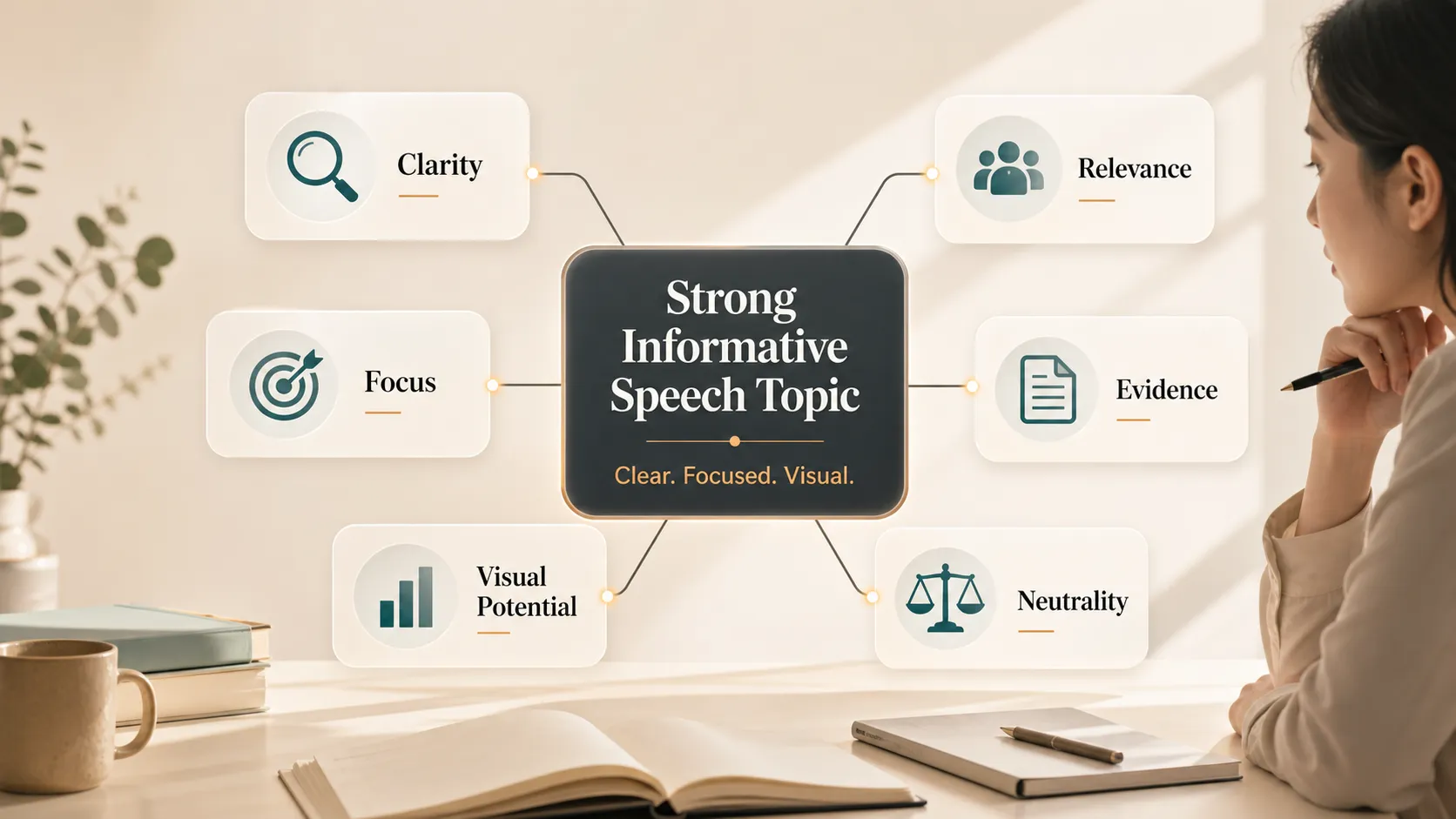
A strong informative topic teaches the audience something without turning into a debate or sales pitch. It explains a process, trend, concept, event, system, or impact. It should also match the time limit and the audience’s existing knowledge.
Use these criteria before you commit:
- Clarity: Can you summarize the topic in one sentence?
- Focus: Is it narrow enough for your time limit?
- Relevance: Will your audience understand why it matters?
- Evidence: Can you find credible, current information?
- Visual potential: Can it be explained with diagrams, timelines, comparisons, or examples?
- Neutrality: Can you inform before you persuade?
A topic like “AI” is too broad. “How AI tutors are changing homework support” is easier to explain through examples, simple visuals, and a cause-and-effect structure. Open textbook guidance on informative speaking is useful when you need to keep the goal educational rather than persuasive.
100 Informative Speech Topics by Category
Use this table to scan for ideas without reading a long numbered list. Each topic can become a speech, slide deck, classroom presentation, or set of informative slides.
| Category | Informative slides ideas |
|---|---|
| Technology and AI | AI tutors; facial recognition; recommendation algorithms; wearable health devices; smart homes; cybersecurity basics; deepfake detection; autonomous delivery; blockchain records; voice assistants |
| Society and culture | urban design; remote work culture; cultural views of punctuality; food traditions; festivals; public libraries; minimalist lifestyles; migration and cities; fashion trends; sports and national identity |
| Education | study habits; online learning; project-based learning; school start times; feedback and skill growth; bilingual education; procrastination; classroom technology; peer tutoring; media literacy |
| Health and wellness | sleep and decision-making; habit formation; food labels; hydration and focus; stress and immunity; walking and clarity; preventive healthcare; posture at work; screen time and eye strain; mindfulness |
| Environment | urban trees; plastic packaging; food waste; public transportation; home composting; fast fashion and water use; renewable energy storage; green buildings; climate education; heat in cities |
| Business and work | hybrid work; KPI dashboards; customer reviews; employee onboarding; market research; subscription models; small business branding; sales storytelling; OKRs; automation at work |
| Science | vaccines and immunity; quantum computing basics; weather forecasts; pattern recognition; satellites; sound waves; DNA testing; magnetism; digestion basics; space telescopes |
| Media and communication | social media algorithms; short-form video; podcasts; headlines; visual hierarchy; misinformation; brand tone; captions; radio history; news design |
| History and politics | ancient trade routes; civil rights speeches; constitutions; historical maps; voting systems; museums; printing and political ideas; international organizations; public health campaigns; census data |
| Everyday life | budgeting apps; morning routines; transit maps; color in packaging; grocery store layouts; calendars; cooking with heat; traffic lights; simple checklists; personal productivity systems |
For topics about misinformation, MIT Sloan’s research summary on false news online can support a media-focused presentation. For AI in education, UNESCO’s generative AI guidance is a strong source for current classroom discussions.
How to Choose the Best Topic for Your Audience
After scanning the list, shortlist three topics. Then test each one against your audience, time limit, and available evidence.
Ask yourself:
- Can I explain this topic in one sentence?
- Will the audience understand why it matters?
- Can I find credible sources?
- Can I show the idea visually?
- Is it narrow enough for the assignment?
Complexity matters. A five-minute speech should answer one clear question. A longer presentation can include background, examples, and implications.
For student topics about sleep, the CDC’s student sleep guidance can support presentations about school start times, attention, and learning. For environmental topics, NASA’s page on climate change effects can help with examples and context.
How to Turn a Topic into Informative Slides
Good informative slides give your speech a visible path. They should help the audience understand the topic faster, not repeat every sentence you plan to say.
A simple slide structure is:
- Title: state the specific angle.
- Hook: open with a question, fact, or visual example.
- Context: explain why the topic matters.
- Main point one: define the key idea.
- Main point two: show how it works.
- Main point three: explain why it matters.
- Example: make the idea concrete.
- Recap: summarize the takeaway.
- Q&A: invite questions.
Nielsen Norman Group’s guide to visual hierarchy is useful when designing informative slides because the most important idea should be easy to see first. W3C’s accessible presentation guidance can also help make slides easier for more people to follow.
Topic Examples Turned into Slide Angles
A good topic often becomes stronger when you narrow it into a slide-ready angle.
- “AI in education” becomes “How AI tutors are changing homework support.”
- “Nutrition” becomes “How food labels influence consumer decisions.”
- “Climate change” becomes “How urban trees reduce heat in cities.”
- “Social media” becomes “How recommendation algorithms shape what users see.”
- “Workplace productivity” becomes “How checklists reduce mistakes in complex tasks.”
Each version is more specific than the original category. That makes the research easier, the slide structure clearer, and the presentation more useful.
Where Pi Helps in the Workflow
Pi presentation maker helps bridge the gap between an idea and a polished presentation. Once you choose a topic, Pi can help turn it into a clear outline, logical slide flow, and visually refined deck.
This is useful because many presenters know their subject but struggle with structure. Pi can help organize the topic into an opening, key points, supporting examples, transitions, and recap. Instead of starting from a blank slide file, you can move from topic to draft much faster.
Pi is especially helpful for informative slides because the deck needs to explain rather than overwhelm. A strong informative presentation should have clear slide titles, simple layouts, and a visible path from question to answer. Pi helps shape that flow while still leaving room for your own research, examples, and voice.
Pi does not replace fact-checking. You still need credible sources and accurate examples. Its value is helping you structure and present what you know more clearly.
Quick Checklist Before Building Your Deck
Before opening your slide tool, make sure your idea is ready.
Check that you have:
- one focused topic;
- a clear audience;
- three main points;
- credible sources;
- at least one visual idea;
- a simple closing takeaway.
Write the closing recap before you design the first slide. If you know what the audience should remember, the whole presentation becomes easier to build.
The Verdict
The best informative speech topics are not just interesting. They are focused, researchable, and easy to explain visually.
If your goal is to create informative slides, choose a topic with a clear question, a simple structure, and enough examples to support your explanation. Then use the slides to guide the audience through the idea step by step.
With a focused topic, credible sources, and a tool like Pi to help organize the deck, an informative speech can become a clear, polished presentation instead of a loose collection of facts.
Frequently Asked Questions (FAQ)
What are good informative speech topics for students?
Good student topics include AI tutors, sleep and memory, food labels, online learning, misinformation, public transportation maps, and the science of habit formation. The best choice is specific, researchable, and suitable for the assigned time limit.
How do I make an informative speech topic interesting?
Choose a focused angle, open with a relatable hook, use examples, and organize the speech around a clear question. A topic becomes more engaging when the audience can see why it affects real life.
Should I use slides for an informative speech?
Slides are useful when they clarify the explanation. Use them for diagrams, timelines, comparisons, definitions, data, and recap points. Avoid filling slides with full paragraphs.
Can Pi help create a presentation from one topic?
Yes. Pi can help turn an informative speech topic into a structured slide outline, logical presentation flow, and polished deck. You should still verify facts and add credible evidence before presenting.