management of native encryption
Management of native encryption means controlling the encryption features already built into operating systems, devices, and platforms. For most organizations, this includes Windows BitLocker, macOS FileVault, Android file-based encryption, iOS data protection, recovery keys, device policies, and reporting.
The goal is simple: make sure sensitive data stays protected if a laptop, phone, tablet, or removable drive is lost, stolen, repaired, retired, or accessed without authorization.
Native encryption is powerful because it is already part of the platform. But it still needs management. Without clear policies, recovery key storage, compliance checks, and user guidance, built-in encryption can become inconsistent or hard to recover when something goes wrong.

The Security Job Native Encryption Is Supposed to Do
Native encryption protects data at rest. That means the data stored on a device remains unreadable unless the right authentication, recovery key, or unlock method is available.
NIST describes storage encryption as a way to restrict access to stored information on end-user devices such as laptops, mobile devices, and removable media. Its storage encryption guidance ↗ is a strong starting point for understanding full-disk encryption, volume encryption, and file-level encryption.
CISA gives similar practical guidance in its page on protecting stored device data ↗, especially for lost devices, removable drives, and recovery planning.
In practice, native encryption helps with four risks:
- A lost laptop exposing business files.
- A stolen phone giving access to work data.
- A retired drive being readable after disposal.
- A user forgetting credentials and needing secure recovery.
The encryption itself is only one part. The management layer decides whether protection is consistent.
Native Encryption Management Control Map
The easiest way to think about management of native encryption is as a set of controls, not a single switch.
| Control area | What management of native encryption should answer | Why it matters |
|---|---|---|
| Coverage | Which devices, drives, and users must be encrypted? | Prevents gaps across laptops, phones, and removable media |
| Policy | What settings are required by default? | Keeps encryption consistent across the organization |
| Key escrow | Where are recovery keys stored? | Prevents permanent data loss during recovery |
| Access | Who can view or use recovery keys? | Reduces insider and help desk risk |
| Monitoring | How is encryption status checked? | Finds non-compliant devices early |
| Recovery | What happens when a user is locked out? | Makes support faster and safer |
| Lifecycle | What happens during repair, migration, or disposal? | Protects data during device changes |
This table is the difference between “encryption is available” and “encryption is actually managed.”
Windows: Manage BitLocker and Device Encryption
On Windows, native encryption usually means BitLocker or automatic device encryption.
Microsoft’s BitLocker overview ↗ explains that BitLocker protects volumes from offline access, especially when devices are lost, stolen, or decommissioned. For managed environments, the important part is not only turning BitLocker on. It is making sure the correct policy, recovery method, and reporting process are in place.
A practical Windows encryption policy should define:
- which drives must be encrypted;
- whether TPM-only protection is enough;
- whether PINs are required for higher-risk users;
- where recovery keys are backed up;
- who can retrieve recovery keys;
- how failed or suspended encryption is reported.
Recovery planning matters. Microsoft’s BitLocker recovery overview ↗ explains the different recovery options, including recovery passwords, recovery keys, key packages, and data recovery agents. Teams should document which option is allowed before a real lockout happens.
macOS and Apple Devices: Manage FileVault and Data Protection
On macOS, native encryption centers on FileVault. Apple’s guide to managing FileVault with device management ↗ explains how organizations can enforce FileVault, control user deferrals, manage whether recovery keys are shown to users, and escrow personal recovery keys through device management.
For iPhone, iPad, and newer Apple platforms, encryption is closely tied to Data Protection. Apple’s Encryption and Data Protection overview ↗ explains how Apple devices protect user and corporate data if a device is lost, stolen, or compromised.
For Apple environments, management should focus on:
- enforcing FileVault during setup where appropriate;
- escrowing recovery keys to the approved management system;
- rotating recovery keys after use;
- confirming which users can unlock encrypted volumes;
- documenting what happens during device migration or reassignment.
The main risk is assuming that “Apple devices are encrypted” means the organization has recovery and reporting under control. Those are separate questions.
Android: Manage Encryption Through Device Policy
Android devices also include native encryption. Android’s file-based encryption allows different files to be encrypted with different keys, and the Android Open Source Project explains the model in its file-based encryption documentation ↗.
For business devices, encryption management is usually handled through Android Enterprise. Google’s guide to Android management ↗ explains that organizations can enforce security policies such as screen lock and storage encryption through a management solution.
Android encryption management should define:
- which devices are allowed for work use;
- whether the device is fully managed or BYOD with a work profile;
- what screen lock strength is required;
- how lost devices are locked or wiped;
- how compliance status is monitored;
- whether older devices still meet security requirements.
Android encryption is strongest when paired with device enrollment, lock-screen policy, update requirements, and remote wipe.
Key Management Is the Real Management Problem
Encryption depends on keys. That sounds obvious, but many encryption programs fail because key management is weak.
NIST’s key management guidelines ↗ cover the planning, protection, lifecycle, and governance of cryptographic keying material. For native encryption, the practical question is usually: where are recovery keys stored, and who can use them?
A good recovery key process should answer:
1. Where is the key escrowed? 2. Is the key stored automatically or manually? 3. Who can retrieve it? 4. Is retrieval logged? 5. Is the key rotated after use? 6. What happens when the device is retired? 7. What happens if the management system changes?
Do not leave recovery keys in screenshots, spreadsheets, shared drives, or personal notes. Recovery access should be controlled, logged, and limited.
A Practical Rollout Sequence
Management of native encryption is easier when it is rolled out in stages.
Step 1: Inventory devices
List laptops, desktops, phones, tablets, and removable drives that may store business data.
Step 2: Define required coverage
Decide which device types must use native encryption and which exceptions are allowed.
Step 3: Choose platform policies
Set BitLocker, FileVault, Android, and other platform rules before wide deployment.
Step 4: Configure recovery key escrow
Make sure recovery keys are stored in the approved system before users depend on them.
Step 5: Pilot with a small group
Test recovery, policy conflicts, device migration, and user communication.
Step 6: Enforce gradually
Move from reporting-only mode to enforcement after pilot issues are resolved.
Step 7: Monitor continuously
Review encryption status, suspended protection, failed escrow, unmanaged devices, and recovery events.
This sequence avoids the most common mistake: enabling encryption broadly before recovery has been tested.
What to Report to Leadership
Security leaders do not need every technical setting. They need a clear view of coverage, risk, and readiness.
A useful native encryption report should show:
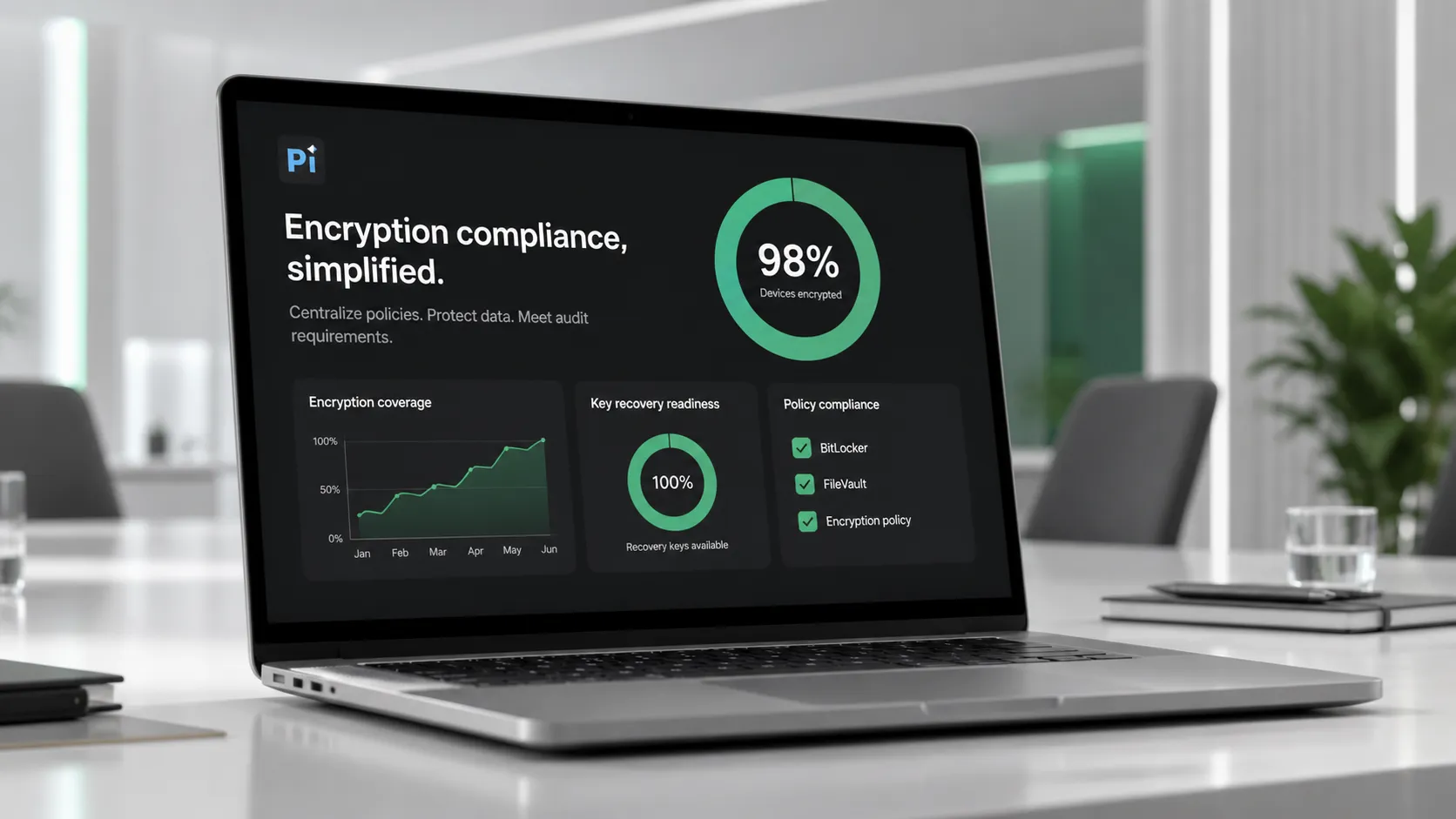
- percentage of managed devices encrypted;
- number of devices missing recovery keys;
- devices with suspended or failed encryption;
- high-risk users or teams not covered;
- recovery events during the reporting period;
- devices pending retirement or wipe;
- policy exceptions and owners.
If you need to explain encryption coverage to executives or clients, you can turn your native encryption policy into a stakeholder-ready presentation with Pi ↗.Use it for reporting coverage, risks, recovery readiness, and next steps without turning the deck into a technical dump.
When Native Encryption Is Not Enough
Native encryption protects stored data, but it does not solve every security problem.
It does not replace:
- identity and access management;
- endpoint detection and response;
- backup and disaster recovery;
- patch management;
- data loss prevention;
- phishing protection;
- cloud access controls;
- secure device disposal.
It also does not protect data after an authorized user has unlocked the device and accessed files normally. Once the system is running and the user is authenticated, other controls are still needed.
Native encryption should be treated as a baseline control, not the whole security strategy.
The Verdict
Management of native encryption is about making built-in encryption dependable. Turning on BitLocker, FileVault, Android encryption, or Apple Data Protection is only the start.
A mature program defines coverage, enforces policies, escrows recovery keys, limits recovery access, monitors compliance, and tests what happens when a device is lost, locked, migrated, or retired.
The best encryption program is not the one with the strongest checkbox. It is the one where protection, recovery, and reporting all work when the organization actually needs them.
Frequently Asked Questions
What is management of native encryption?
Management of native encryption is the process of controlling built-in encryption features across devices and platforms. It includes policy enforcement, recovery key escrow, compliance monitoring, recovery workflows, and lifecycle handling for encrypted devices.
Is native encryption the same as full-disk encryption?
Not always. Native encryption means encryption built into the operating system or platform. It may include full-disk encryption, volume encryption, file-based encryption, or data protection features depending on the device and operating system.
Why is recovery key management important?
Recovery key management is important because encrypted data can become inaccessible if users forget passwords, hardware changes trigger recovery, or devices are migrated. Recovery keys should be escrowed securely, access should be limited, and retrieval should be logged.
What should an organization track for native encryption compliance?
Organizations should track encryption status, recovery key escrow status, policy compliance, suspended protection, failed encryption, device ownership, recovery events, and exceptions. These metrics show whether encryption is actually working across the environment.


