MCP Resources vs Tools: What's the Difference and When to Use Which?
Model Context Protocol (MCP) gives AI applications a standard way to connect models with external context and capabilities. For developers building MCP servers, the most important design decision is often deceptively simple: should a capability be exposed as a Resource or as a Tool?
The distinction shapes how an agent discovers information, when it consumes tokens, what it can change, and how users evaluate risk. A poorly modeled capability can make an integration harder to reason about: static reference data becomes an unnecessary function call, or a consequential action appears to be harmless context.
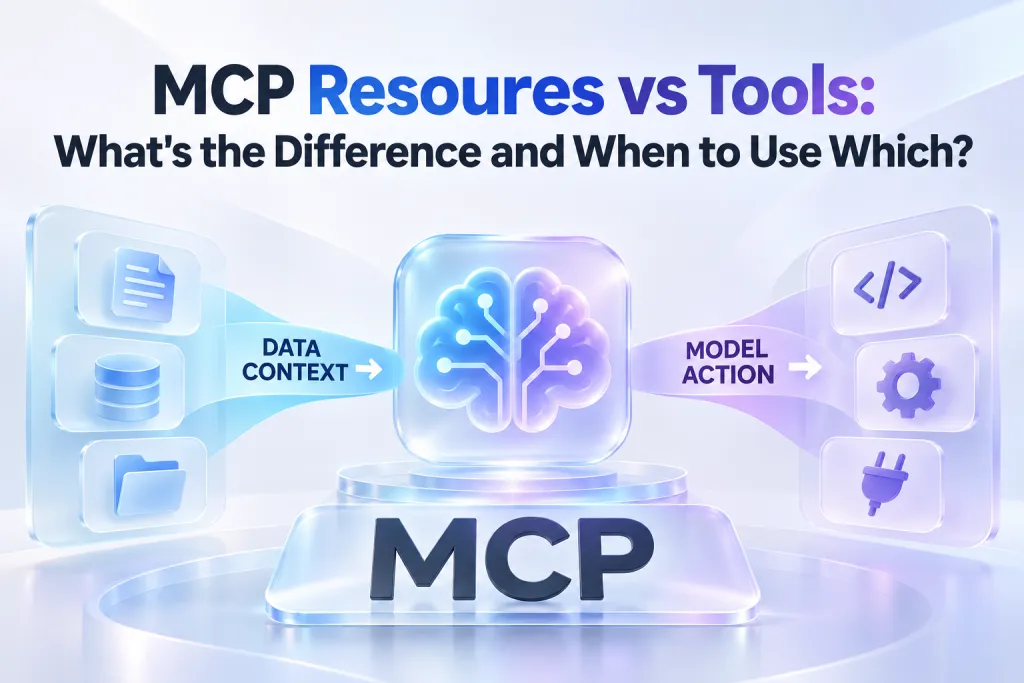
In practical terms, MCP Resources provide read-only information that an application can make available to an AI system. MCP Tools expose executable operations that a model can request. Understanding the boundary between them is fundamental to reliable, secure, and token-efficient MCP server development.
Why the Resources-versus-Tools Distinction Matters in MCP
AI agents need both information and the ability to act. However, information retrieval and action execution have different trust models.
A model may need a database schema to understand what queries are possible. It may then need a separate capability to run an approved query. Treating both as the same type of integration obscures intent, complicates permissions, and can lead to excessive context usage.
The Resources-versus-Tools distinction matters because it clarifies:
- Agent behavior: The model can inspect stable context separately from requesting an operation.
- Security boundaries: Read access and write access can be reviewed, scoped, and governed differently.
- User trust: Users can distinguish between an agent learning about a system and changing that system.
- Token efficiency: Relevant context can be fetched when needed rather than indiscriminately inserted into every prompt.
- Server design: Capabilities become easier to name, document, test, and maintain.
MCP does not mean every available Resource is automatically placed in the model context. Resources are available through the MCP capability model, while the host application determines how and when they are surfaced or read. This host-controlled approach is essential when the available information is broad, sensitive, or expensive to load.
What Are MCP Resources?
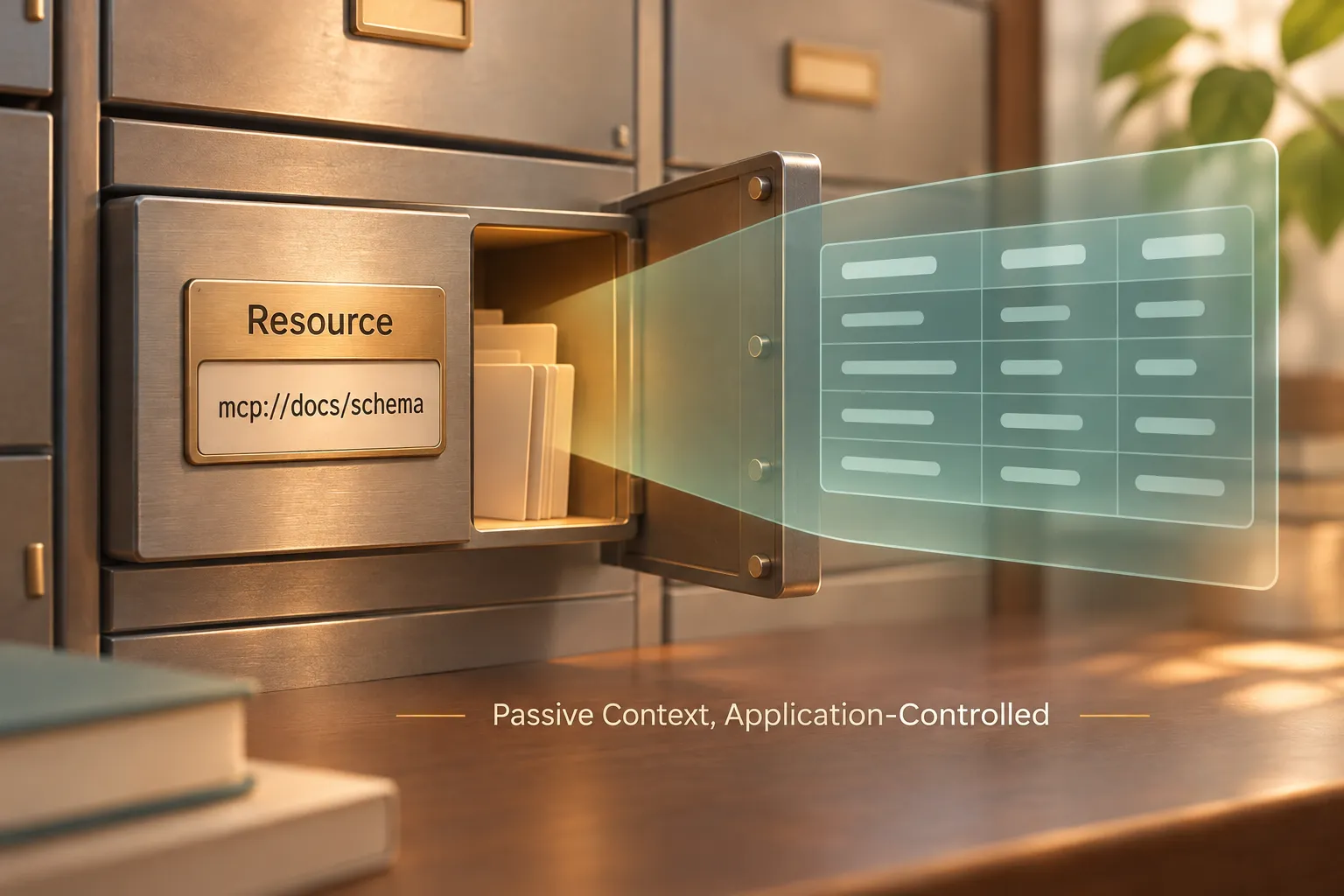
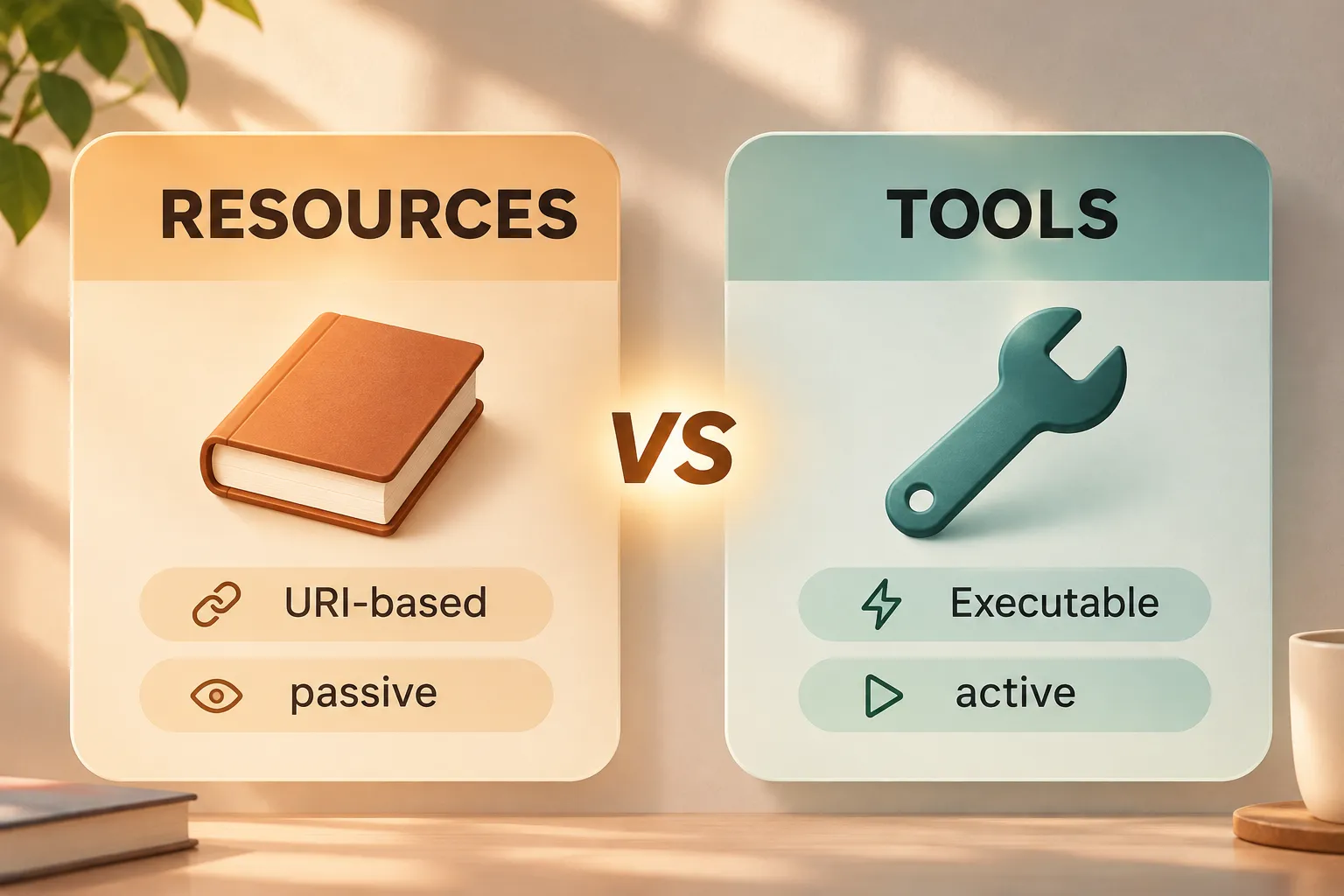
MCP Resources are read-only, URI-based pieces of context exposed by an MCP server. They are designed for information an AI system may need to inspect, summarize, reason over, or cite while completing a task.
A Resource is not simply any file or generic API endpoint. Within the Model Context Protocol, it is a discoverable unit of contextual data, typically identified by a URI. A server can expose Resources representing documentation, configuration, schemas, project metadata, knowledge-base pages, or generated status information.
Common examples include a repository architecture guide, a `README` file, an OpenAPI schema, a database table definition, or the current configuration for a deployment environment. These are useful because they help an agent understand the state and rules of a system before it proposes or performs work.
At the protocol level, servers can advertise available context with `resources/list`. A client can then retrieve a specific item through `resources/read`. This separation lets the host and agent inspect what is available before loading the content itself.
Resources are especially useful when the answer should be derived from existing, stable information. For example, an agent reviewing an unfamiliar service may read a Resource containing the service’s API contract before suggesting an integration. The Resource provides evidence and context; it does not carry out a change.
What Are MCP Tools?
MCP Tools are executable capabilities that a model can discover and invoke through an MCP server. They represent operations: tasks the agent can ask a connected system to perform.
A Tool may make an API request, create an issue, run a deployment check, generate a report, send a message, or write to a database. Many Tools can have side effects, but side effects are not a requirement. A read-only database query, for example, can still be correctly modeled as a Tool if it is an operation with inputs, execution logic, and a structured result.
Servers expose Tool definitions through `tools/list`. Each definition should communicate a clear name, description, and input schema. The model invokes a selected capability through `tools/call`, supplying arguments that match the Tool’s expected input.
The key design principle is that a Tool asks the server to do work. Its output may be data, but that data is the result of execution rather than a directly addressable contextual artifact.
For example, `create_linear_ticket` is a Tool because it causes an external workflow to create a new ticket. `get_deployment_status` can also be a Tool when the server must query a live system using supplied environment and service parameters. Both operations need explicit invocation, even though only one necessarily changes state.
MCP Resources vs Tools: Key Differences
| Capability | MCP Resources | MCP Tools |
|---|---|---|
| Control model | Host-controlled context access | Model-requested execution, subject to host controls |
| Primary purpose | Provide read-only information | Perform an operation or computation |
| Side effects | None; read-only | Possible, but not required |
| Identifier model | URI-based | Named function with an input schema |
| Discovery method | `resources/list` | `tools/list` |
| Access method | `resources/read` | `tools/call` |
| Typical examples | Docs, schemas, configs, metadata | API calls, ticket creation, queries, deployments |
| Best fit | Stable context to inspect | Parameterized work to request |
The table captures a practical boundary: Resources describe or expose information, while Tools execute behavior. In a well-designed MCP server, the distinction remains visible even when both capabilities support the same broader workflow.
How to Choose Between a Resource and a Tool
Start with one question: does the agent need to inspect information, or does it need the server to perform an operation?
Use a Resource when the information is read-only, naturally addressable, and useful as context. A configuration file, product specification, policy document, or database schema usually fits this model. The client can discover the item, decide whether it is relevant, and read it without triggering business logic.
Use a Tool when the task requires inputs, execution, or an outcome that cannot be represented as static context. Creating a support ticket, fetching a filtered report, starting a build, or updating a record belongs behind a Tool.
Some workflows need both primitives. Consider a release-management integration:
1. Expose release policies and environment definitions as Resources. 2. Offer a Tool to retrieve live deployment status for a selected service. 3. Offer a separate Tool to trigger an approved deployment.
This design lets the agent first understand policy and environment constraints, then ask for current operational data, and only afterward request a consequential action. The separation is easier for users to audit and easier for product teams to secure.
Avoid turning every query into a Resource. If the information is dynamic, parameterized, or computationally expensive, a Tool is usually more appropriate. Conversely, avoid wrapping simple, stable reference content in a Tool when a URI-based Resource would make its purpose clearer.
Practical MCP Server Design Examples
A repository documentation server might expose coding standards, architecture decision records, and service ownership maps as Resources. These items are useful reference material with predictable addresses. A `search_repository_docs` capability could be a Tool if it accepts keywords and executes a targeted search across a large documentation corpus.
For database integrations, table schemas and approved data dictionaries work well as Resources. A `run_readonly_query` capability is better modeled as a Tool because it accepts a query or structured filters, validates them, executes against a live system, and returns a result. A separate write Tool should never be hidden behind the same ambiguous interface.
Project-management integrations follow the same pattern. A Resource can provide a sprint board’s workflow definitions or issue-label taxonomy. A Tool can create a ticket, update its status, or assign an owner. The information helps the agent make an informed request; the Tool performs the requested change.
Report generation is another useful edge case. A fixed quarterly-report template can be a Resource. A `generate_quarterly_report` operation is a Tool because it accepts a time range, selects live data, applies business logic, and creates an output. The generated report may later be exposed as a Resource if it becomes a stable artifact that other agents should inspect.
Using Pi MCP for Technical-to-Presentation Workflows
Presentation Intelligence (Pi) supports MCP workflows for teams that need to turn technical work into clear stakeholder communication. Pi MCP is not a replacement for code editors, source control, databases, or other MCP servers. It addresses a distinct step in the delivery process: translating approved technical context into a structured, business-ready presentation.
1. Business Logic Comes Before Slide Styling
In an AI coding or agent environment such as Claude Code, teams often have the raw material for a strong presentation already available: technical briefs, project notes, architecture explanations, release summaries, and codebase-derived findings. The challenge is turning that material into an audience-appropriate narrative rather than a collection of disconnected slides.
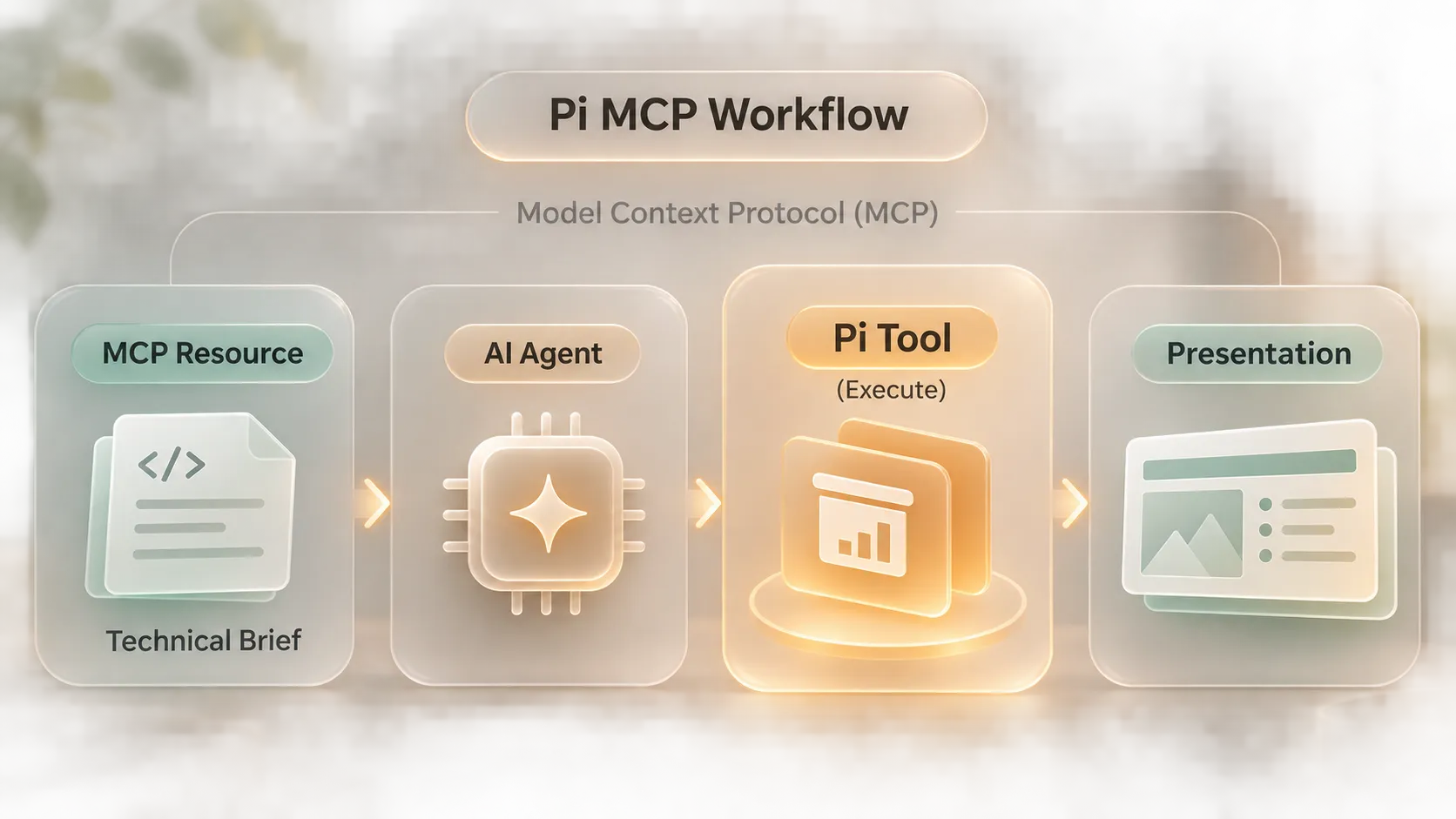
With Pi MCP, an agent workflow can pass a defined brief or approved context into Presentation Intelligence to create a logic-first presentation structure. This is useful for engineering roadmap updates, executive project reviews, technical sales decks, consulting reports, and product-launch narratives where the storyline must be as credible as the underlying implementation.
2. Generation Stays Visible in the Existing Workflow
Presentation creation can otherwise require developers and product teams to leave their working environment, manually reorganize technical notes, and repeatedly check on a separate production process. Pi MCP enables teams to initiate presentation work and track generation progress inside their existing agent workflow.
That continuity matters when the deck depends on evolving project context. A team can refine the brief, clarify audience needs, and monitor the presentation workflow without treating communication as an afterthought. Pi’s Multi-Agent AI approach supports the transition from complex inputs to professional structure and premium business presentation output, while the team retains control over what context is shared.
Best Practices for Secure and Token-Efficient MCP Integrations
Good MCP server development begins with narrow, legible capabilities. Keep Resources scoped to information that an agent genuinely needs. A massive, undifferentiated knowledge dump can consume tokens without improving decisions. Prefer smaller Resources with meaningful URIs, clear descriptions, and predictable boundaries.
For Tools, use precise names and explicit input schemas. `create_customer_ticket` communicates more than `manage_ticket`, and a schema that separates title, priority, and customer ID reduces ambiguity. Return structured, actionable results so an agent can determine what happened without repeatedly calling the same Tool.
Separate read and write operations whenever possible. A Tool that both inspects and changes a system makes permission review harder. Where an action is consequential—such as deleting records, sending external messages, or triggering production deployments—apply least-privilege access and require appropriate user confirmation in the host experience.
Finally, design for progressive disclosure. Let agents discover capabilities first, retrieve only relevant Resources, and invoke Tools only when an operation is required. This approach reduces token waste, limits exposure of sensitive data, and makes an agent’s reasoning path more understandable.
The Practical Verdict: Model Context as Resources, Operations as Tools
The most reliable rule for MCP design is straightforward: expose durable, read-only context as Resources and executable, parameterized work as Tools. This boundary improves security reviews, keeps agent behavior interpretable, and helps teams manage context budgets without sacrificing useful access.
For complex workflows, the strongest design often combines both. Resources provide the facts and constraints an agent needs; Tools provide carefully governed ways to act on them. Pi MCP applies that same pattern to technical communication, helping teams convert approved project context into structured presentations while remaining inside the AI environments where the work already happens.
Frequently Asked Questions (FAQ)
Can MCP Resources change data?
No. MCP Resources are read-only contextual items. They are intended to provide information for inspection and reasoning, not to modify files, databases, services, or external workflows.
Do MCP Tools always have side effects?
No. Tools are executable capabilities, and some simply retrieve or calculate information. However, because Tools can perform operations and may have side effects, they should have clear names, input schemas, permissions, and confirmation requirements where appropriate.
How do I choose a Resource or Tool for a new MCP capability?
Choose a Resource when the capability is stable, read-only information that is naturally identified by a URI. Choose a Tool when the capability needs inputs, executes logic, queries a live system, or performs an action. When a workflow needs both context and execution, expose each as a separate capability.
How does Pi MCP support developer workflows?
Pi MCP helps developers, AI engineers, and product teams turn technical briefs, project notes, and codebase-derived context into structured, logic-first presentations. It supports presentation generation and progress tracking within compatible AI coding and agent environments, including workflows such as Claude Code.