Mastering the Remote Pitch: How to Engage Your Audience Over Zoom
A remote pitch is not just an in-person pitch delivered through a webcam. On Zoom, attention is thinner, body language is harder to read, and every participant is one notification away from multitasking. Even a strong idea can feel flat if the presentation is too slow, too dense, or too dependent on the energy of the room.
The best remote pitching tips focus on designing for virtual attention. That means sharper structure, cleaner slides, more deliberate delivery, and interactive moments that keep the audience mentally present without disrupting executive-level pacing.
Why Remote Pitches Are Harder Than They Look
In a conference room, you can sense when people are leaning in, confused, skeptical, or ready to move forward. In a Zoom presentation, those signals are reduced or delayed. Some attendees may have cameras off. Others may be listening while checking email. The presenter has to create clarity and energy through a much narrower channel.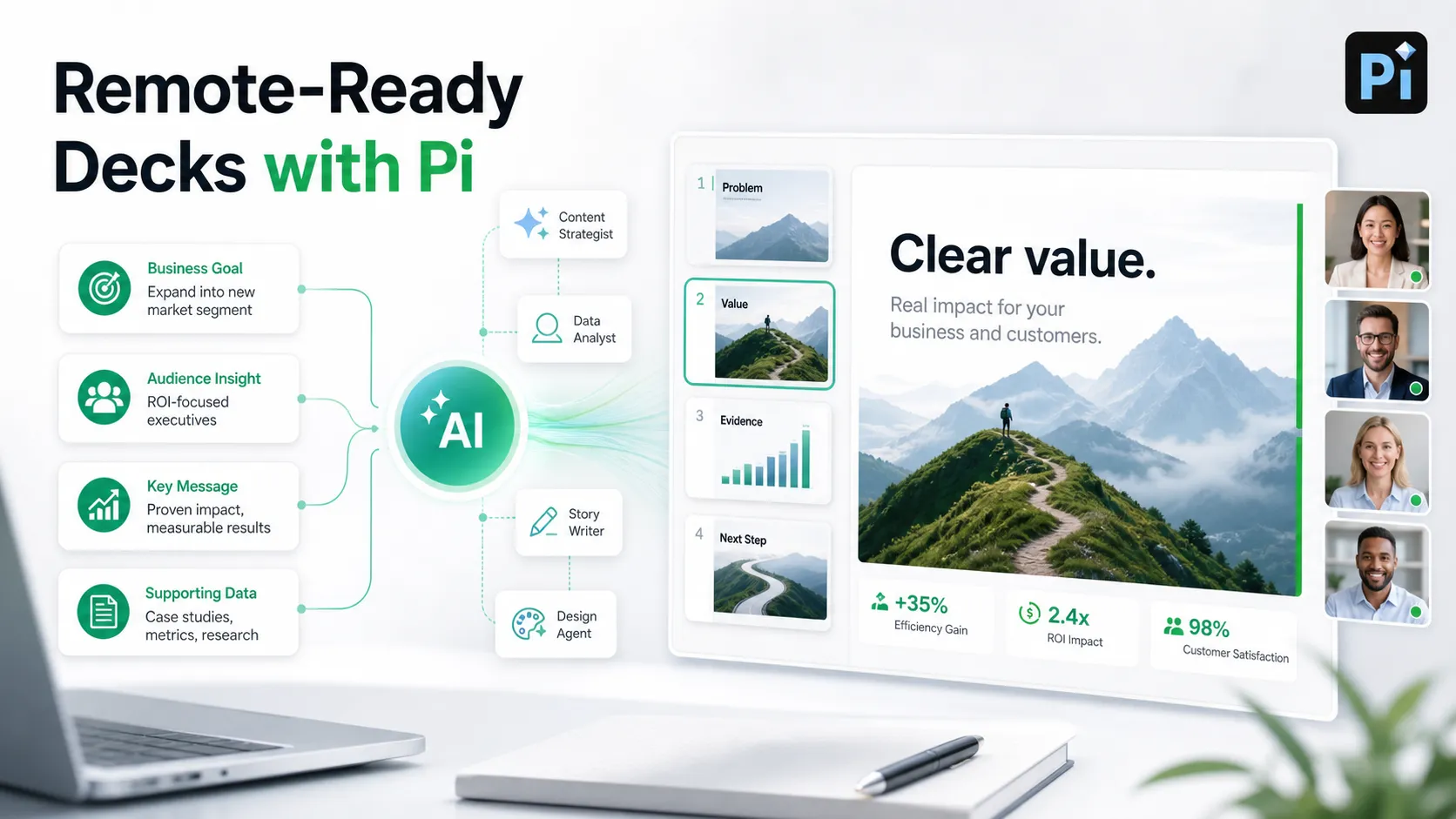
Remote pitches are harder because the audience is dealing with:
- Screen fatigue from back-to-back online meetings
- Reduced body language and weaker emotional feedback
- More opportunities to multitask
- Smaller slide viewing areas on laptops
- Lower tolerance for long explanations or crowded decks
This does not mean remote pitching is less effective. It means the format requires more discipline. Your deck, voice, timing, and audience interaction all need to work harder.
Start With a Tighter Pitch Structure
A remote pitch should move quickly from relevance to value. If the opening feels slow, the audience may start dividing attention before the real argument begins.
Start by making the meeting purpose clear in the first minute. Explain what you will cover, why it matters now, and what decision or next step the conversation is meant to support. Then frame the problem in business terms before introducing your solution. A strong sequence is: context, problem, consequence, value proposition, evidence, and next step.
This structure helps your audience follow the logic without needing to interpret too much on their own. It also gives you natural transition points, which are essential for online pitch deck delivery. Instead of drifting from slide to slide, you can signal progress: “Now that we have established the cost of the problem, let’s look at the solution and why it is different.”
Design Slides for Screen Attention, Not Conference Rooms
Slides that work on a large meeting room display may fail on a 13-inch laptop. In a remote pitch, every slide should be easy to understand at a glance. The audience should not need to squint, zoom, or wait for you to explain every element.
Use stronger headlines that state the point of the slide, not just the topic. “Churn Is Concentrated in Mid-Market Accounts” is more useful than “Customer Churn.” Limit competing elements, create clear visual hierarchy https://www.nngroup.com/articles/visual-hierarchy-ux-definition/ , and use charts only when they support the argument directly.
For a Zoom presentation, simplicity is not about making the deck basic. It is about reducing cognitive load. A clean slide allows the audience to listen to you instead of decoding the screen.
| Presentation Need | Standard Slide Workflow | Pi |
|---|---|---|
| Narrative structure | Often built manually | Business-ready logic |
| Slide clarity | Depends on user editing | Professional structure |
| Visual consistency | Template-dependent | Premium visual quality |
| Pitch preparation | Separate from deck creation | Stronger deck foundation |
| Remote readiness | Requires extra adaptation | Clearer screen-first flow |
Use Pi to Build a More Remote-Ready Pitch Deck
Pi, short for Presentation Intelligence, is an AI presentation maker designed for professional business presentations. For remote pitching, its value is not that it replaces the presenter. The presenter still owns the delivery, audience reading, and live interaction. Pi helps with the foundation: a deck that is easier to follow, more visually polished, and more aligned with the logic of a high-stakes business conversation.
1. Business Logic Comes Before Slide Styling
Many pitch decks look polished but lack a persuasive sequence. Pi helps teams move beyond isolated slides by shaping the business logic behind the presentation. For a remote audience, this matters because people are less likely to tolerate unclear narrative flow. They need to understand where the pitch is going and why each point matters.
2. Professional Structure Reduces Live Explanation
A remote pitch should not require the presenter to rescue every slide verbally. Pi helps create a professional structure where the headline, layout, and supporting evidence work together. That makes it easier for decision-makers to follow the argument even when attention fluctuates.
3. Premium Visual Quality Builds Confidence
Visual quality affects credibility, especially when the audience is viewing your company for the first time through a screen. Pi supports premium, business-grade aesthetics for pitch decks, sales decks, executive presentations, and brand proposals. In remote delivery, that polish can help the meeting feel more prepared and more serious.
Bring More Energy Through the Camera
Virtual presentation skills depend heavily on camera behavior and vocal control. In person, your physical presence fills the room. On Zoom, small delivery habits become more important.
Look into the camera when making key points, especially during the opening, value proposition, and close. It may feel unnatural, but it creates the impression of eye contact. Use shorter sentences than you would in person, and pause after important statements so the audience has time to process them.
Vocal variety also matters. If your tone stays flat, the pitch will feel longer than it is. Deliberately emphasize numbers, contrasts, and decision points. Avoid reading from slides. When you read, your energy drops and the audience has no reason to keep listening.
Make the Pitch Interactive Without Slowing It Down
Interaction does not need to mean long discussions or frequent interruptions. In a remote pitch, the best engagement techniques are brief, intentional, and easy to answer.
Ask short checkpoint questions such as, “Does this match what you are seeing in your current process?” or “Is this the right level of detail before I move into the financial model?” These questions bring people back into the conversation without derailing the pitch.
Chat prompts can also work well when the group is larger. For example, you might ask participants to drop a priority, concern, or use case into the chat. If reactions are enabled, invite a quick thumbs-up before moving forward. The goal is not entertainment. The goal is to make attention active.
Manage Timing, Transitions, and Screen Fatigue
The longer the screen https://hai.stanford.edu/news/researchers-identify-four-causes-zoom-fatigue-and-their-simple-fixes share continues without variation, the more attention declines. Remote pitches usually benefit from tighter timing than in-person presentations. If you have 30 minutes, plan for 20 minutes of structured delivery and leave the rest for questions, objections, and next steps.
Use clear transitions between sections. A simple sentence like “We have covered the market problem; now let’s move to why our approach is positioned to solve it” helps the audience reset. Break longer explanations into smaller segments, and avoid staying on complex slides for too long.
It can also help to stop screen sharing briefly during discussion. This brings faces back to the center of the meeting and makes the conversation feel less like a broadcast.
End With a Clear Decision Path
A strong remote pitch close should remove ambiguity. Do not end with a vague “Let us know what you think.” Recap the core argument in a few sentences, restate the value, and define the next step.
Be specific about ownership and timing. For example: “If this direction makes sense, we suggest a 45-minute technical review next week with your product and operations leads. We will send the implementation outline by Friday, and Sarah can coordinate scheduling.”
Remote meetings often end abruptly as people jump to the next call. A clear decision path ensures the pitch does not disappear into a calendar gap.
Remote Pitch Checklist
Before your next online pitch deck delivery, review the essentials. Your opening should explain the meeting purpose, the problem, and the decision you want to support. Your slides should be readable on a laptop, with strong headlines and minimal clutter. Your delivery should include camera contact, varied pacing, and concise explanations.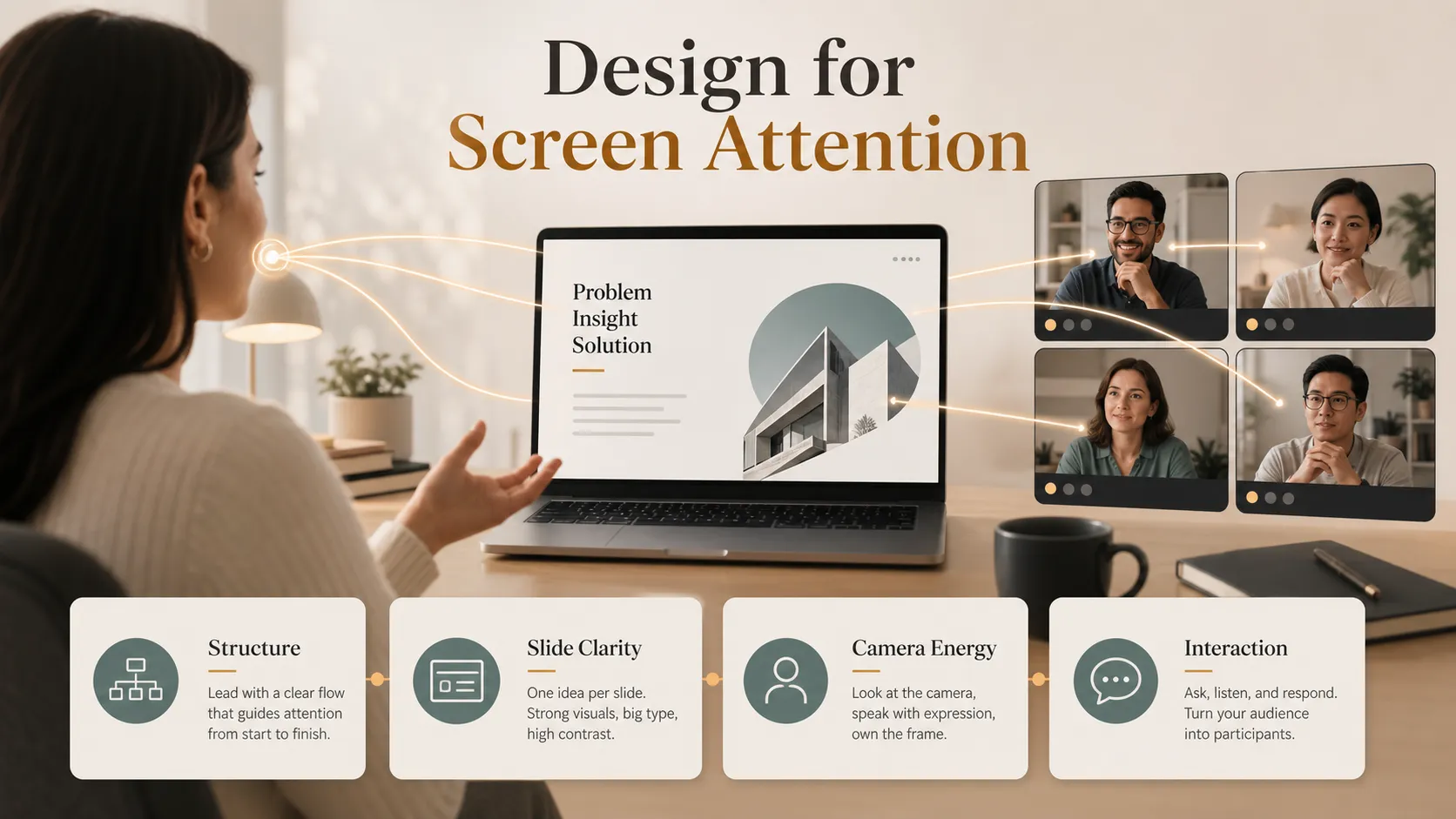
Build in a few short interaction points, but do not let them slow the pitch. Plan your timing carefully, use transitions to guide attention, and close with explicit next steps. The more intentional the experience feels, the easier it is for your audience to stay engaged.
Frequently Asked Questions (FAQ)
Q: What are the most important remote pitching tips for a Zoom presentation? A: Start with a clear structure, design slides for laptop screens, speak in shorter sentences, look into the camera during key points, and use brief interaction moments to keep attention active.
Q: How long should an online pitch deck delivery be? A: Most remote pitches should be shorter than in-person versions. For a 30-minute meeting, aim for about 20 minutes of presentation and reserve time for questions, discussion, and next steps.
Q: How can I keep a virtual audience engaged without interrupting the flow? A: Use quick checkpoint questions, chat prompts, intentional pauses, and clear section transitions. These techniques help the audience participate without turning the pitch into an unstructured discussion.
Q: Can Pi help improve virtual presentation skills? A: Pi helps create a stronger pitch deck foundation with business-ready structure, professional logic, and premium visuals. It does not replace speaker preparation, but it can make the deck clearer and more remote-ready before the live presentation.